4-5. Using the driving support systems
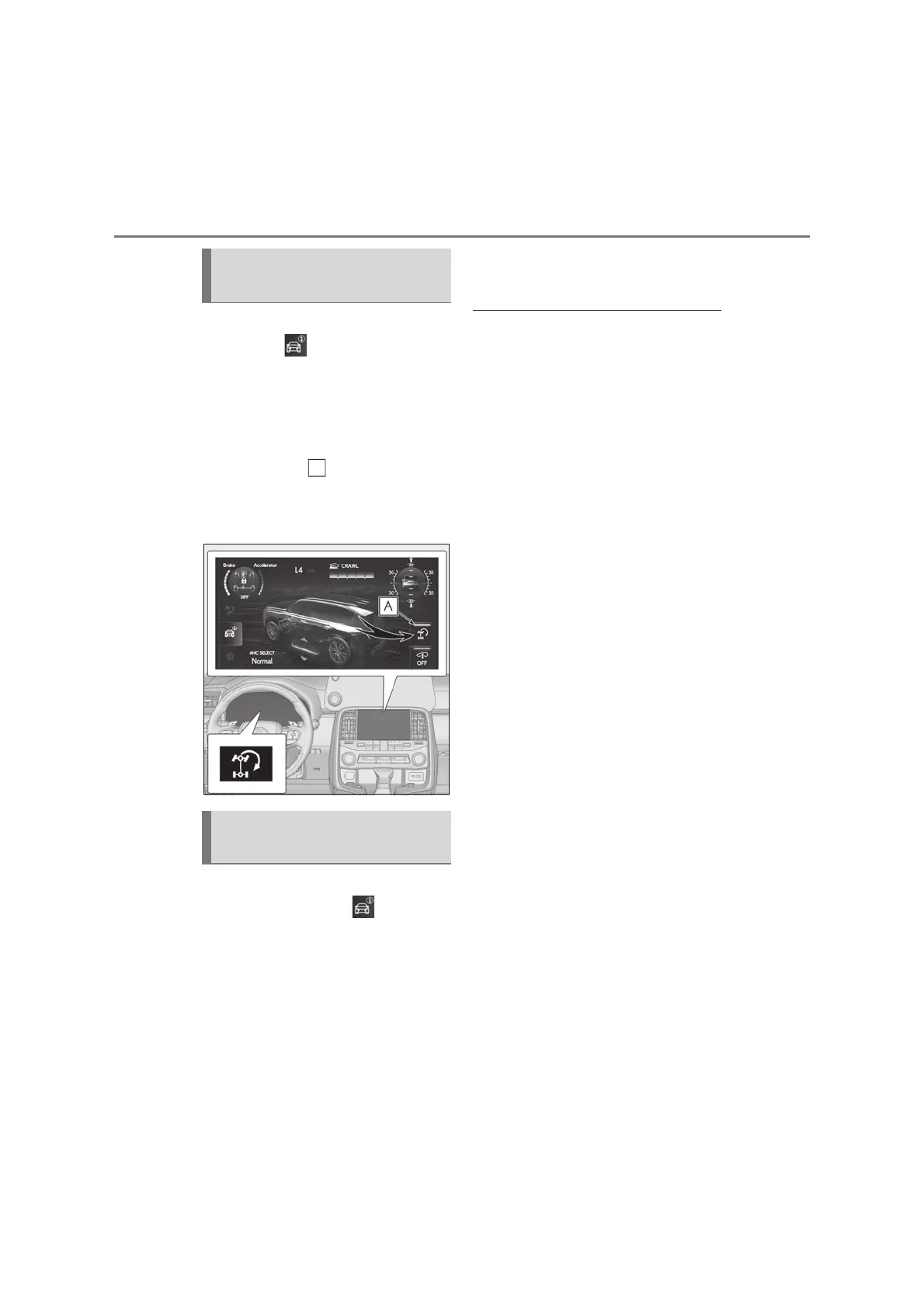
While Crawl Control is operating,
press the on Front Multi Oper-
ation Panel to display the off-road
driving information display screen.
(oP.446)
Press the Turn Assist switch
The indicator light and Turn Assist
indicator on the meter will come on.
To turn the system off, press the switch
again.
While the Turn Assist function is
operating, press the on Front
Multi Operation Panel to display
the off-road driving information dis-
play screen. (oP.446)
Press the Turn Assist switch
The indicator light on the Turn Assist
switch and Turn Assist indicator on the
meter will go off, and a message stating
that the Turn Assist function has been
turned off will be displayed on the multi-
information display for several seconds.
Q Operation conditions of the Turn Assist
function
O The vehicle speed is approximately 10
km/h (6 mph) or less.
O Crawl Control is operating.
O The brake pedal is not depressed
O The shift lever is in any gear other than P,
R or N.
O The steering wheel is turned very far.
Q Function limitations of the Turn Assist
function
In the following situations, the Turn Assist
function will stop temporarily. In this event,
the Turn Assist indicator will flash.
O When the vehicle speed exceeds
approximately 10km/h (6 mph).
O When the shift lever is moved to R.
Q When the battery is disconnected
The Turn Assist indicator will flash and the
system needs to be initialized. Drive the
vehicle straight ahead for a while at a speed
of approximately 35 km/h (22 mph) or
more. If the Turn Assist indicator still flashes
even after initializing the system, have the
vehicle inspected by your Lexus dealer.
Turning the Turn Assist function
on
Turning the Turn Assist function
off



 To Next Page