5
5-6. Using the other interior features
Interior features
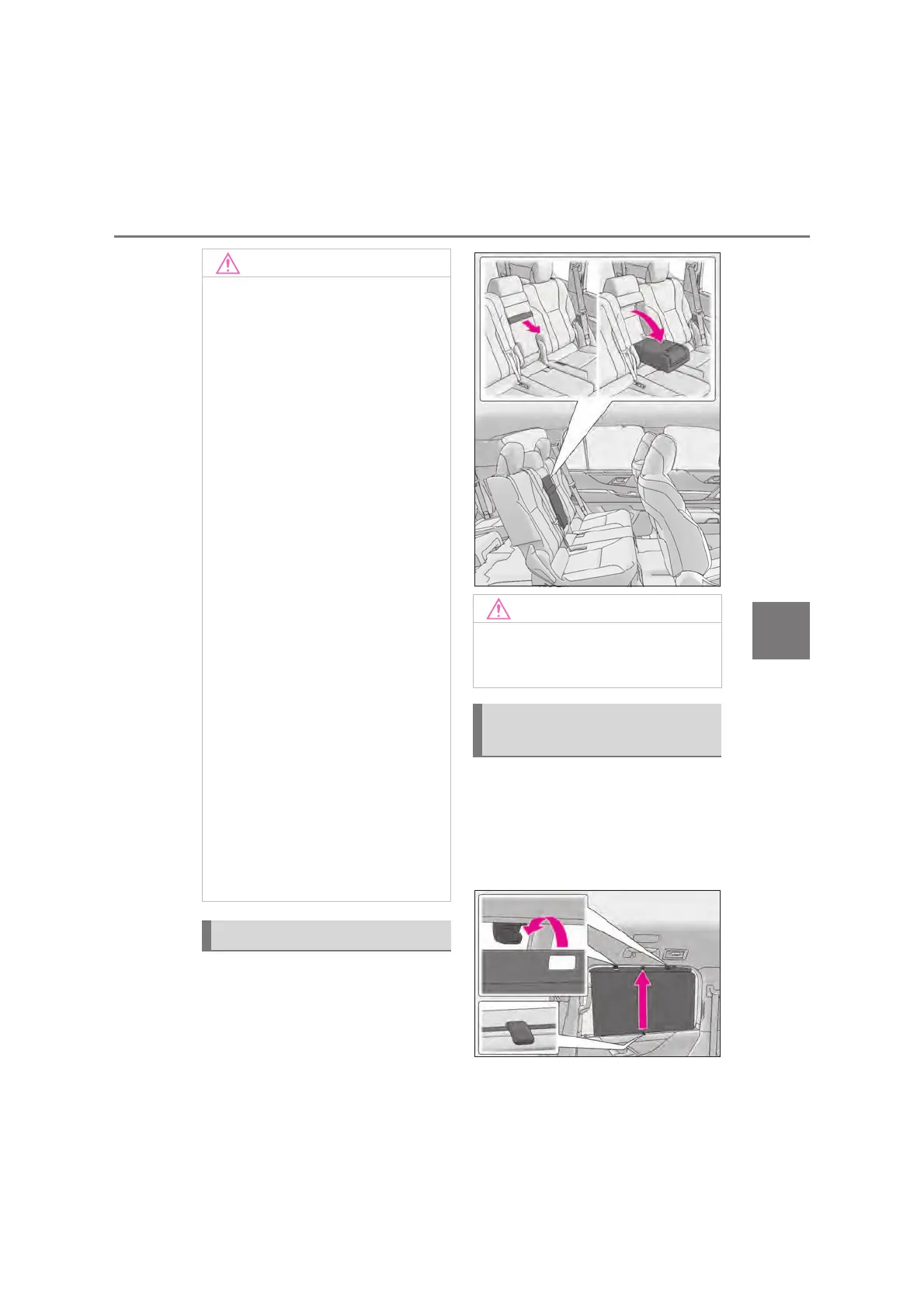
Fold down the armrest for use.
X Rear door
Pull the tab of the rear door sunshade
and hook the shade on the anchor.
To retract the rear door sunshade, unhook
the shade and retract it slowly.
Q To prevent malfunctions and data
corruptions
O When charging, bringing a credit, or
other magnetic card, or magnetic stor-
age media close to the charge area
may clear any stored data due to mag-
netic influence. Also, do not bring a
wristwatch or other precision instru-
ment close to the charge area since
doing so may cause it to malfunction.
O Do not charge with a non-contact IC
card such as a transportation system
IC card inserted between the charging
side of a portable device and the
charge area. The IC chip may become
extremely hot and damage the porta-
ble device or IC card. Be especially
careful not to charge a portable device
inside a case or cover with a non-con-
tact IC card attached.
O Do not leave portable devices inside
the vehicle. The inside of the vehicle
can become hot in extreme heat,
which could cause a malfunction.
Q If the smartphone OS has been
updated
If the smartphone OS has been updated
to a newer version, its charging specifi-
cations may have changed significantly.
For details, check the information on the
manufacturer’s website.
Q To prevent battery discharge
Do not use the wireless charger for a
long period of time when the engine is
stopped.
Armrest (if equipped)
Q To prevent damage to the armrest
Do not apply too much load on the arm-
rest.
Rear door/rear quarter sun-
shades (if equipped)



 To Next Page