3
3-5. Opening, closing the windows and moon roof
Before driving
3-5.Openin g, closing the windows and moon roof
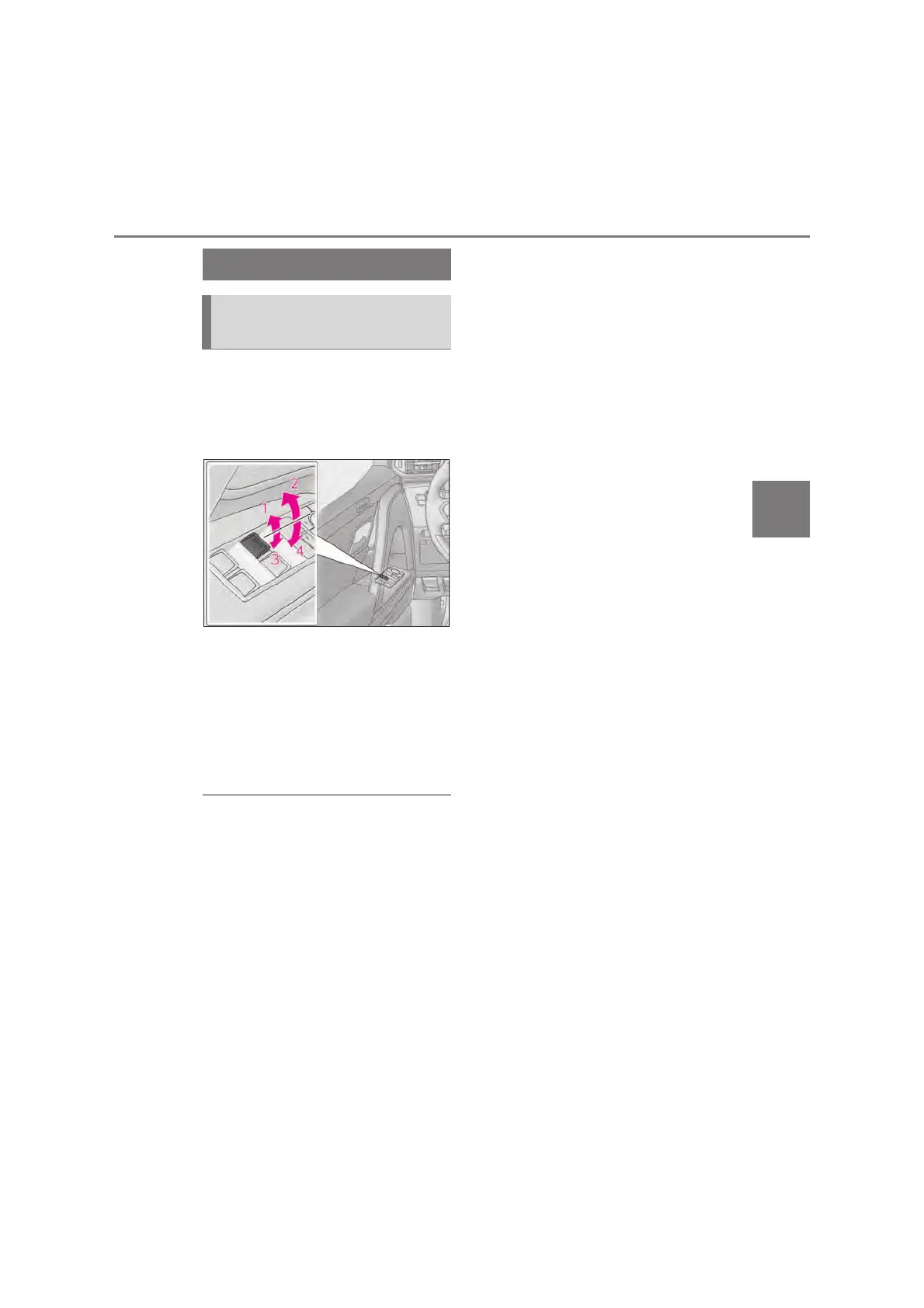
The power windows can be opened
and closed using the switches.
Operating the switch moves the win-
dows as follows:
Closing
One-touch closing
*
Opening
One-touch opening
*
*
: To stop the window partway, operate
the switch in the opposite direction.
Q The power windows can be operated
when
The engine switch is in ON.
Q Operating the power windows after
turning the engine off
The power windows can be operated for
approximately 45 seconds even after the
engine switch is turned to ACC or OFF.
They cannot, however, be operated once
either front door is opened.
Q Operating the power windows using the
voice control system
*
*
: If equipped
The power windows can be opened and
closed using the voice control system. (It
can be performed only when the window
lock switch is not pressed.)
For details regarding the voice control sys-
tem, refer to the “Multimedia Owner’s
Manual”.
Q Jam protection function
If an object becomes jammed between the
window and the window frame while the
window is closing, window movement is
stopped and the window is opened slightly.
Q Catch protection function
If an object becomes caught between the
door and window while the window is open-
ing, window movement is stopped.
Q When the window cannot be opened or
closed
When the jam protection function or catch
protection function operates unusually and
the side window cannot be opened and
closed, perform the following operations
with the power window switch of that door.
O Stop the vehicle. With the engine switch
in ON, within 4 seconds of the jam pro-
tection function or catch protection func-
tion activating, continuously operate the
power window switch in the one-touch
closing direction or one-touch opening
direction so that the side window can be
opened and closed.
O If the side window cannot be opened and
closed even when performing the above
operations, perform the following proce-
dure for function initialization.
Turn the engine switch to ON.
Pull and hold the power window switch
in the one-touch closing direction and
completely close the side window.
Release the power window switch for a
moment, resume pulling the switch in
the one-touch closing direction, and
hold it there for approximately 6 sec-
onds or more.
Press and hold the power window
switch in the one-touch opening direc-
tion. After the side window is com-
pletely opened, continue holding the
Opening and closing the power
windows



 To Next Page