5
5-6. Using the other interior features
Interior features
performing step
.
Press and hold the desired
HomeLink
®
button (inside the
vehicle) for 2 seconds and release
it. Repeat this sequence
(press/hold/release) up to 3 times
to complete programming.
If the garage door opener motor
operates when the HomeLink
®
button is pressed, the garage door
opener motor recognizes the
HomeLink
®
signal.
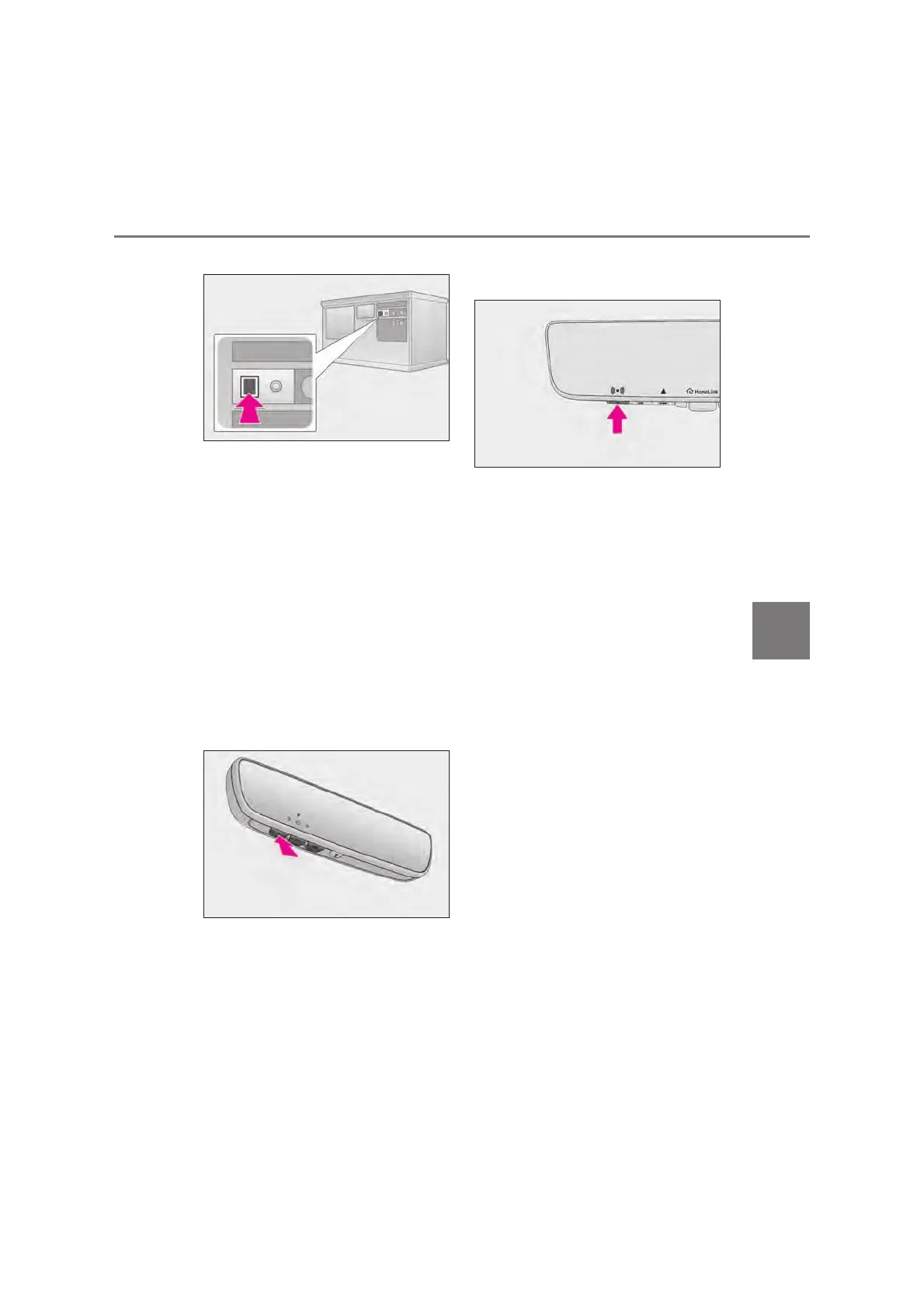
X Vehicles with inside rear view mir-
ror
X Vehicles with Digital Rear-view
Mirror
Q Enabling 2-way communication
with a garage door (only available
for compatible devices)
When enabled, 2-way communication
allows you to check the status of the
opening and closing of a garage door
through indicators in your vehicle.
2-way communication is only available
if the garage door opener motor used
is a compatible device. (To check
device compatibility, refer to
www.homelink.com.)
Within 5 seconds after program-
ming the garage door opener has
been completed, if the garage door
opener motor is trained to
HomeLink
®
, both garage door
operation indicators will flash rap-
idly (green) and the light on the
garage door opener motor will
blink twice, indicating that 2-way
communication is enabled.
If the indicators do not flash, perform
steps
and
within the first 10 presses of
the HomeLink
®
button after programming
has been completed.



 To Next Page