3-3. Adjusting the seats
seat will be judged as occupied until the
front passenger’s door is opened then
closed or the engine switch is turned off.
O The front passenger’s seat belt is fas-
tened.
O The front passenger’s door is open. (The
front seat will not move forward.)
Display the home screen on the
Rear Multi Operation Panel
(oP.449) and then select “Seat”.
Select “Passenger”.
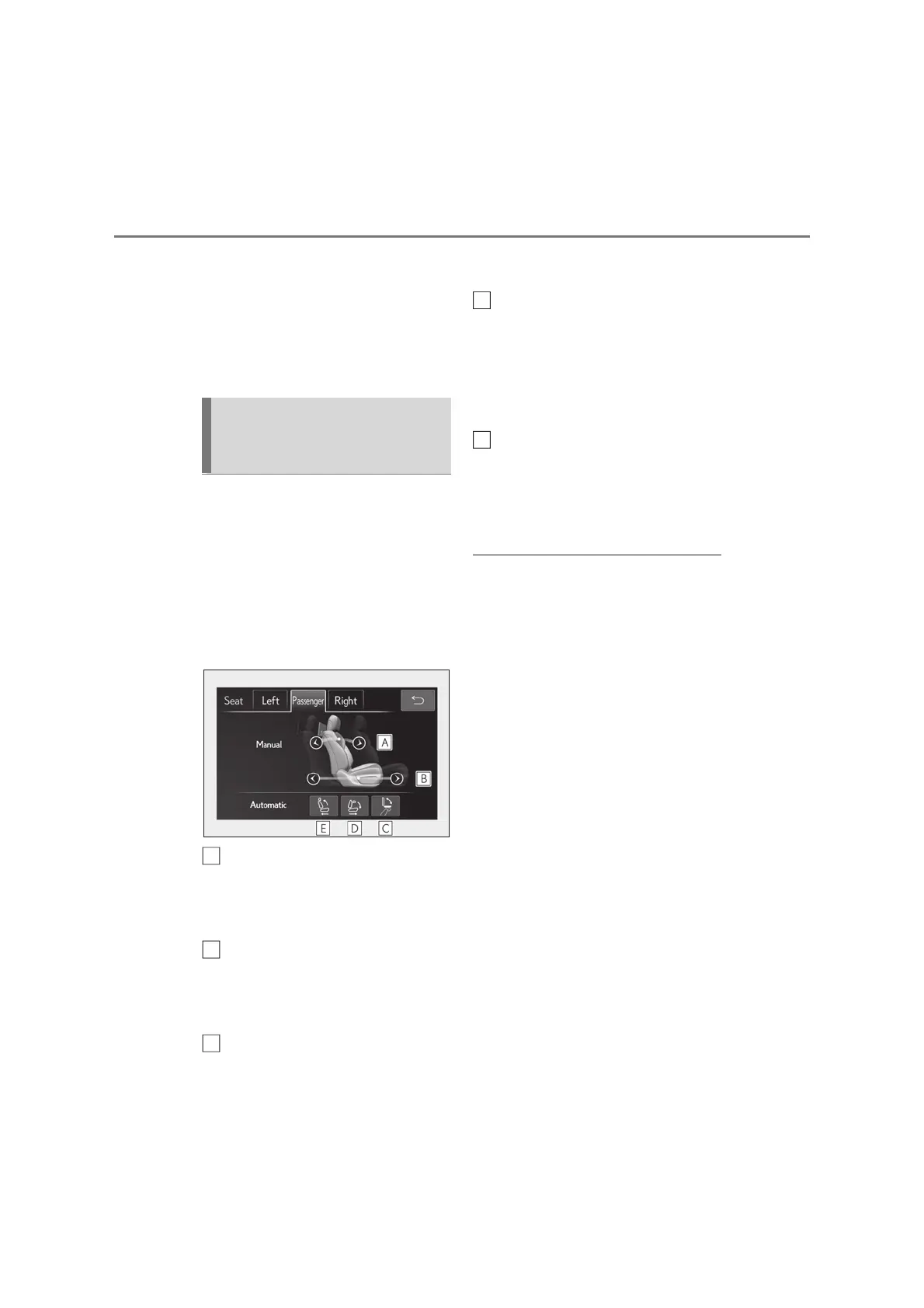
Select the button for the desired
operation.
When the operating conditions are not
met, the buttons will be grayed out.
Adjust the angle of the front pas-
senger’s seat seatback
The seatback will move while a button is
touched and held.
Move the front passenger’s seat
forward or backward
The seat will move while a button is
touched and held.
Folds the rear display
Press it again to extend them to the original
position.
Move the front passenger’s seat
forward and fold the seatback for-
ward.
The head restraint will also fold forward.
To stop the front passenger seat while it is
moving, touch “STOP”.
Move the front passenger’s seat
backward and the seatback to the
upright position.
The head restraint will also move to the
upright position.
Q Operating the front passenger’s seat
from the rear seat
O In the following situations, the front pas-
senger’s seat cannot be operated using
the Rear Multi Operation Panel:
• The engine switch is in ACC or OFF.
• The weight of an occupant or heavy
object, etc. is detected on the front pas-
senger’s seat.
Once weight is detected on the seat, the
seat will be judged as occupied until the
front passenger’s door is opened then
closed or the engine switch is turned off.
• The front passenger’s seat belt is fas-
tened.
• The front passenger’s door is open. (The
front seat will not move forward.)
Operating the front passenger’s
seat from the rear seat (4-pas-
senger models)
A
C
D
E



 To Next Page