4-5. Using the driving support systems
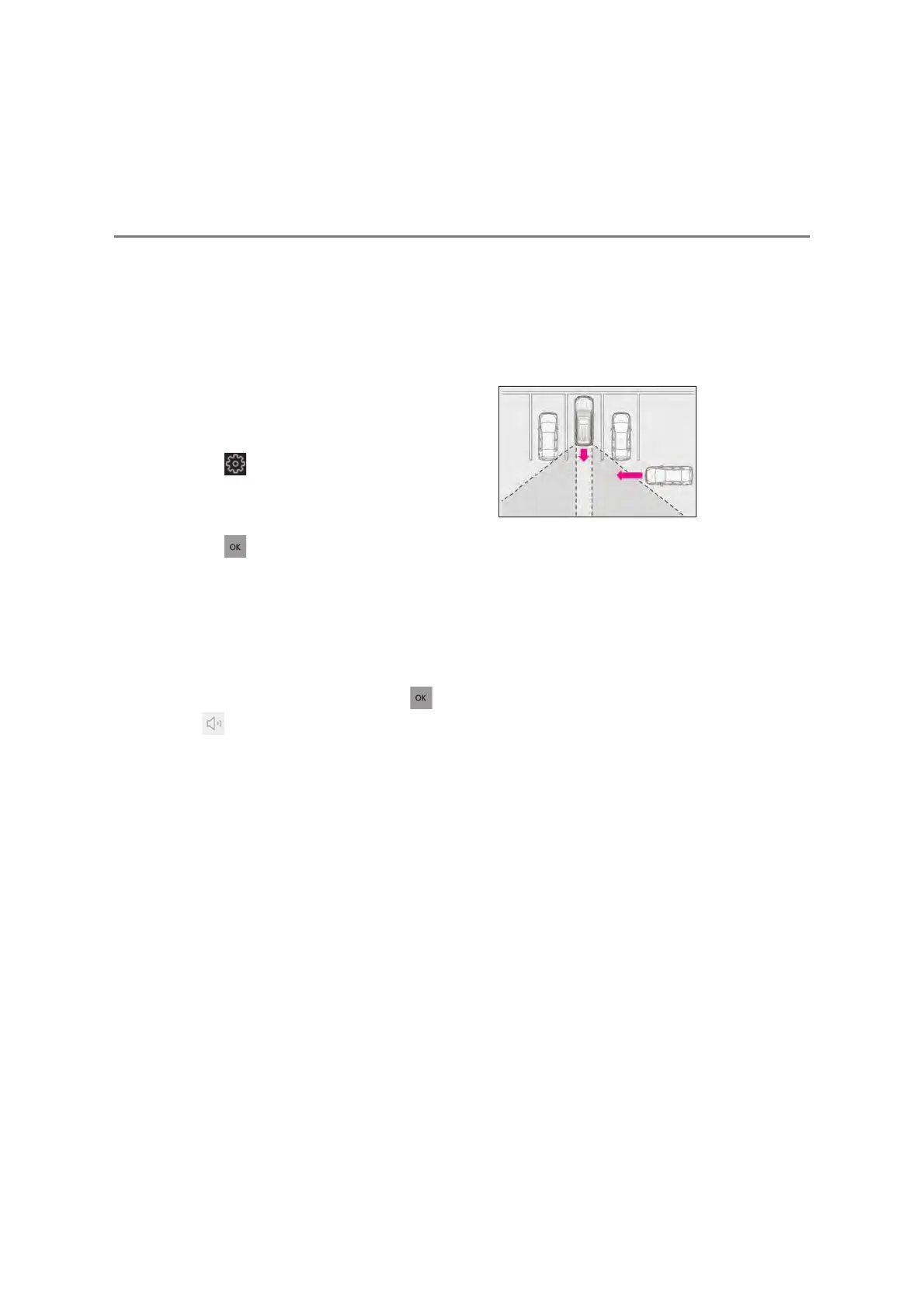
O The vehicle speed is less than approxi-
mately 8 km/h (5 mph).
O The approaching vehicle speed is
between approximately 8 km/h (5 mph)
and 28 km/h (18 mph).
Q Adjusting the buzzer volume
The buzzer volume can be adjusted on the
multi-information display.
Use the meter control switches to change
settings. (oP.125)
Press the meter control switch to select
.
Press the meter control switch to select
“Vehicle Settings”.
Select “RCTA Volume” and then press
.
Each time the switch is pressed, the volume
level will change between 1, 2, and 3.
Q Muting a buzzer temporarily
A mute button will be displayed on the
multi-information display and Multimedia
Display when vehicles or objects are
detected. To mute the buzzer, press or
.
The buzzers for the Lexus parking assist-
sensor, RCTA function and RCD function
will be muted simultaneously.
Mute will be canceled automatically in the
following situations:
O When the shift lever is changed.
O When the vehicle speed exceeds a cer-
tain speed.
O When there is a malfunction in a sensor
or the system is temporarily unavailable.
O When the operating function is disabled
manually.
O When the engine switch is turned off.
Q Conditions under which the system will
not detect a vehicle
The RCTA function is not designed to
detect the following types of vehicles
and/or objects:
O Vehicles approaching from directly
behind
O Vehicles backing up in a parking space
next to your vehicle
O Vehicles that the sensors cannot detect
due to obstructions
O Guardrails, walls, signs, parked vehicles
and similar stationary objects
O Small motorcycles, bicycles, pedestrians,
etc.
*
O Vehicles moving away from your vehicle
O Vehicles approaching from the parking
spaces next to your vehicle
O The distance between the sensor and
approaching vehicle gets too close
*
: Depending on conditions, detection of a
vehicle and/or object may occur.
Q Situations in which the system may not
operate properly
The RCTA function may not detect vehicles
correctly in the following situations:
O When the sensor is misaligned due to a
strong impact to the sensor or its sur-
rounding area
O When mud, snow, ice, a sticker, etc., is
covering the sensor or surrounding area
on the rear bumper
O When driving on a road surface that is
wet with standing water during bad
weather, such as heavy rain, snow, or fog
O When multiple vehicles are approaching
with only a small gap between each vehi-
cle
O When a vehicle is approaching at high
speed



 To Next Page