4-5. Using the driving support systems
When the RCD function is disabled, the
RCD OFF indicator (oP.118) illuminates.
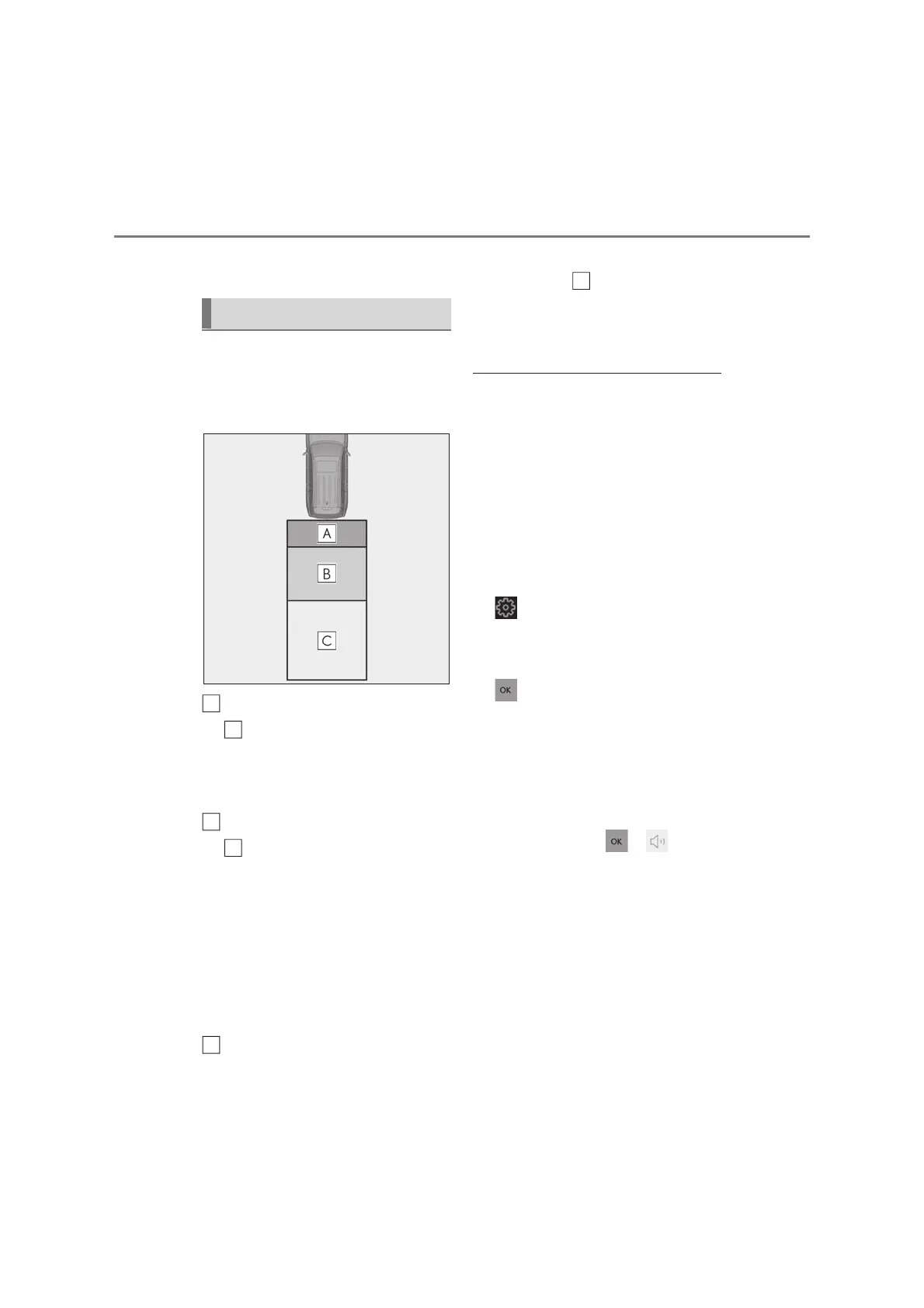
If the rear camera detection function
detects a pedestrian in the detection
area, the buzzer and pedestrian detec-
tion will operate as follows:
If a pedestrian is detected in area
Buzzer: Sounds repeatedly
Pedestrian detection icon: Blinks 3
times and then stays on
If a pedestrian is detected in area
Buzzer (When the vehicle is sta-
tionary): Sounds 3 times
Buzzer (When the vehicle is back-
ing up, when a pedestrian
approaches the rear of the vehicle):
Sounds repeatedly
Pedestrian detection icon: Blinks 3
times and then stays on
If the system determines that your
vehicle may collide with a pedes-
trian in area
Buzzer: Sounds repeatedly
Pedestrian detection icon: Blinks 3
times and then stays on
Q The rear camera detection function is
operational when
O The engine switch is in ON.
O RCD function is on.
O The shift position is in R.
Q Adjusting the buzzer volume
The buzzer volume can be adjusted on the
multi-information display.
Use the meter control switches to change
settings. (oP.125)
Press the meter control switch to select
.
Press the meter control switch to select
“Vehicle Settings”.
Select “RCD Volume” and then press
.
Each time the switch is pressed, the volume
level will change between 1, 2, and 3.
Q Muting a buzzer
A mute button will be displayed on the
multi-information display and Multimedia
Display when an object is detected. To
mute the buzzer, press or .
The buzzers for the Lexus parking assist-
sensor, RCTA function and RCD function
will be muted simultaneously.
Mute will be canceled automatically in the
following situations:
O When the shift lever is changed.
O When the vehicle speed exceeds a cer-
tain speed.
O When there is a malfunction in a sensor
or the system is temporarily unavailable.
O When the operating function is disabled
When a pedestrian is detected
A
A
B
B
C



 To Next Page