4
4-5. Using the driving support systems
Driving
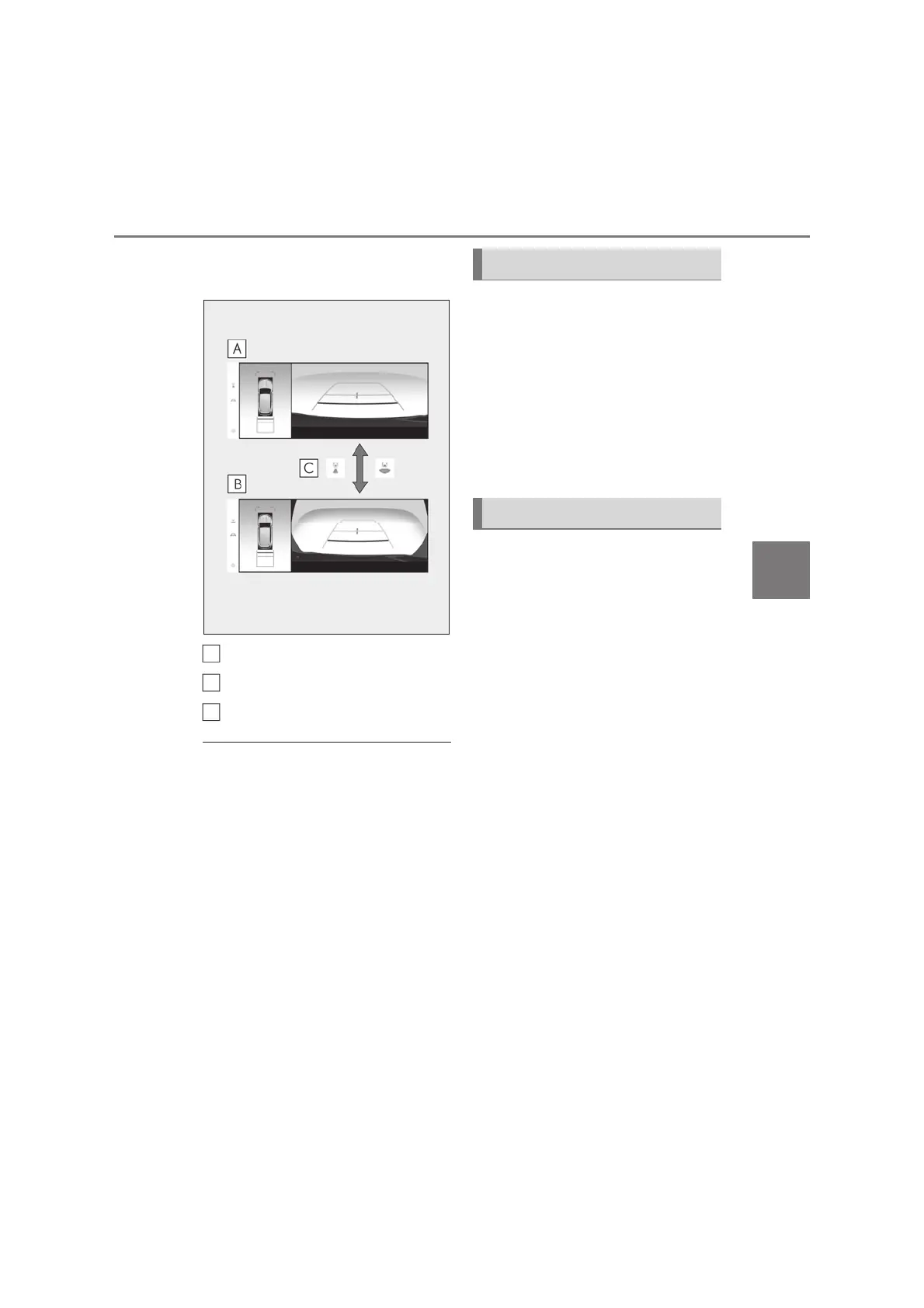
Q When the shift lever is in the R posi-
tion
Rear view & panoramic view
Wide rear view & panoramic view
Select the display mode button
Q Multi-terrain Monitor screen display
O The amount of time that the Multi-terrain
Monitor screen is displayed changes as
follows according to the vehicle speed at
the time the VIEW switch was pressed.
O The Multi-terrain Monitor screen is dis-
played if the vehicle speed is approxi-
mately 20 km/h (12 mph) or less when
the VIEW switch is pressed.
O If the vehicle speed exceeds approxi-
mately 20 km/h (12 mph), the Multi-ter-
rain Monitor display is canceled.
O The guide lines mode and other display
settings can be saved by registering the
user profile.
When the four-wheel drive control
switch is in L4 or H4 and Multi-terrain
Select is on, the various screens display
information to support several different
driving situations, such as when check-
ing for obstacles when moving forward
or in reverse, or when judging road
surface conditions during off-road
driving.
Front view & dual side views can be
used to check the area around the
front of the vehicle.
To display the screen, press the VIEW
switch when the shift lever is in the P, D
or N position.
z In addition to an image of the front
of the vehicle, guide lines are dis-
played in a composite view to pro-
vide reference for when deciding a
direction to move forward in.
z If the front view display is selected
while the screen is displayed, the
screen switches from normal to
magnified display. (Selecting the
display again returns the screen to
the normal display)
z If the steering wheel is turned 270°
or more, guide lines and other fea-
tures to support turning are auto-
matically displayed.
A
B
C
Screen display and functions
Front view & dual side views



 To Next Page