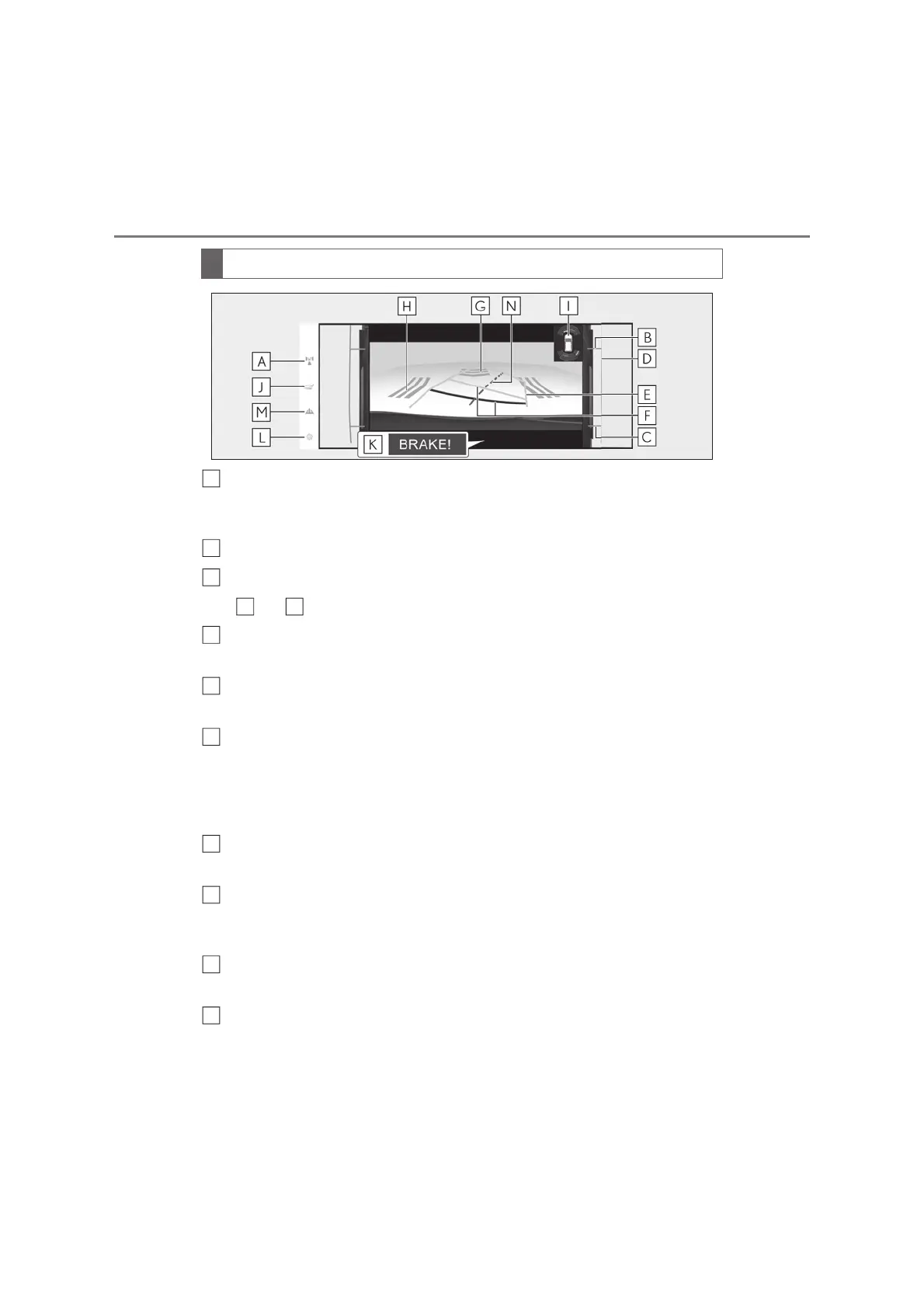
4-5. Using the driving support systems
Display mode switching button
Each time the display mode switching button is selected, the mode will change between the
rear view & dual side views mode and the wide rear view & dual side views mode.
Front tire contact line (blue)
Rear tire contact line (blue)
Items and indicate estimated tire positions on the image.
Vehicle width extension guide line (blue)
Indicates the estimated vehicle width including the outside rear view mirrors.
Projected course lines (yellow)
Indicate the estimated course of the vehicle according to steering operations.
Distance guide line
Shows the distance behind the vehicle when the steering wheel is turned.
• The guide lines move in conjunction with the estimated course lines.
• The guide lines display points approximately 0.5 m (1.5 ft.) (red) and approximately 1 m
(3 ft.) (yellow) from the center of the edge of the bumper.
Rear Camera Detection
Displayed automatically when a pedestrian is detected.
Rear Cross Traffic Alert
*
When a sensor detects an obstacle, the direction of obstacle is displayed and the buzzer
sounds.
Lexus parking assist-sensor
Displayed if an obstacle is detected while the Lexus parking assist-sensor is turned on.
Under vehicle terrain view (rear side) selection button
Switch the under vehicle terrain view (rear side) & dual side views (oP.366)
Screen display
A
B
C
B C
D
E
F
G
I
J



 To Next Page