4
4-5. Using the driving support systems
Driving
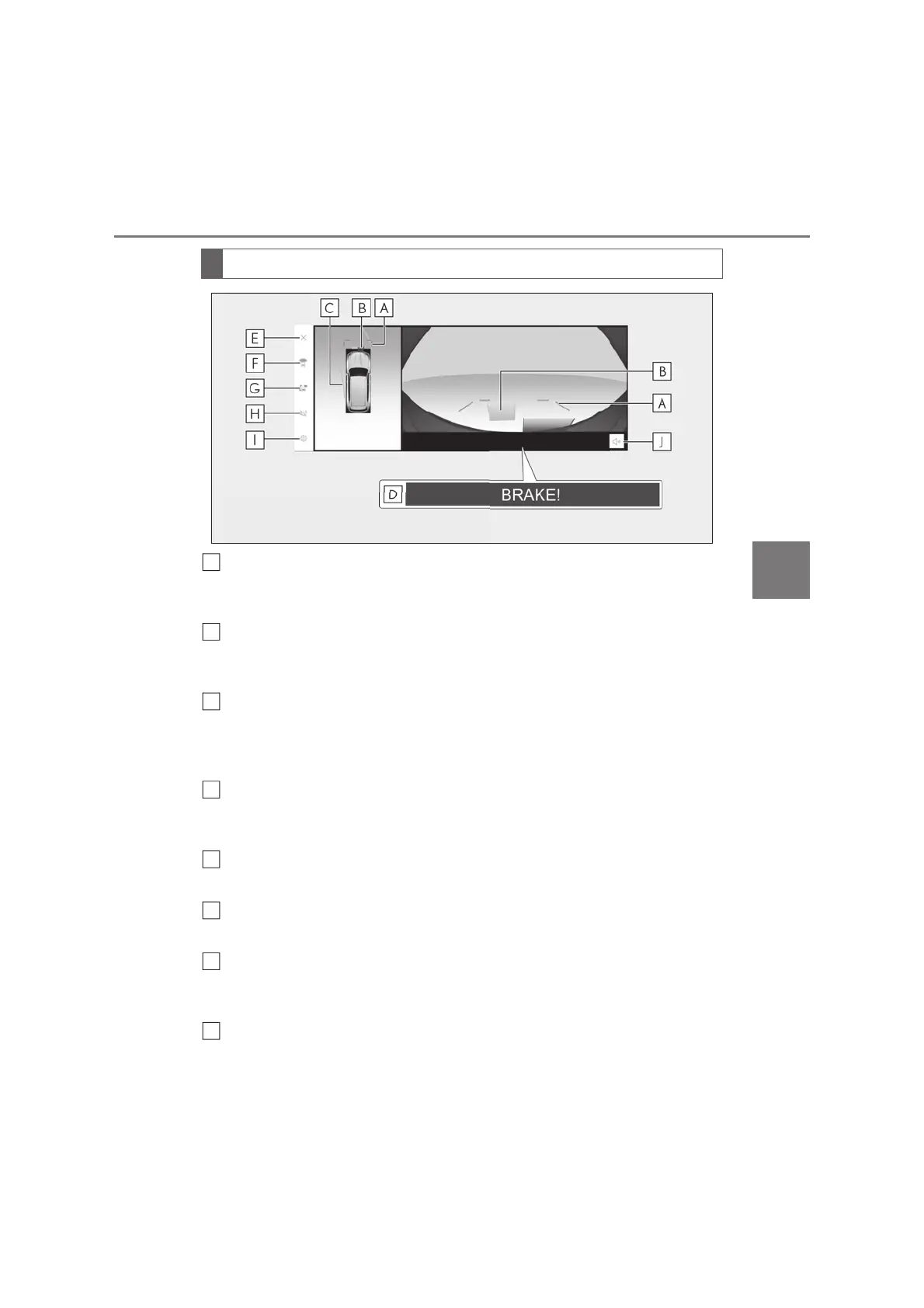
Distance guide lines
Shows distance in front of the vehicle.
• Display points approximately 1 m (3 ft.) from the edge of the bumper.
Lexus parking assist-sensor
When a sensor detects a stationary object, the direction of and the approximate distance to
the stationary object are displayed and the buzzer sounds.
Estimated course lines
Shows an estimated course when the steering wheel is turned.
• This line will be displayed when the steering wheel is turned by 90° or more from the
center (straight-line) position.
Parking Support Brake
*
When the system determines that the possibility of a collision with detected target objects
is high, a warning message is displayed.
Display off button
Changes the screen back to the previously displayed screen, such as the audio screen.
Display mode switching button
Switches display mode every time touch the button.
Guide line switching button
Select to change the guide line mode between the distance guide line mode and the esti-
mated course line mode. (oP.372)
Automatic display button
Select to turn automatic display mode on/off. The indicator on the button illuminates during
Screen display
B
C
E
F
H



 To Next Page