4-5. Using the driving support systems
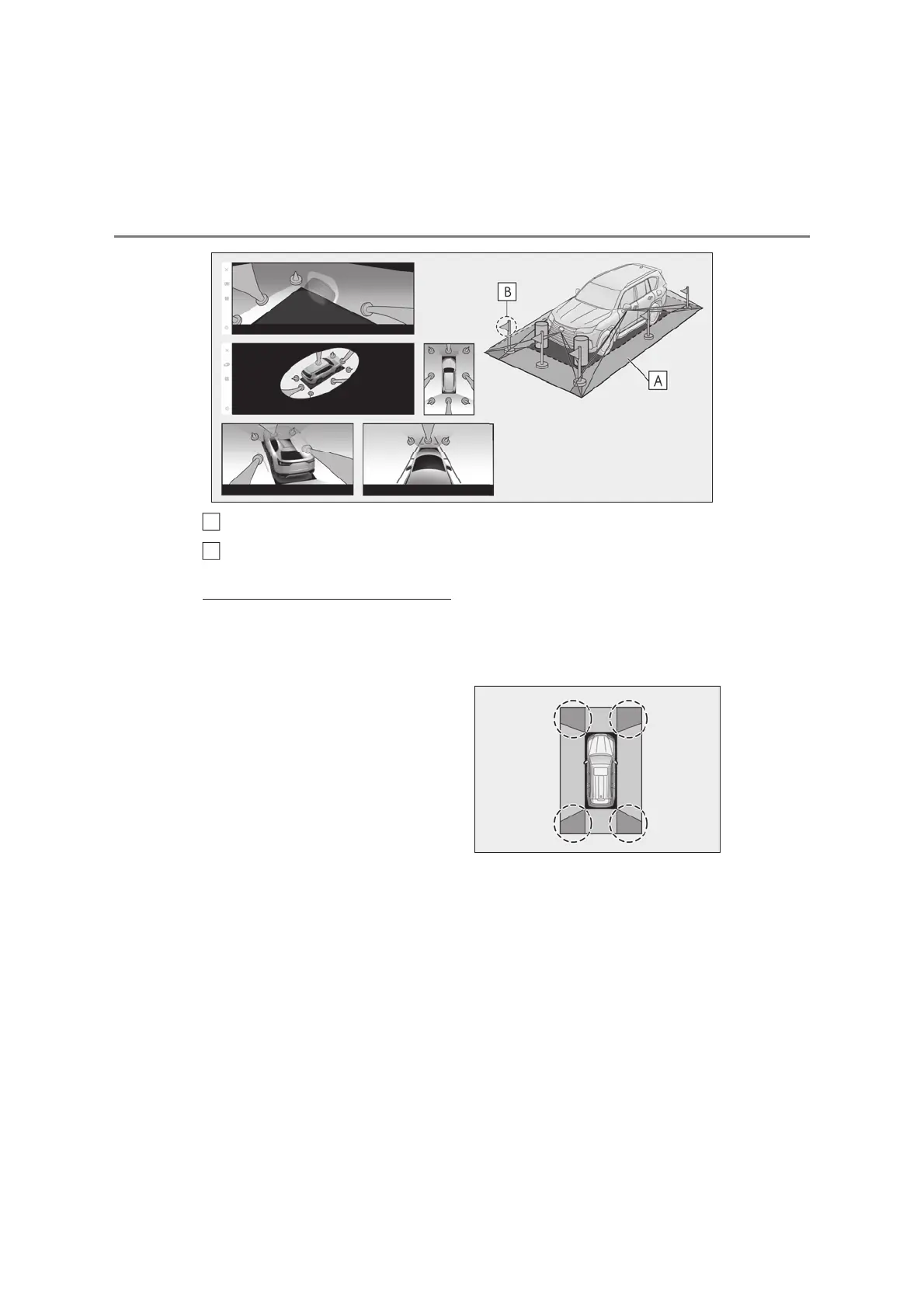
The area displayed on the screen
The parts of objects not displayed on the screen
• Parts of objects which extend above a certain height cannot be displayed on the screen.
Q Area displayed on screen
O As the images obtained from four cam-
eras are processed and displayed on the
standard of a flat road surface; the pan-
oramic view/moving view/see-through
view/Side Clearance View/Cornering
View may be displayed as follows.
• Objects may look collapsed; thinner or
bigger than usual.
• An object with a higher position than the
road surface may look farther away than
it actually is or may not appear at all.
• Tall objects may appear protruding from
the non-displayed areas of the image.
O Variations in the brightness of the image
may appear for every camera.
O The displayed image may be shifted by
inclination of the vehicle body, change in
vehicle height, etc., depending on the
number of passengers, amount of lug-
gage, fuel quantity, etc.
O If the front doors or back door are not
completely closed; neither the image nor
the guide lines are displayed.
O The position relations of the vehicle icon
and the road surface or obstacle may dif-
fer from the actual positions.
O The black areas of the vicinity of the vehi-
cle icon are areas that are not captured
by the camera.
O Images like the following are combined,
thus some areas may be difficult to view.
A
B



 To Next Page