4-5. Using the driving support systems
The objects not displayed on the
screen
X Wide rear view
The area displayed on the screen
The objects not displayed on the
screen
Q Display range
O The area covered by the camera is lim-
ited. Objects which are close to either
corner of the bumper or under the
bumper cannot be seen on the screen.
O The area displayed on the screen may
vary depending on vehicle orientation or
road conditions.
O The camera uses a special lens. The dis-
tance in the image displayed on the
screen will differ from the actual distance.
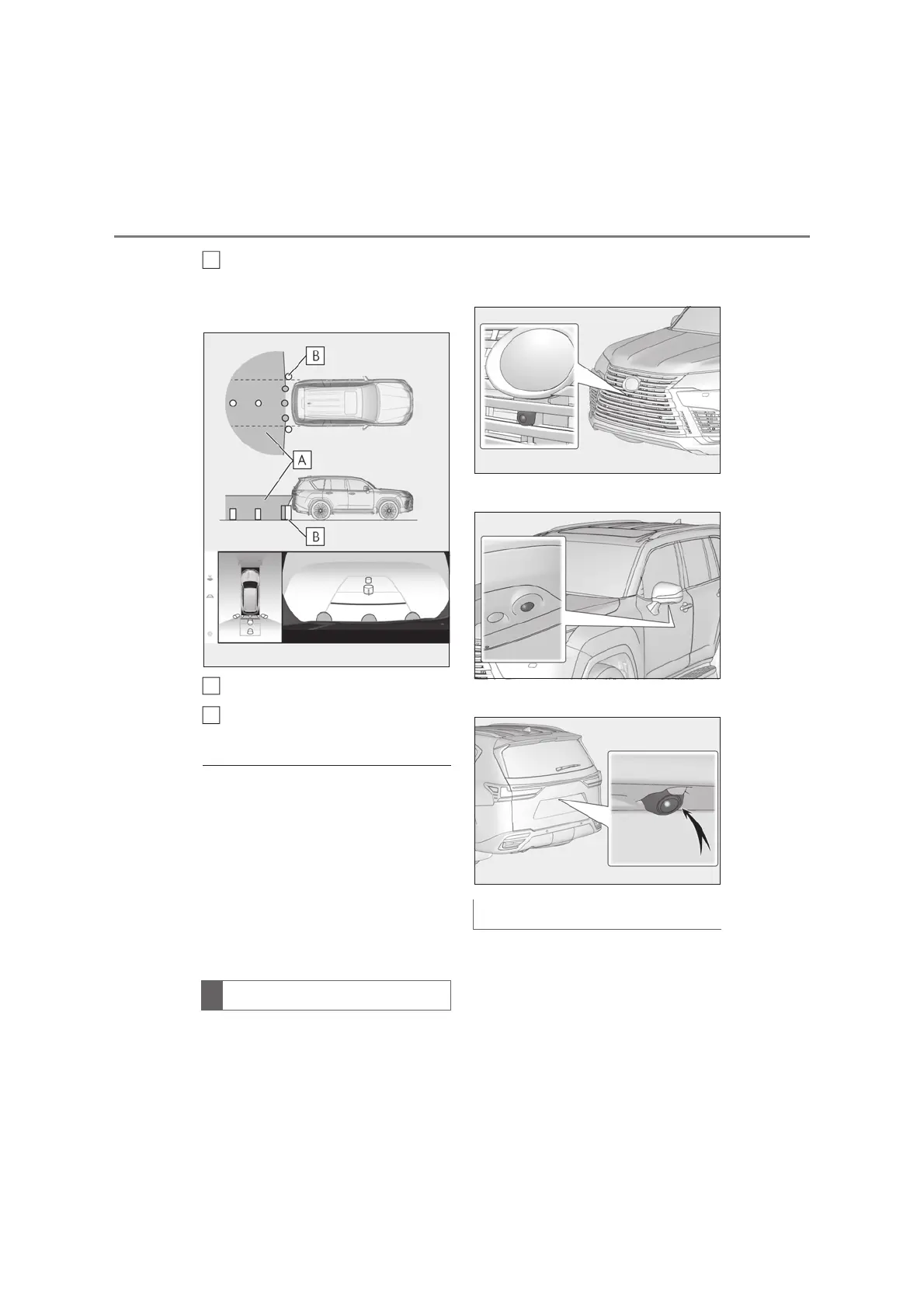
The cameras for the Multi-terrain
Monitor are located as shown in the
illustrations.
X Front camera
X Side cameras
X Rear camera
If dirt or foreign matter (such as water
droplets, snow, mud, etc.) is adhering
to the camera, it cannot transmit a
clear image. In this case, flush it with a
large quantity of water and wipe the
camera lens clean with a soft and wet
The camera
B
A
B
Using the camera



 To Next Page