9 DIAGNOSTICS
Unit [n] >Diagnostics
Use to display diagnostic readings, start diagnostic tests, and open saved diagnostic reports.
Each test generates a file to the default directory name and path of ...\...\Service\userdiag unless
another directory name was specified. These reports can be sent to a Micromeritics Service
Representative for examination.
SHOW ALL READINGS
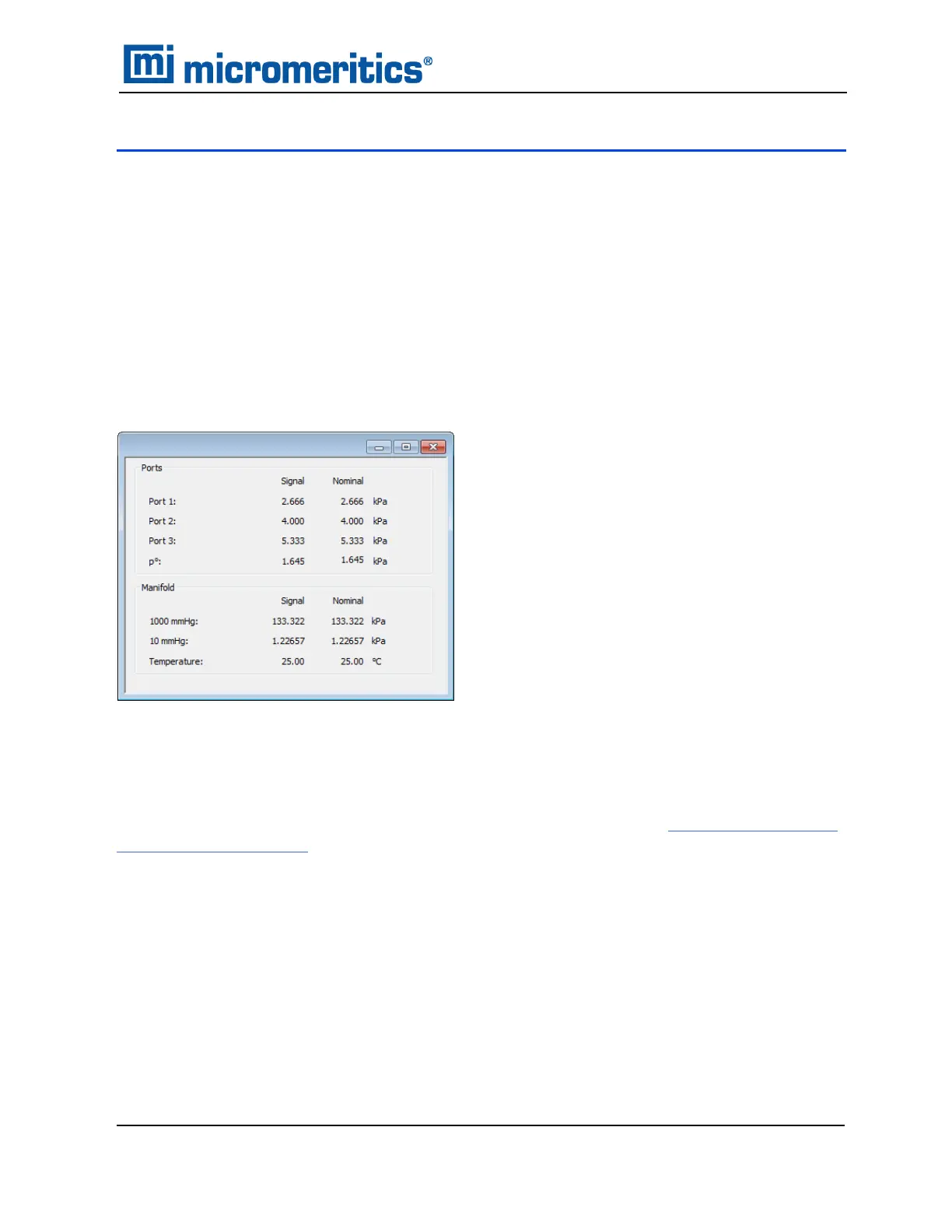
Unit [n] >Diagnostics >Show All Readings
The Show All Readings window displays the calibrated readings of all sensors in the system.
START DIAGNOSTIC TEST
Unit [n] >Diagnostics > Start Diagnostic Test
Use to clean and verify gas lines when connecting or changing a gas. See Clean and Verify the
Gas Line on page11 - 9 for detailed instructions. Also used to perform diagnostic tests
requested by a Micromeritics Service Representative.
This option is typically used and /or requested by a Service Representative. These tests create
and save files to the ...\...\Service\userdiag directory. The Micromeritics Service Representative
may request an emailed or faxed copy of the file for diagnostic purposes.
9 Diagnostics
TriStar II Plus Operator Manual
303-42800-01 (Rev M ) — Sep 2023
9 - 1



 To Next Page
 Loading...





