Operator Maintenance 107
_______________________________________________________________________________________________
________________________________________________________________________________________________
MICROPLEX Operator’s Manual SOLID F90 HD Edition 1.0
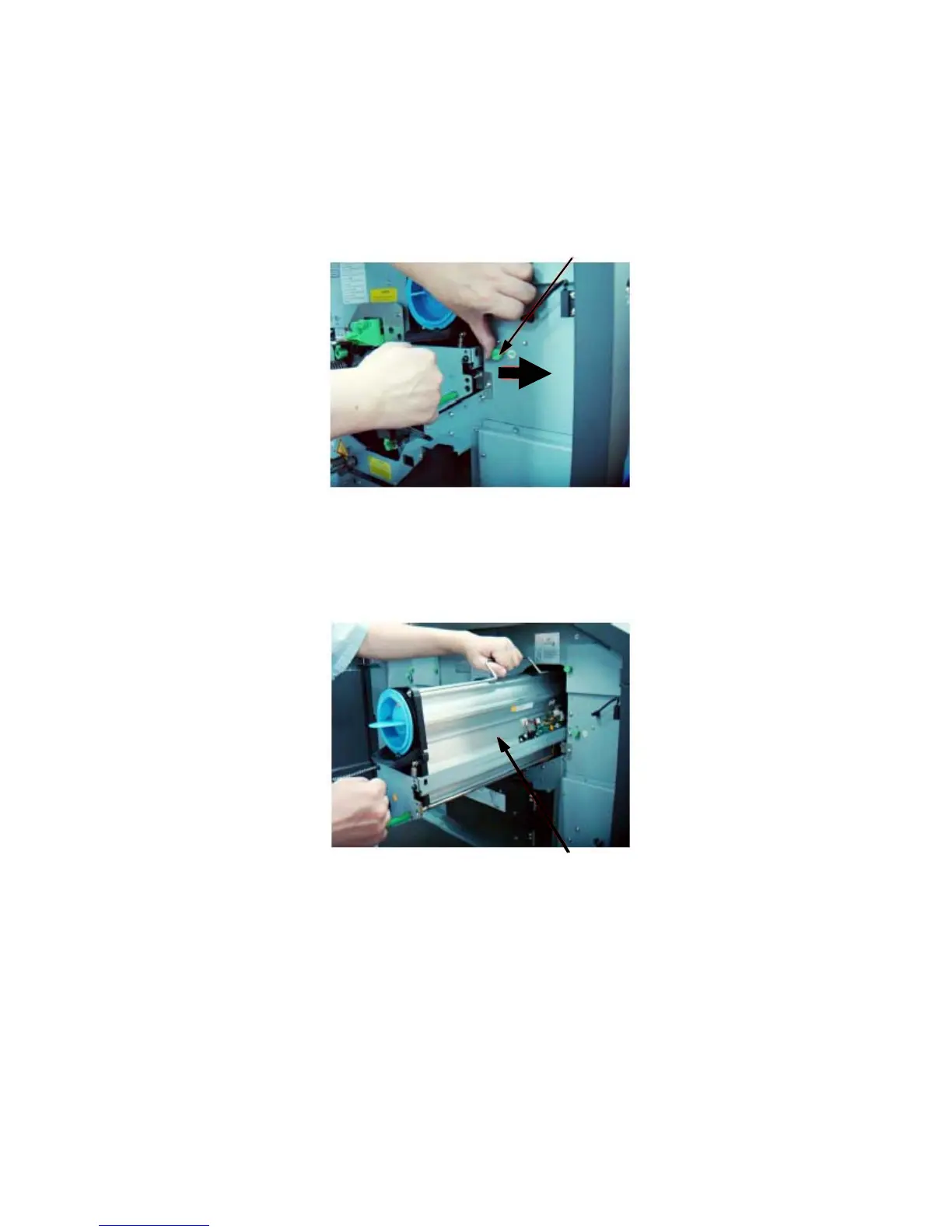
4. Push the developing unit lock (see following figure) to the right
and hold the lock in this position. Then pull out the developing
unit partially using the lever.
Developing unit lock
5. Now re
ach for the handle with
your left hand (see following
figure) and pull o
ut the
developing unit a little more.
Developing unit
6. Push the developing
unit lock to the right
now (see following
figure) and hold the lock in
this position. T
hen comple
tely
remove
the unit from the printer and place it on a covered, level
worktop.



 To Next Page