112 Operator Maintenance
_______________________________________________________________________________________________
________________________________________________________________________________________________
MICROPLEX Operator’s Manual SOLID F90 HD Edition 1.0
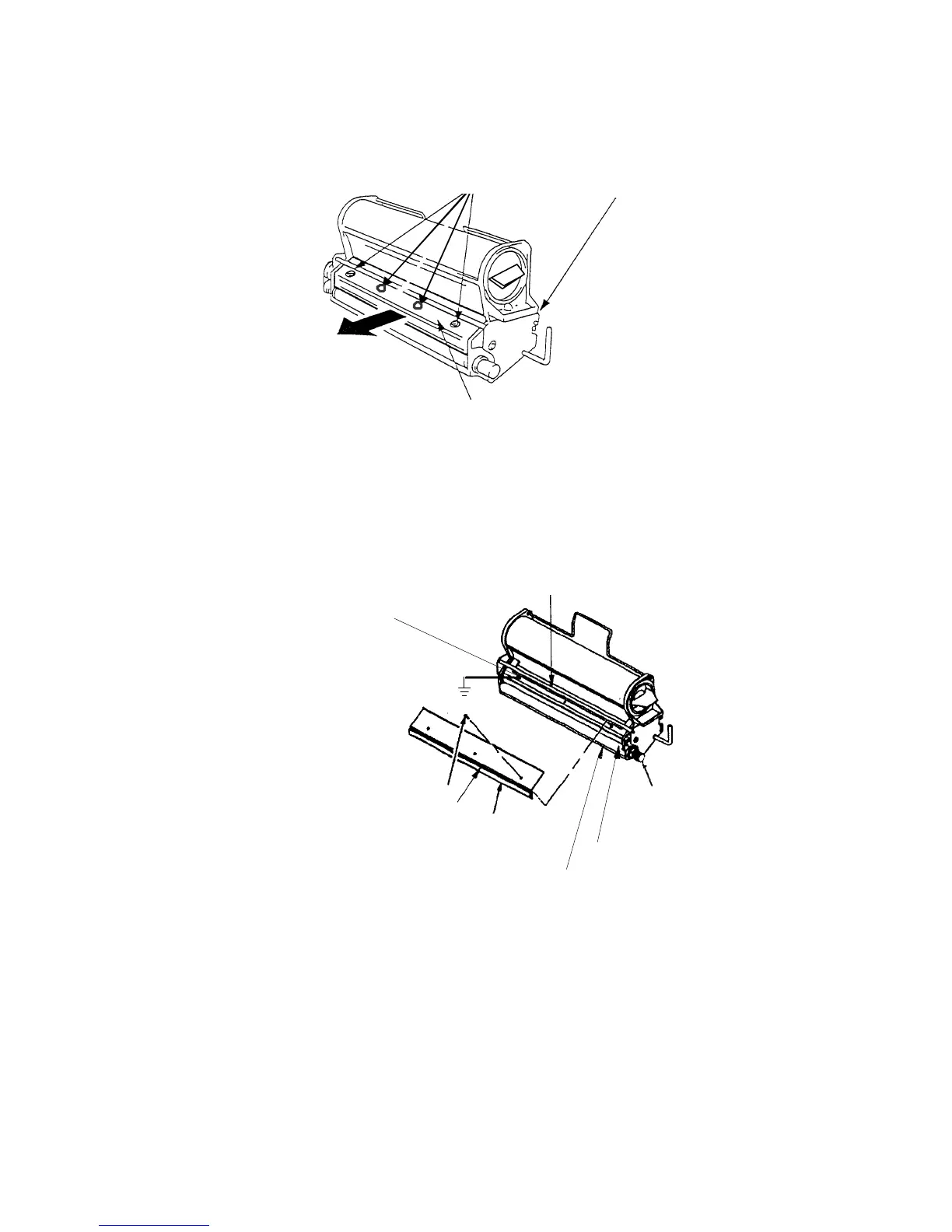
Screws (B)
Developer unit
Cover (C)
5. Please make a pote
ntial compen
sation (grounding) between
the developer unit and the printer cabinet before you
exchang
e the developer powder (vacuum).
The grounding
has to b
e connected to the back fastening screw (B) of the
cover.
Screw ( B )
Cleaning brush
Cover ( C )
Sealin
wel
Developing roll ( J )
Roll knob ( F )
Dip (vacuum, refill)
Back fastening screw (B)
6. Remove the developer - toner mixture completely out of the
developer tub (see figure at the beginning of this section)
using an anti-static service vacuum cleaner.
Clean also the developer rol
l while turning it counterclock-
wise (roll knob F).



 To Next Page