126 Operator Maintenance
_______________________________________________________________________________________________
________________________________________________________________________________________________
MICROPLEX Operator’s Manual SOLID F90 HD Edition 1.0
!
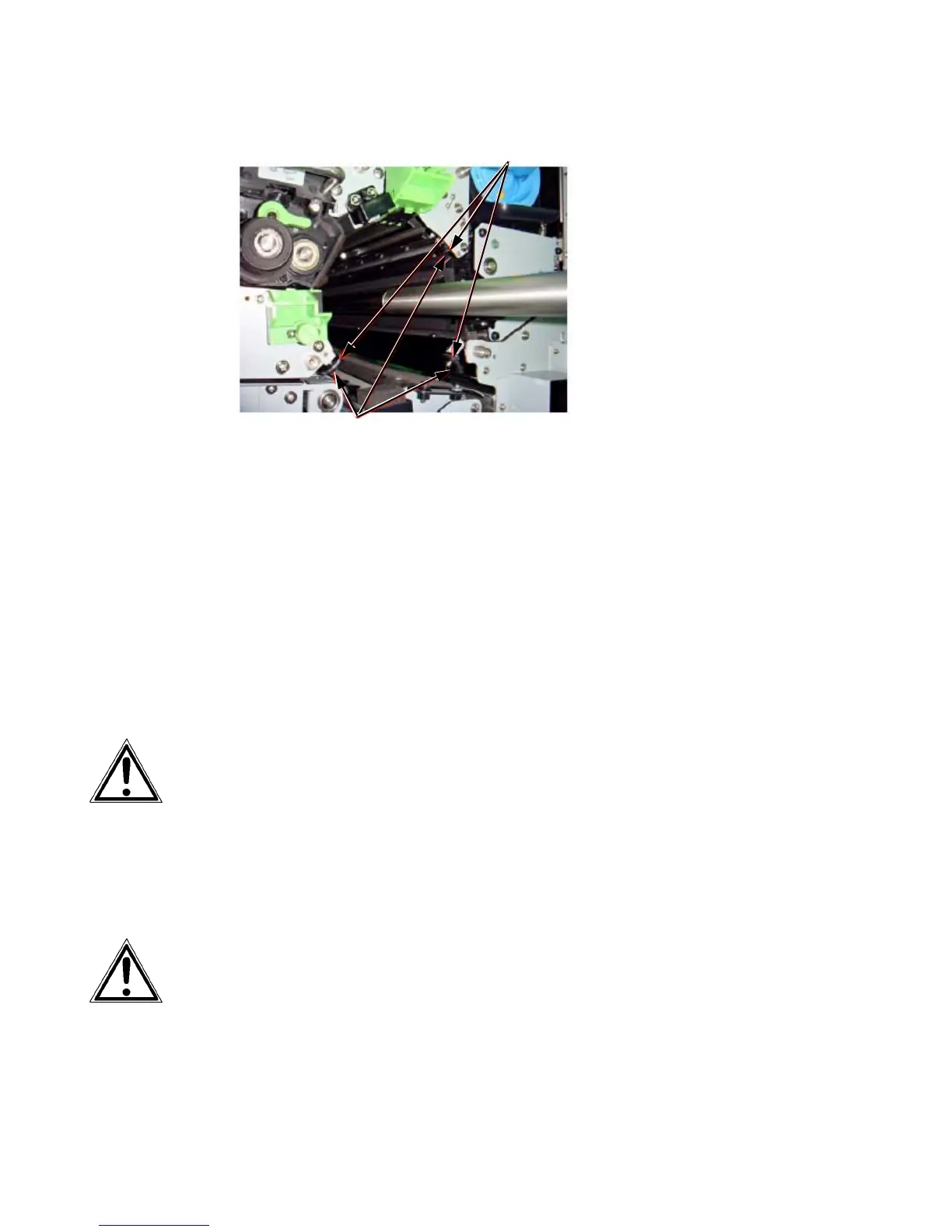
O-rings
Drum support rollers
11. Keep the old drum in its original packing until disposal.
12. Clean the drum shaft with a lintfree cloth.
13. Put the new photoreceptor drum
out of its pack
i
ng and clean
t
he end caps of th
e drum with a lintfree cloth.
Please keep the packing materials for the future disposal of the new
drum.
Please avoid exposing the drum to the daylight longer than 5
minutes and don’t touch the drum surface.
14. Put the drum carefully with both hands onto the auxiliary
rod. W
hen the drum is reachi
ng the position, where the
auxiliar
y rod is fixed at the drum shaft, lift th
e drum carefully
(not by force) over the connection.
Please secure that the drum lies o
n the Drum support rollers (see
figure above) to avoid damage when you move it into the device.



 To Next Page