128 Operator Maintenance
_______________________________________________________________________________________________
________________________________________________________________________________________________
MICROPLEX Operator’s Manual SOLID F90 HD Edition 1.0
!
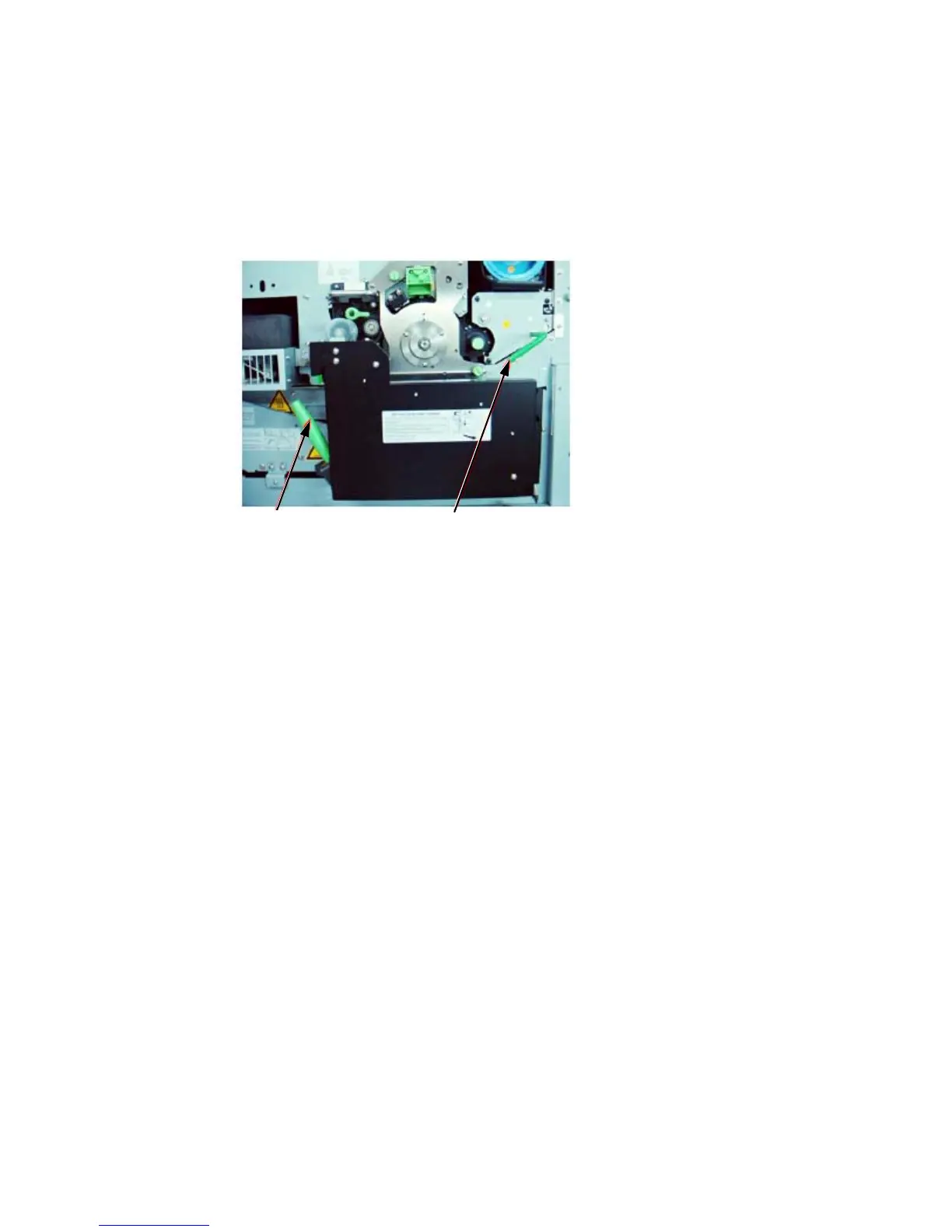
20. Turn the lever of the developer unit counterclockwise until it
points to the lower left (see following figure).
By this operation the developer unit is no longer separated from
the photoreceptor drum.
Green lever Lever of the developer unit (here already turned)
21. Take care that the Green lever of the transport unit is in its "up"
Position (see figure above).
22. Close the waste toner recovery unit. Make sure the
bar has engaged.
23. Close the printer’s front cover.
24. Make sure paper is set correctly (see section 3.1, too).
25. Turn the printer on.
During the following warm up time the printer’s panel display shows
the message “WARM UP”.
After a certain time the message [Clean.U.SetIncor.! ]
[E0024 ]
is displayed.
26. Now please open t
he printer’s front cover.
27. Turn the green lock lever of t
h
e cleaning unit to the “lock”
position (the
lever has to point to 12 o’clock; see
ne
xt figure).



 To Next Page