Pellerin Milnor Corporation 9
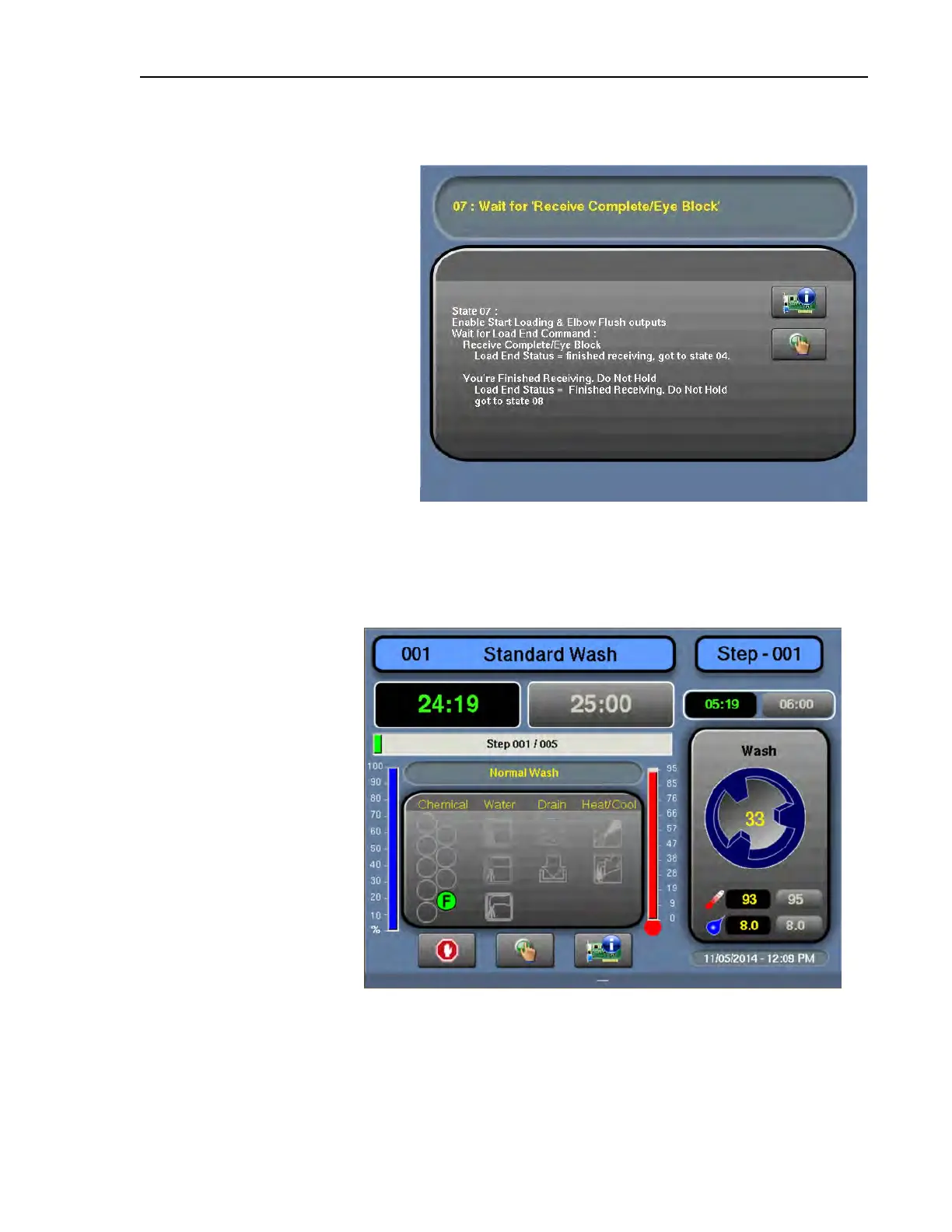
Figure 2. Example Loading StateAutomatic mode is the normal
mode of operation for MilTouch-
EX™ WTB washer-extractors. In
automatic mode, the controller
uses inputs from the Miltrac™
controller system to automatically
load the machine with goods us-
ing the loading chute, and auto-
matically unload the machine
using tilt functions.
During operation, the controller
advances through Loading/Dis-
charging State windows, which
indicate the machine’s progress.
An example is shown in Figure 2,
page 9.
See the operator guide for instruc-
tions on how to use automatic mode to load and unload the machine.
1.1.3 When a Formula is in Progress (The Run Display)
BNCLJO07.C01 0000187178 E.2 B.4 G.3 11/10/20 11:48 AM Released
Figure 3. The Run Display
The Run display appears
when you run a formula.
From the Run display, you
can monitor the wash for-
mula progress and the ma-
chine status.
You can also use formula
intervention to change the
water temperature and lev-
el, the formula time, the
drain type, and the cylin-
der speed for the formula
in progress. See Section
4.6 : Formula Intervention,
page 62 for instructions on
how to use formula
intervention.
See the operator guide for
more information on how to interpret the Run display.
1.1.4 The MilTouch-EX™ WTB Display Hierarchy
BNCLDO02.C02 0000243652 E.2 B.4 11/9/20 4:56 PM Released
In Table 2: The MilTouch-EX™ WTB Display Hierarchy, page 10 :
Preface












 To Next Page