Pellerin Milnor Corporation 113
NOTE: If a software update will affect formula programming, configuration decisions,
or customer procedures, there will be an explanation in the update e-mail.
6.3.1 Format your USB Flash Drive
BNCLJR01.T03 0000209810 E.2 D.3 E.3 1/2/20 1:22 PM Released
Format your USB flash drive to make it compatible with the MilTouch™ controller software. To
complete this procedure, you must have a Windows™ computer with an available USB port and
a blank USB flash drive with a capacity of at least 1 gigabyte (GB).
CAUTION: Formatting — removes all data from the USB device.
� Verify that the USB device you have selected to format is either unfor-
matted or contains no data.
1. Insert the USB flash drive into an available USB port on your Windows™ computer.
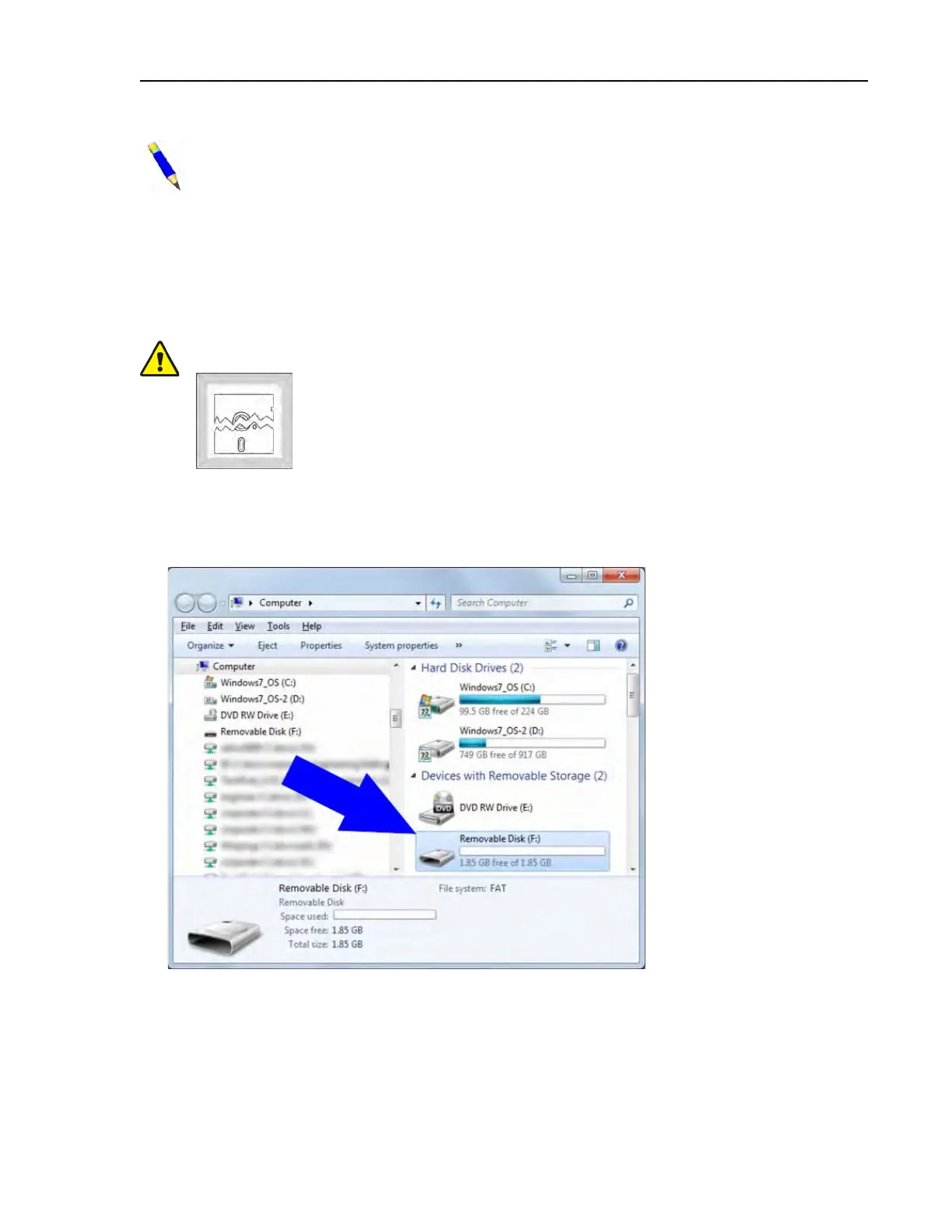
2. Open File Explorer.
Figure 55. Typical View of USB Flash Drive in File Explorer
3. In Explorer, right-click on the USB flash drive to display the context menu.
4. Left-click on Format... in the context menu.
Supplemental Information












 To Next Page