48
Pellerin Milnor Corporation
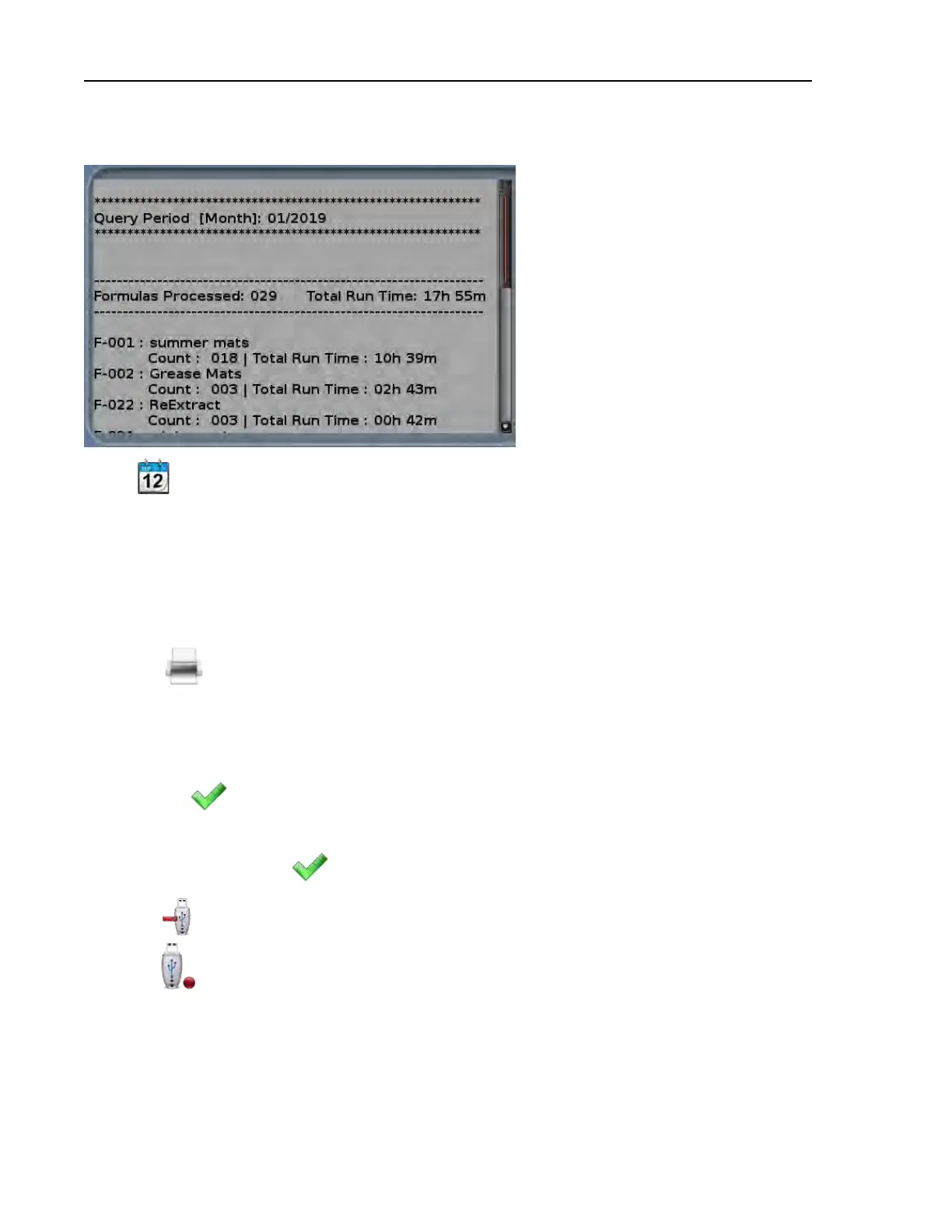
Figure 21. Example Production Report
Touch to choose a different date and view a new production report.
4.2.5.2 How to Export Production Reports as Text Files
BNCLJT02.T02 0000318469 E.2 F.3 B.4 2/24/21 11:25 AM Released
To export a production report as a text (.txt) file:
1. Mount a flash drive to the MilTouch™ controller as described in Section 5.2.1 : How to
Mount a USB Flash Drive to the MilTouch™ Controller, page 97.
2. Touch
to export the production report as a .txt file.
3. The controller prompts you to name the file. The File Name window (not shown) appears. In
the File Name window:
a. Use the keypad to enter a file name.
b. Touch
to confirm the file name and export the file.
4. A dialog box (not shown) appears, which indicates the file was exported to the root of the
USB flash drive. Touch
to dismiss the dialog box.
5. Touch
to unmount the flash drive. The available media indicator changes from green to
red (
), which indicates the controller no longer recognizes a connected USB device.
6. Remove the USB flash drive.
Troubleshooting












 To Next Page