94
Pellerin Milnor Corporation
• learn how to use the MilTouch™ interface away from the production environment
• do formula development work for a machine while it’s in operation
• apply the same formulas to multiple machines
Each machine controller variation (MilTouch™, MilTouch-EX™, and MilTouch-EX™ WTB)
has its own version of the PC programmer application. All versions of the PC programmer appli-
cation are available for download at milnor.com/controls.
The PC programmer application uses the same interface as the controller on the machine to help
you program formulas and manage their deployment. The contents of this manual apply to both
the controller and the PC programmer, with the following exceptions:
• In the PC programmer, the displays described in Section 4.7 : Troubleshooting Inputs and
Outputs, page 66 do not reflect the state of any real hardware. The PC application does not
simulate inputs and outputs.
• The PC programmer will not simulate the actions of a formula or the Run display (Section
1.1.3 : When a Formula is in Progress (The Run Display), page 9).
• The PC programmer can hold up to 5 different sets (groups) of formulas and 5 different sets
of configuration data. See Section 5.1.3.1 , page 94.
When you develop formulas using the PC programmer application, be sure to configure the pro-
grammer application with the same configuration decisions as the target (receiving) machine.
This practice allows you to see potential conflicts between formulas and configuration data before
you transfer the formulas to the machine.
5.1.3.1 Formula Creation and Data Transfer with Formula Groups
BNCLJB02.C08 0000328179 E.2 F.4 A.3 12/11/20 3:10 PM Released
The MilTouch™ PC programmer application can store up to 5 different sets of formulas, called
formula groups (numbered 0-4). The formula groups feature allows users to program or import
more than one set of formulas without overwriting the existing data in the application’s internal
memory. Each formula group can have its own set of configuration settings as well.
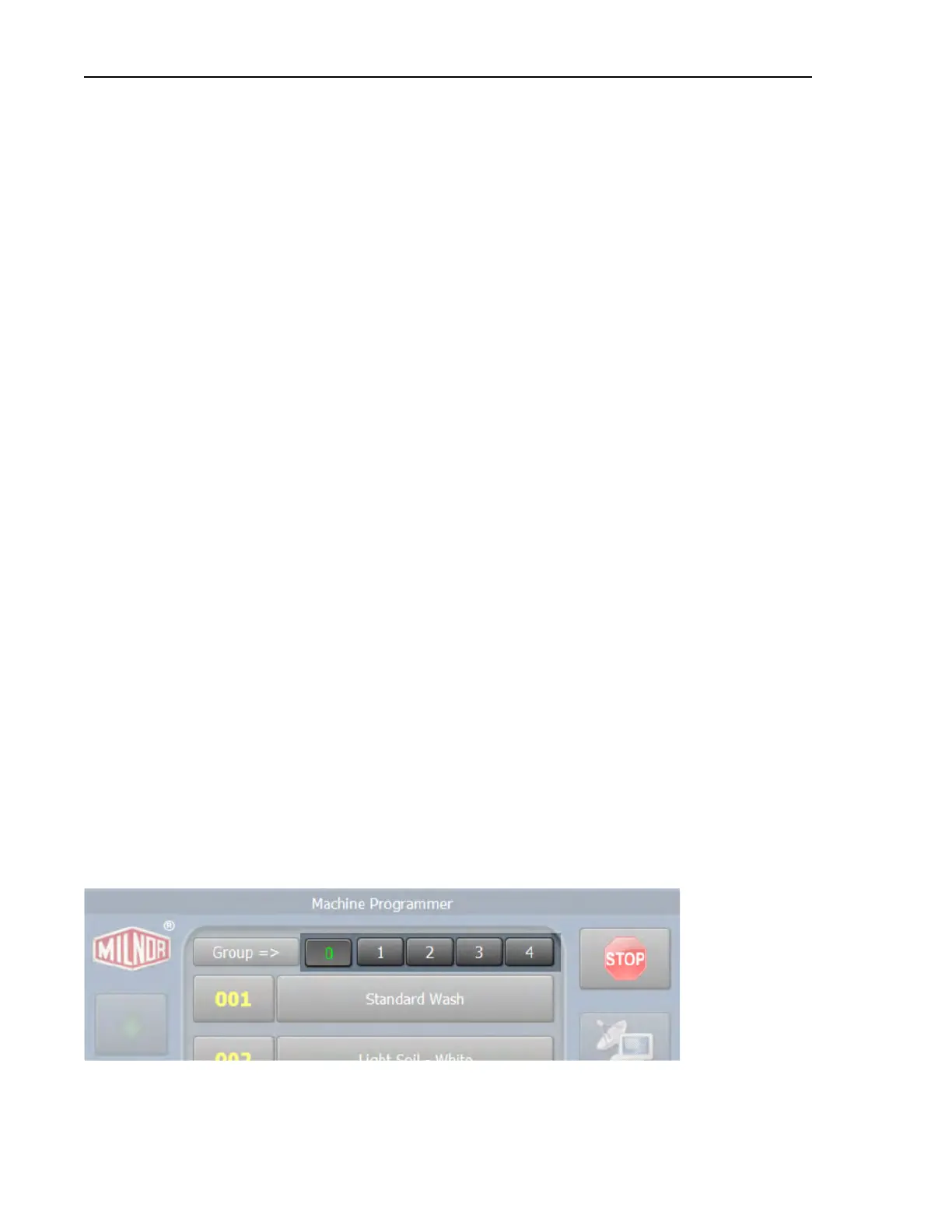
On the Home display, touch a group number to select that formula group as the active group. The
active group is displayed in green, as indicated by Group 0 in the following figure. Change wash
formulas, configure your machine, and import data like you would on your machine’s Mil-
Touch™ controller. All the changes you make will be saved to the active group.
Figure 44. Formula Groups on the Home Display
Data Transfer












 To Next Page