30
Pellerin Milnor Corporation
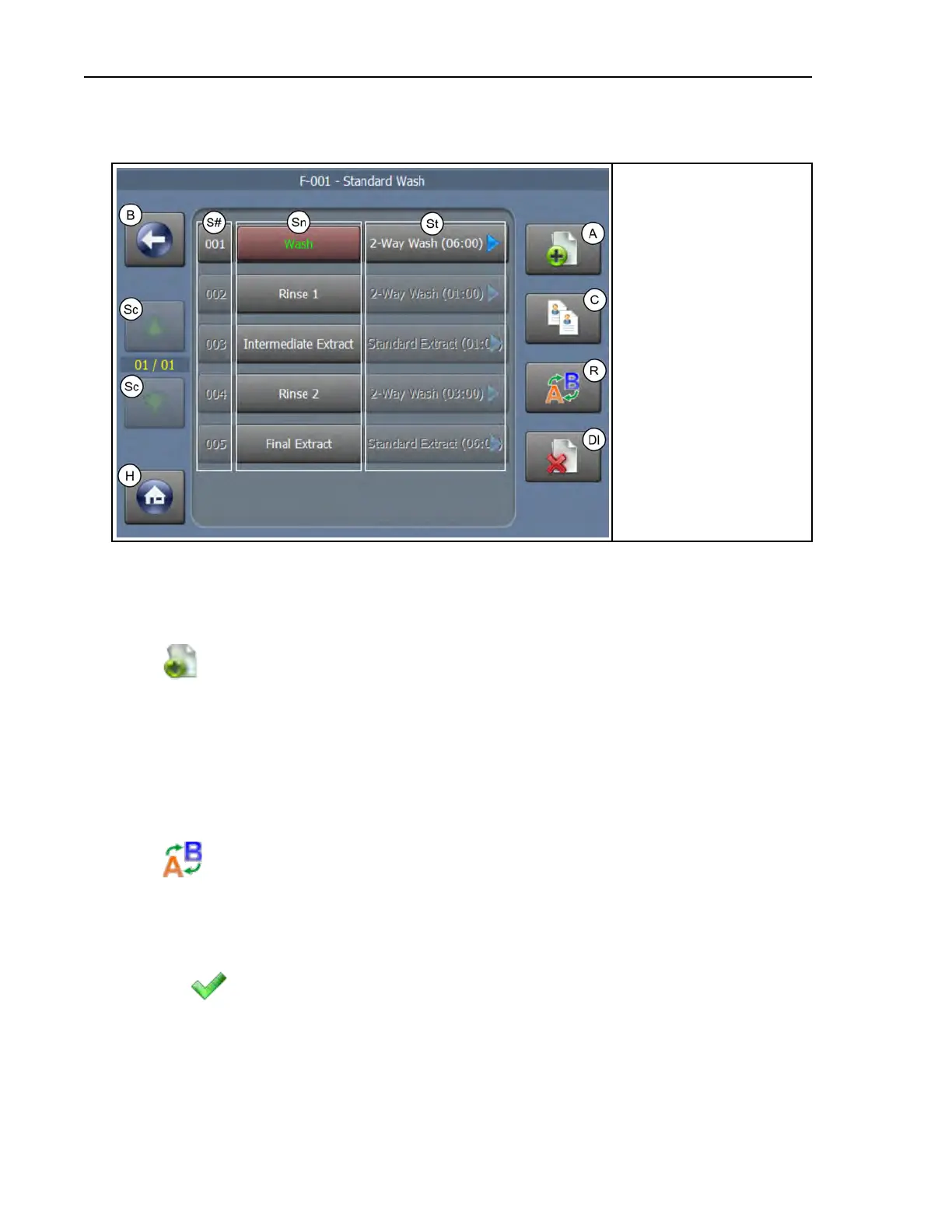
Figure 12. The Steps in a Wash Formula Display
Legend
A. Add a step
B. Go back one level, to
the Wash Formula
Maintenance display
C. Copy a step
Dl. Delete a step
H. Return to the Home
display
R. Rename a step
Sc. Scroll between pages
S#. The Step numbers
Sn. The Step names
St. Change the step
decisions
3.1.1.6 To Add a Step
BNCLJO06.T09 0000194238 E.2 B.3 D.3 1/2/20 1:22 PM Released
Create a new step in the wash formula.
1. Touch
on the Steps in a Wash Formula display to add a new step to the wash formula.
• If you have a step selected, the controller prompts you to choose where it will insert the
new step— before the selected step, after the selected step, or at the end of the formula.
• If you do not have a step selected, the controller will insert the new step at the end of the
formula.
A new step appears with a step type of End Formula (00:00). The controller gives the new
step a name similar to [N] Step xxx, where xxx is a number.
2. Touch
to change the step name. The Step Name window (not shown) appears. In the
Step Name window:
a. Touch the [Clear All] button to delete the step name that the controller provided.
b. Use the keypad to enter a new step name.
c. Touch
to save the new step name.
3.1.1.7 To Copy a Step
BNCLJO06.T23 0000197447 E.2 B.3 D.3 1/2/20 1:22 PM Released
Make a copy of a step in a wash formula.
Formula Maintenance












 To Next Page