20
Pellerin Milnor Corporation
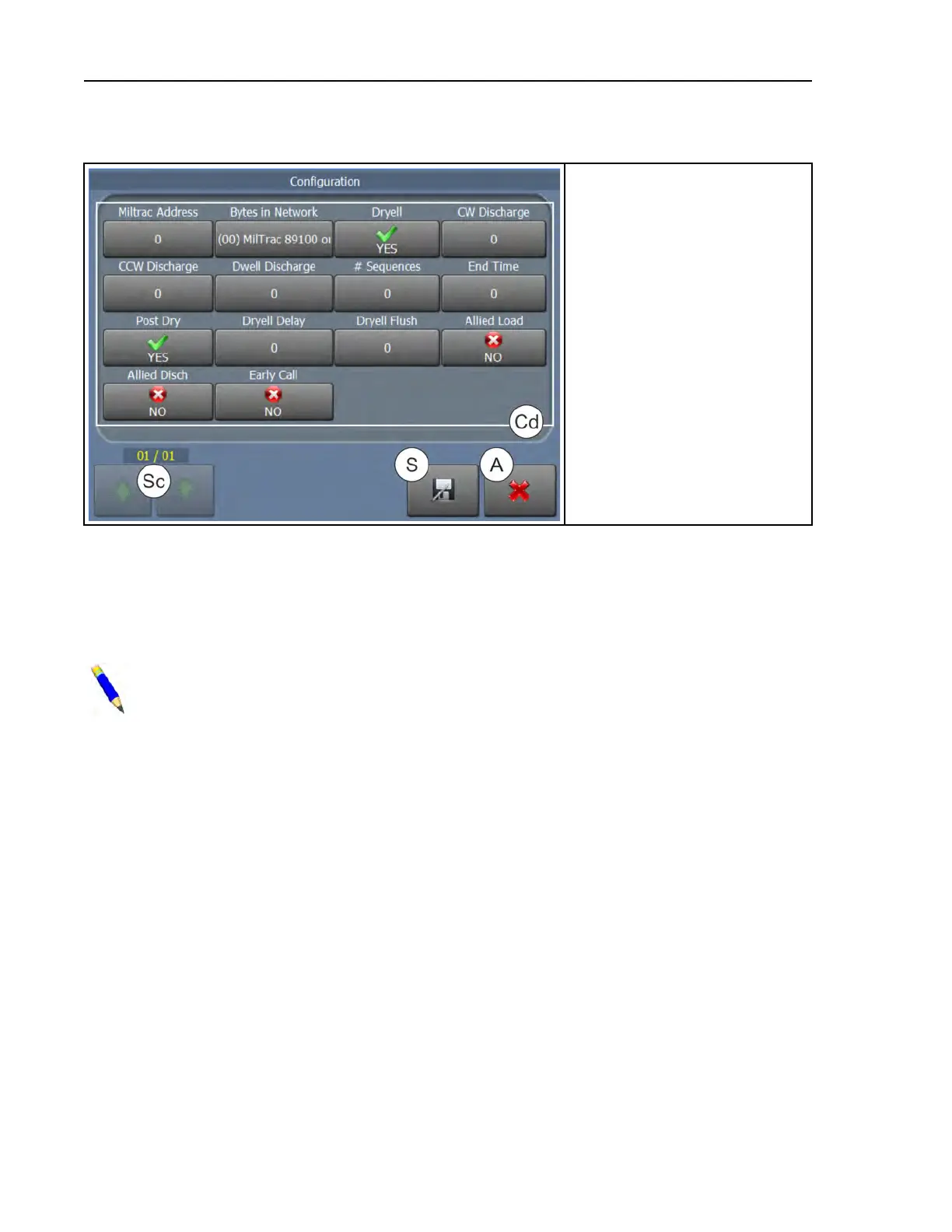
Figure 6. Configure WTB Display
Legend
A...Abandon changes and return to
the
Home . . display
Cd..The configuration decisions
S...Save changes and return to the
Home . . display
Sc..Scroll between pages
Miltrac™ Address — Enter the address this machine occupies on the Miltrac™ controller sys-
tem. The valid range is 000 to 255.
Bytes in Network — This decision (also known as Baud Rate, Network String Length, and
Number for Network) applies only to devices in a Milnet or Miltrac™ network.
NOTE: If you change the network string length (baud rate) on this machine (Mil-
Touch™ press), you must also change the network string length of the Miltrac™ (or Mil-
net) computer and every machine on the Miltrac™/Milnet link to the same value.
(00) Miltrac 89100 or Later the system uses Miltrac™ software version 89100 or later, but be-
fore 21000
(11) Milnet System enter one of these numbers for systems with Milnet versions between
86088 and 86095. If the device does not communicate with the Milnet controller at the first
setting chosen, select the other one.
(24) Miltrac 8624 and Earlier the system uses Miltrac™ software version 8624C and earlier
(30) Miltrac 89001 and Earlier enter this number for systems with Miltrac™ versions 89001
to 89018.
(96), (97), (98), (99) Enter 96, 97, 98, or 99 for Milnet or Miltrac™ software version 21000 and
later. Differences in baud rate are a trade-off between communication speed, which can affect
productivity, and protection against data corruption from electromagnetic interference, com-
mon in industrial processing settings. A technician familiar with Miltrac™ device communi-
cation may need to experiment with the baud rate setting.
96 = 9.6 kb/s; slowest, but most reliable communication rate
97 = 19.2 kb/s; somewhat favors reliability over speed
98 = 38.4 kb/s; average speed and reliability (recommended starting value)
99 = 57.6 kb/s; somewhat favors speed over reliability
Configuration












 To Next Page