64
Pellerin Milnor Corporation
Pause the current step timer. The formula will remain on the current step, which prevents
formula resumption, until this button is touched again.
NOTE: Outputs that the controller actuates during a step remain actuated even when
the step timer is paused (unless the actuation of the output is inappropriate). For example,
if the cylinder is turning when you touch
, the cylinder will continue to turn even
while the step timer is paused.
Close the window.
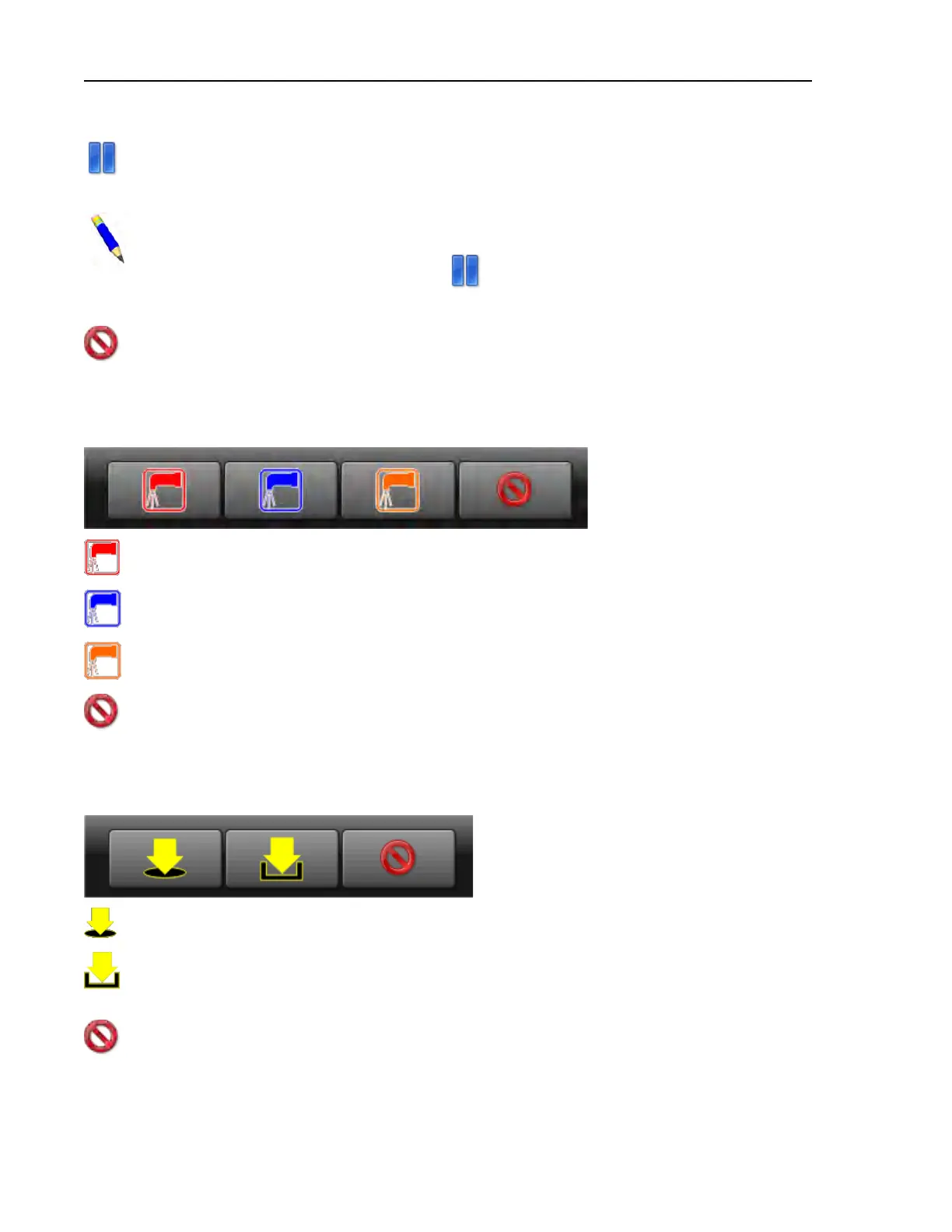
Modify Water Valves — Touch the box labeled “Water” on the display.
Figure 30. Pop-up Controls for Water Valves
Open the hot water inlet valve. If the hot water inlet valve is open, touch to close it.
Open the cold water inlet valve. If the cold water inlet valve is open, touch to close it.
Open the 3rd water inlet valve. If the 3rd water inlet valve is open, touch to close it.
Close the window.
Modify Drain Valves — Touch the box labelled “Drain” on the display.
Figure 31. Pop-up Controls for Drain Valves
Open the drain valve to the sewer. If the drain valve to the sewer is open, touch to close it.
Open a secondary drain valve to a reuse tank. If the secondary drain valve is open, touch
to close it.
Close the window.
Troubleshooting












 To Next Page