Pellerin Milnor Corporation 23
BNCLJP07 / 2021172
BNCLJP07 0000201089 F.2 4/19/21 3:58 PM Released
2.2 System Settings
BNCLJP03.C02 0000200609 E.2 F.2 D.3 1/2/20 1:22 PM Released
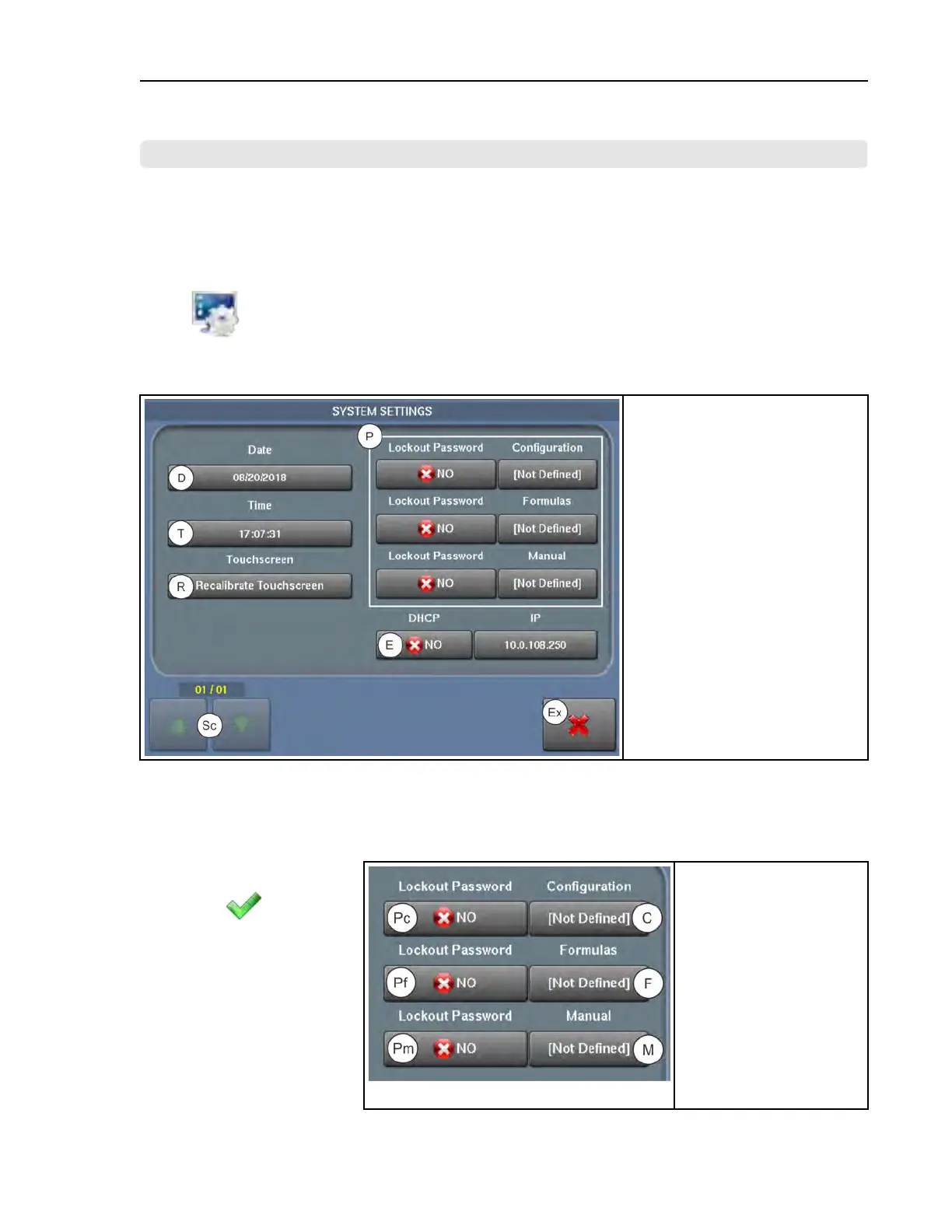
From the System Settings display, you can set a password to restrict access to formula modifica-
tion, configuration settings, and manual functions. You can also set the date and time for the con-
troller, recalibrate the touchscreen, and enable an Ethernet connection.
Touch
on the Configuration display to access the System Settings display, shown in the
following figure.
Figure 7. System Settings Display
Legend
D...Enter the current date
E...Set up an Ethernet connection
Ex.. Exit (return to the Configura-
tion display)
P...Password Area. See Section
2.2.1 , page 23.
R...Recalibrate the touchscreen, as
explained in Section 2.2.2 : Re-
calibrate the Touchscreen, page
25
Sc..Scroll pages if there is more
than one page
T...Enter the current time
2.2.1 Enable and Define Lockout Passwords
BNCLJO06.T01 0000188140 E.2 F.2 8/21/20 4:39 PM Released
Figure 8. Password Area of the System Settings Display
Legend
C...Define a configuration
password
F...Define a formulas
password
M...Define a manual func-
tions password
Pc..Enable a configuration
password
Pf..Enable a formulas
password
Pm..Enable a manual func-
tions password
When a lockout password
is enabled (
YES), the
lockout password will be
necessary to access certain
functions. You can enable
and define a lockout pass-
word from the password
area (Figure 8, page 23) on
the System Settings
display.
Configuration












 To Next Page