Pellerin Milnor Corporation 35
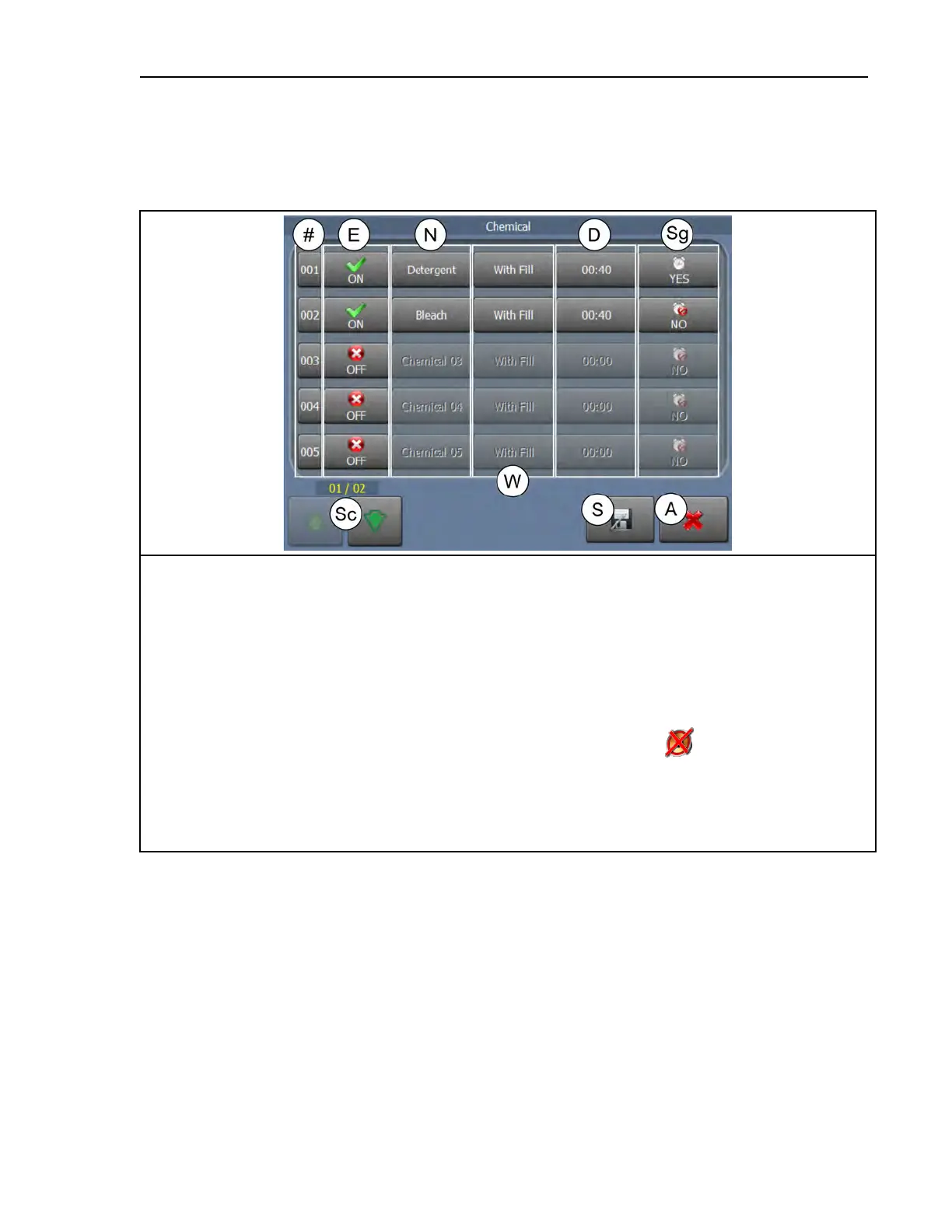
Chemical — Touch this decision to access the Chemical display, shown in the following
figure.
Figure 14. The Chemical Display
Legend
#. The fixed display of the chemical number.
A. Abandon changes and return to the Wash Formula Maintenance display.
D. The duration, in seconds, of the chemical injection. Touch to edit the number of seconds the injection will
last.
E. Enable (use) the chemical in this step.
N. The name of the chemical. Touch to rename it.
S. Save changes and return to the Wash Formula Maintenance display.
Sc. Scroll between pages to view more chemicals
Sg.
Select whether to sound the operator signal and require the operator to press
(which silences the signal)
before the injection begins
W. Choose the With Fill option to start the chemical injection when the water valves open to fill the cylinder.
Choose the Level OK option to start the chemical injection when the water level in the cylinder is achieved.
Choose the Level + Temp option to start the chemical injection when the water level in the cylinder is
achieved and the desired temperature is achieved.
Speed
Wash Speed (RPM) Range varies by model.
Extract Speed (RPM) Range varies by model.
Drain Type
Standard The cylinder rotates at slightly above 1 G-force for the drain duration. Actual speed
is determined by the configured machine type. The drain valve opens after a distribution
delay.
2-Way Wash The cylinder rotates in both directions at wash speed while draining. The drain
valve opens when the step timer expires.
Formula Maintenance












 To Next Page