Pellerin Milnor Corporation 43
Touch on the Home display to access data logs. Choose a log date using the calendar that
appears (see Section 4.2.1 , page 43).
The controller records three categories of data:
• production history
• configuration and programming history
• error history
Touch
, , and to cycle among the three types of data logs.
4.2.1 Date Selection
BNCLJO06.C17 0000187147 E.2 F.3 F.2 9/30/20 12:00 PM Released
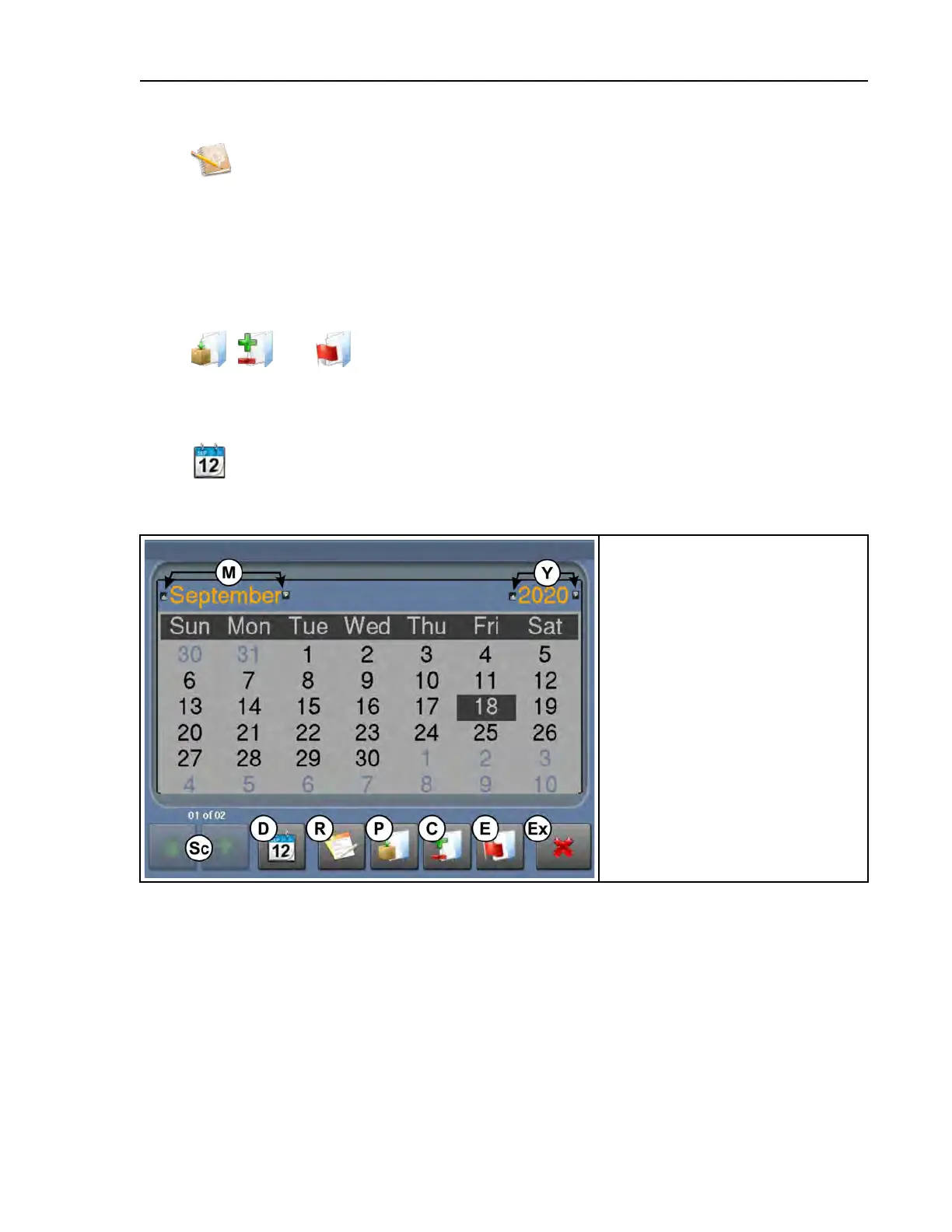
Touch to access the calendar. Touch a date to view the log files for that date. You can use
the arrow buttons (M and Y) to change the month and the year.
Figure 16. Calendar
Legend
C...View configuration and program-
ming history
D...View the calendar and choose a
log date
E...View error history
Ex. . . Exit (return to the Home
display)
M...Change the log month
P...View production history
R...Generate production reports
Sc. . . Scroll between data history
pages
Y...Change the log year
Troubleshooting












 To Next Page