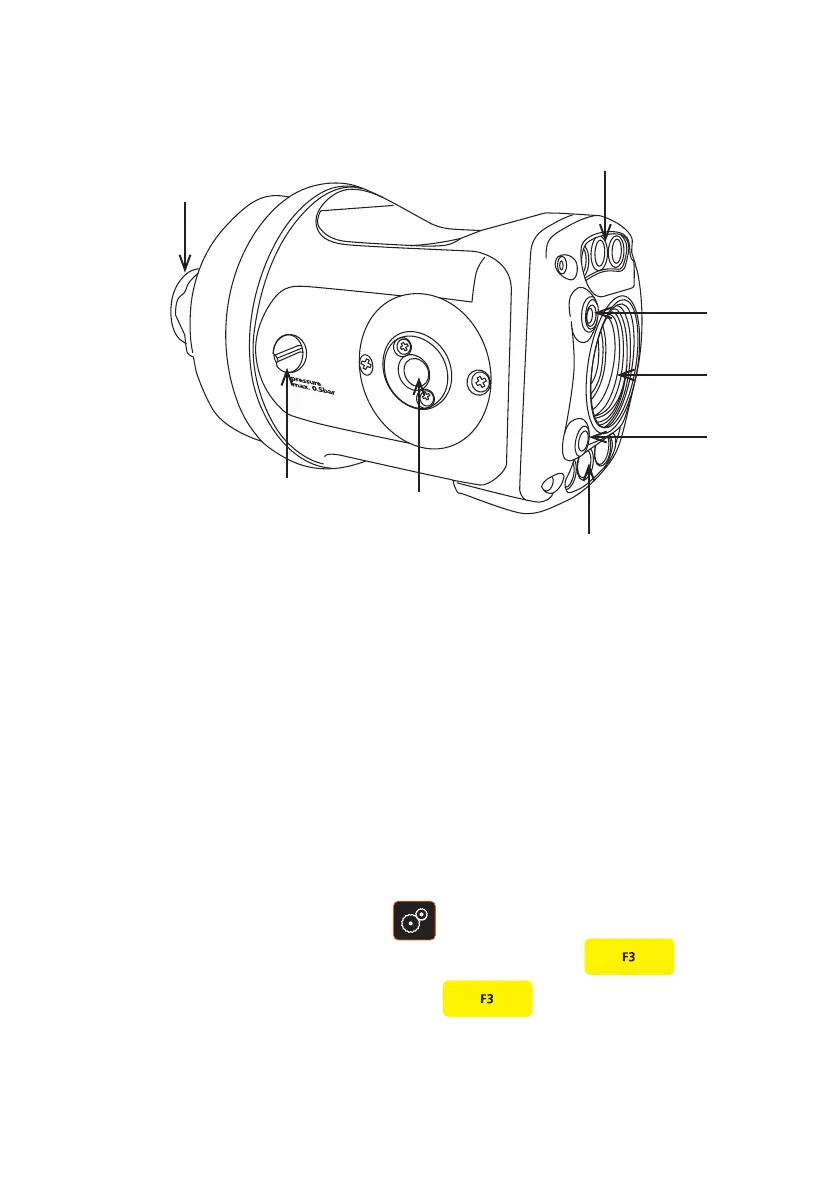
Operation of the Dual Lasers
Connect the camera to the crawler and power up the CCU (page 46).
To turn the Dual Lasers On and O
1 Press the Camera Settings key.
2 From the on-screen menu, select Lasers by pressing the F3 key.
2 To switch off the dual lasers press the F3 key.
Connections and Descriptions
A Camera connector
B LED illumination
C Laser
D Camera lens
E Laser
F LED illumination
G Distance Sensor
H Purge Point
D
A
G
B
F
H
C
E
117
Version L Minicam Proteus



 To Next Page