▲
▲
▲
▲
6
1
4
3
5
2
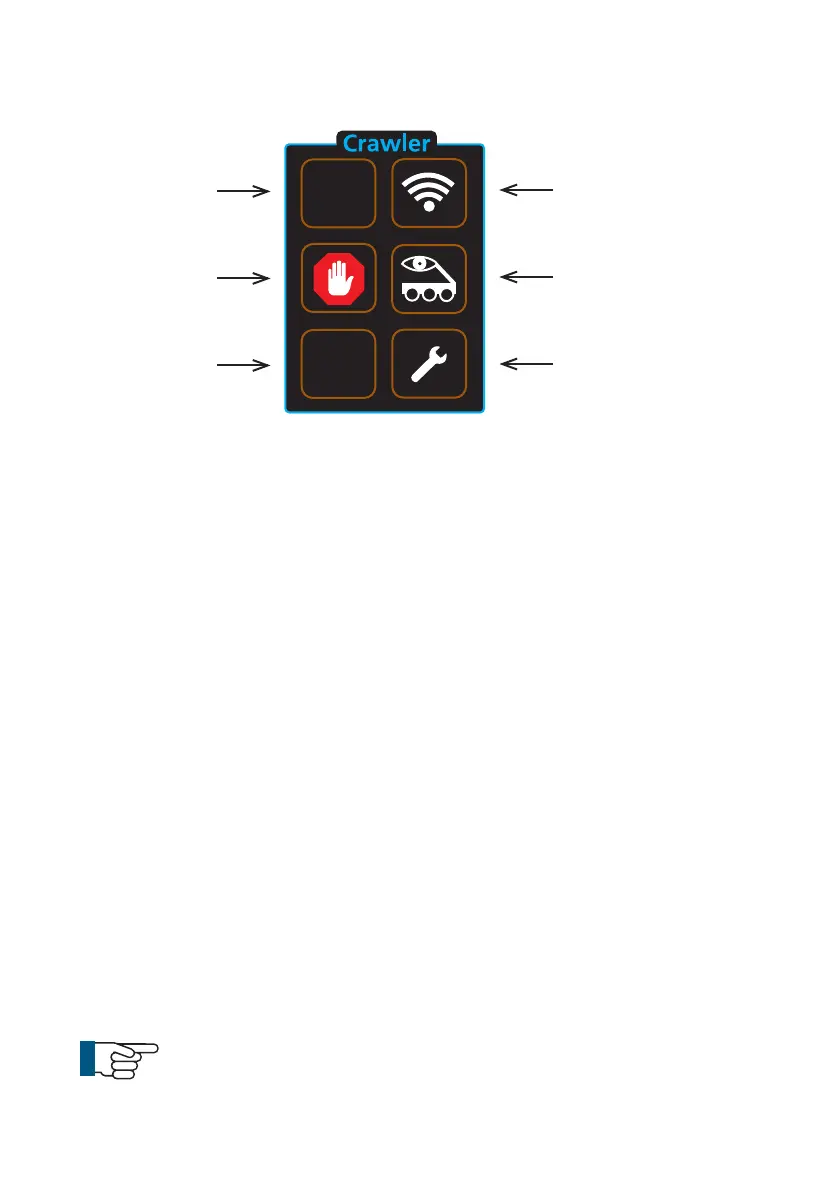
1 Cruise control - Forward
a Each press increases speed until maximum speed is reached.
b When the crawler is reversing, each press slows the crawler speed.
2 Stop
a Crawler stops moving. Power is still enabled.
3 Cruise control - Reverse
a Each press increases speed in reverse until maximum speed is
reached.
b When the crawler is travelling forward each press slows the crawler
speed.
4 Crawler settings
a Select the correct wheel size attached to the crawler for accurate
speed display.
b CRP300 Elevator options
c Inclination
d CRP300 Clutch Control (Manual)
5 Backeye
a Switch between forward and rear view cameras.
6 Sonde
a Enable or disable sonde function.
b Choose transmission frequency.
Crawler function keys
NOTE!
Moving the crawler joystick during Cruise mode will cancel the
cruise control function. The operator will now have manual
control.
48
Version LMinicam Proteus



 To Next Page