A
F
D
C
Orienta-
tion
Connection of Cabling between Control Unit and Cable
Reel
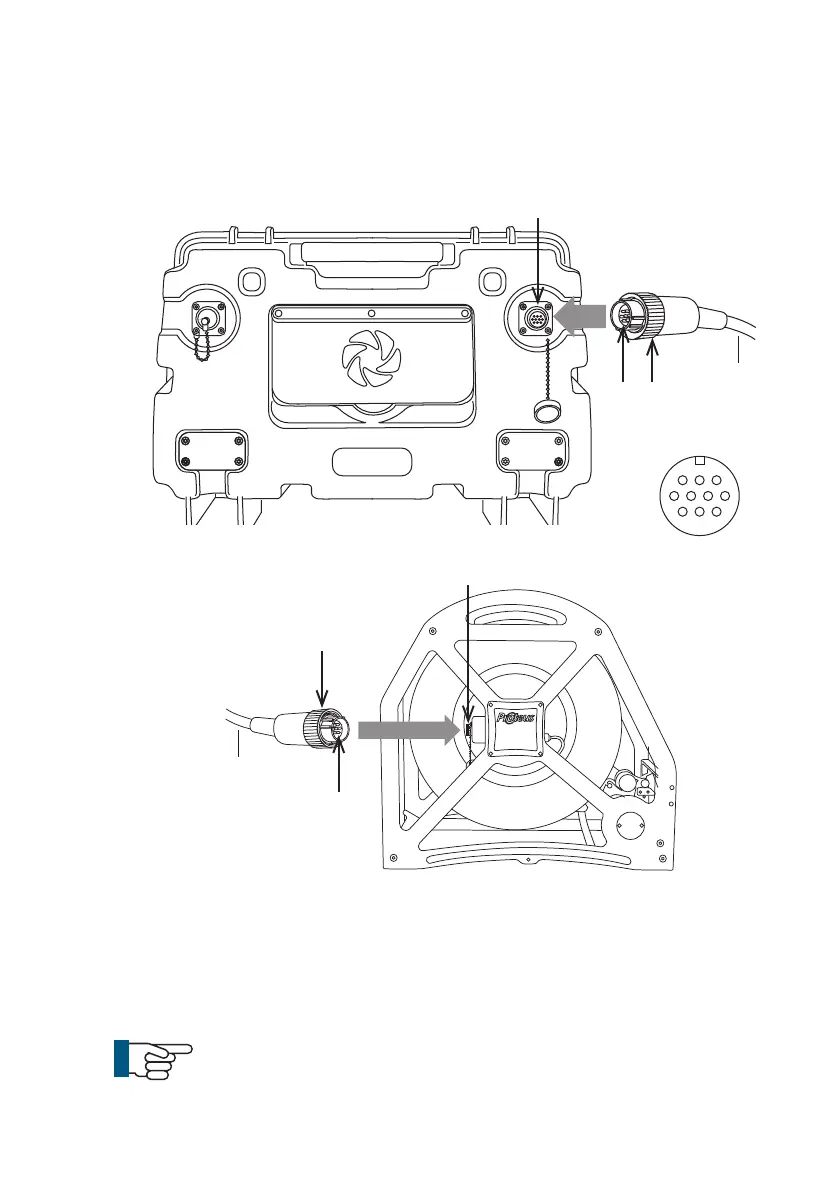
Connect the link cable to the back of the control unit and to the side of
the cable reel, as illustrated:
1 Plug the male plug (A) of the link cable into the back of the control unit
(B)Notice the orientation of the plugs. Secure in place with locking ring
(C).
2 Plug the female plug (D) of the link cable into the side of the cable reel
(E). Notice the orientation of the plugs. Secure in place with locking ring
(F).
NOTE!
To remove the connectors turn the retaining ring
anti-clockwise.
Link Cable
Link Cable
B
E
31
Version L Minicam Proteus



 To Next Page