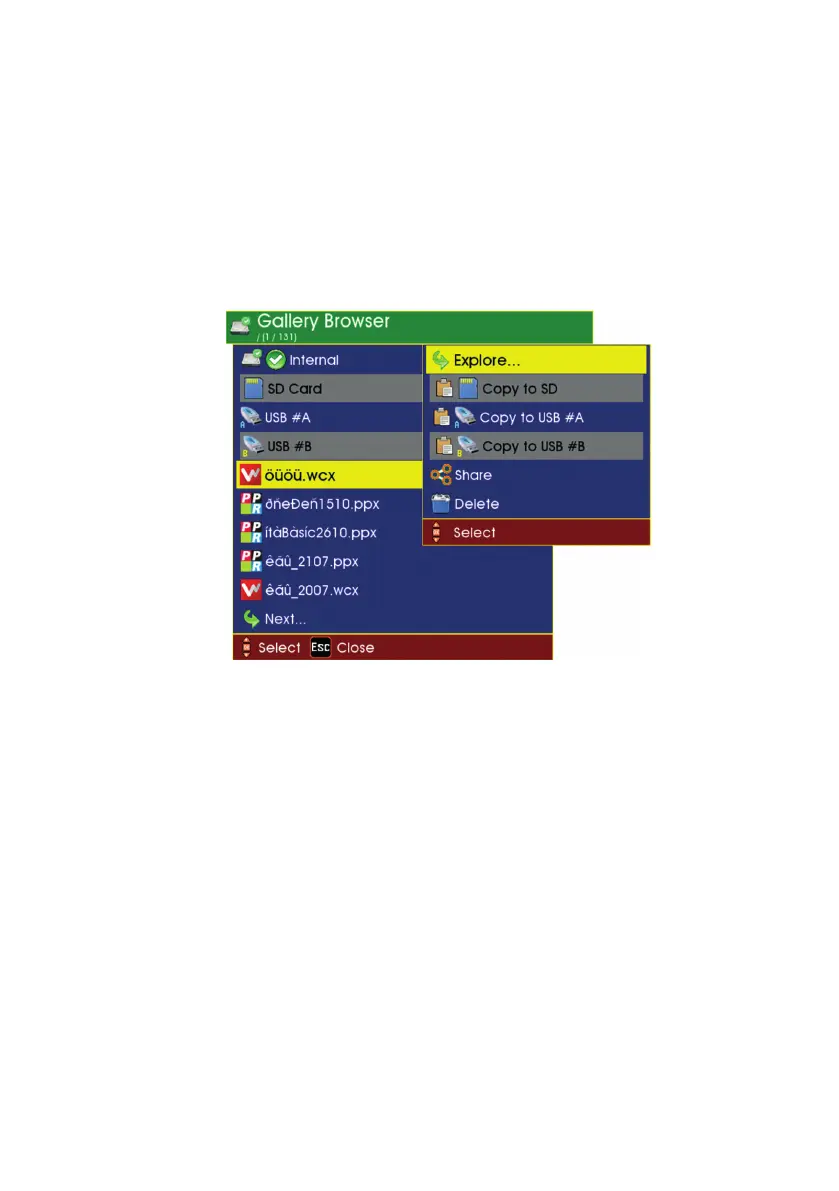
With a media highlighted, press OK. Then a submenu appears where you
can choose what you want to do with this media.
• You can explore the projects and les that are on it
• You can copy all the projects and les from it onto another
media
• You can erase it completely.
Explore the contents of a project
With a project or le highlighted, press OK. Then a submenu appears
where you can choose what you want to do with this project or le:
• If you have highlighted a project, you can then explore the les
inside that project.
• If you have highlighted a le, you can play it (if a video) or view
it (if a photo).
• You can copy the project or le to another media, eg. to USB or
SD card memory.
• You can delete it.
continued on next page
57
Version L Minicam Proteus



 To Next Page