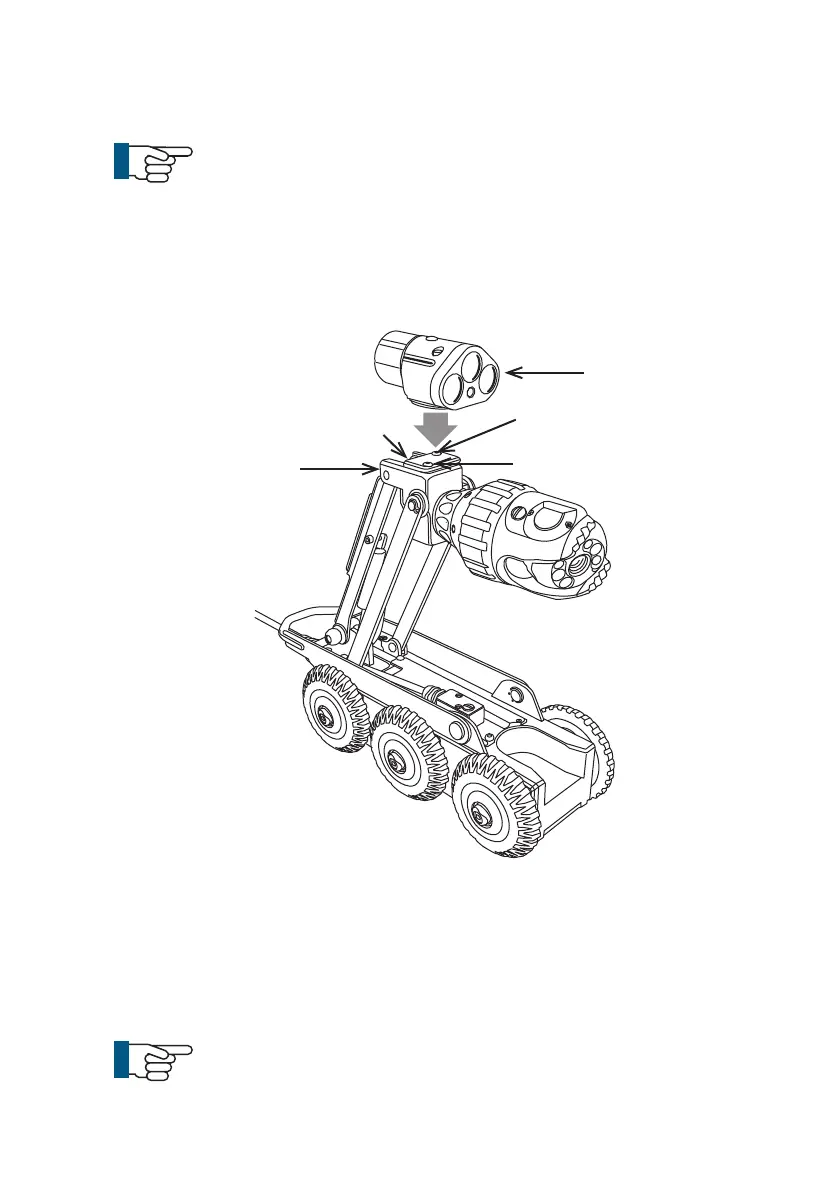
A
B
C
C
1 Remove the protective cap screws (C)
2 Remove protective cap (A)
3 Fit auxiliary module to crawler. Notice the orientation as shown in the
diagram
4 Fasten 2 x M4 x 45mm screws with 2 x M4 anti-vibration washers to x
the auxiliary module (B) onto the camera housing.
NOTE!
Always t the protective caps when the crawler, camera or
auxiliary module are not in use to protect from ingress of
dirt and moisture.
Connection of Auxiliary Module to Crawler
NOTE!
Ensure that power to the crawler is switched OFF before
connecting or disconnecting the auxiliary module by using
the ALL-STOP button on the CCU. A red light will illuminate
next to this button when power to the crawler is OFF.
Connect the auxiliary module, ALB300, to the crawler as illustrated:
Camera
Housing
35
Version L Minicam Proteus



 To Next Page