4. Press once to cancel continuous paying out or rewinding, and to stop
the
motor. The MCR pay out and rewind then goes back to Automatic
mode.
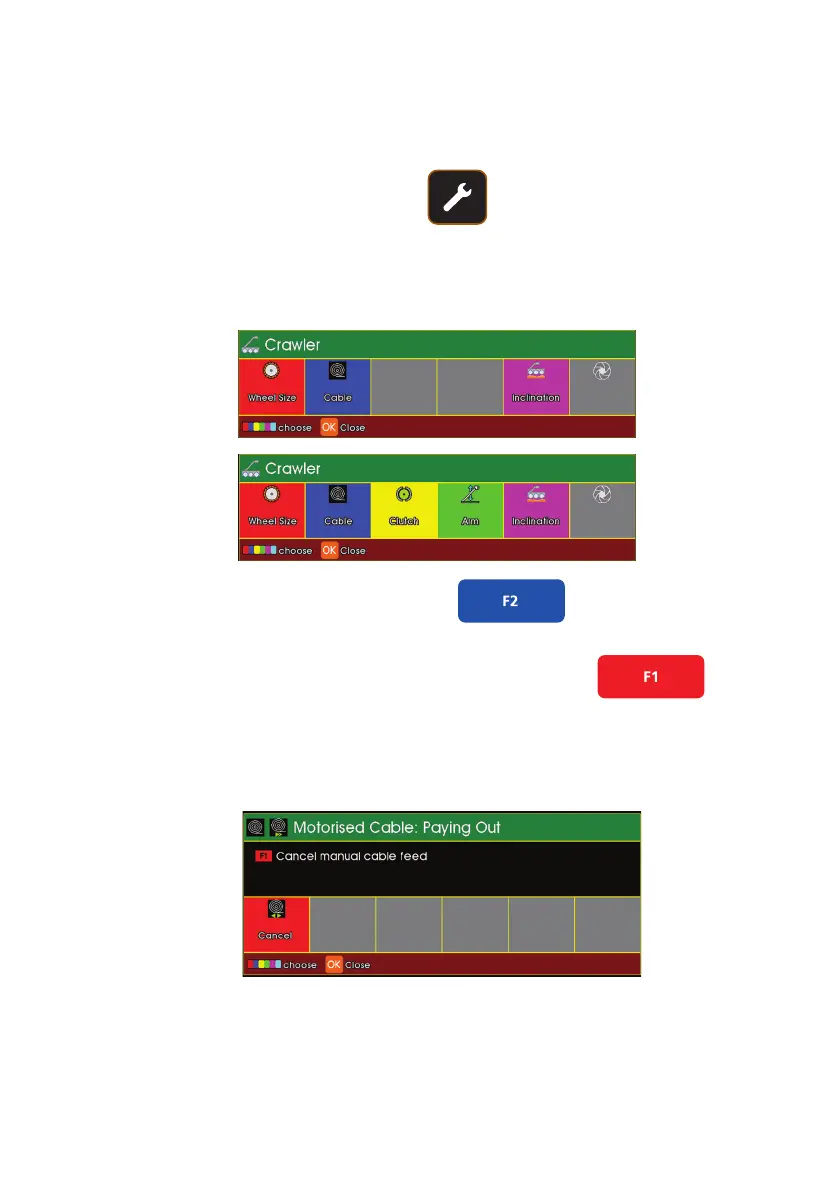
Cancel using the Coloured Keys
You can also cancel continuous pay out and rewind using the Crawler
Settings:
1. Press Crawler Tools:
The CCU will display the followings short keys
2. Press Blue Function to select Cable.
3. Press Red Function to revert to Automatic operation.
The CCU will display the followings short keys
With
CPL150
connected
With
CRP300
connected
87
Version L Minicam Proteus



 To Next Page