156
Version LMinicam Proteus
Interpreting the Inclination Graph
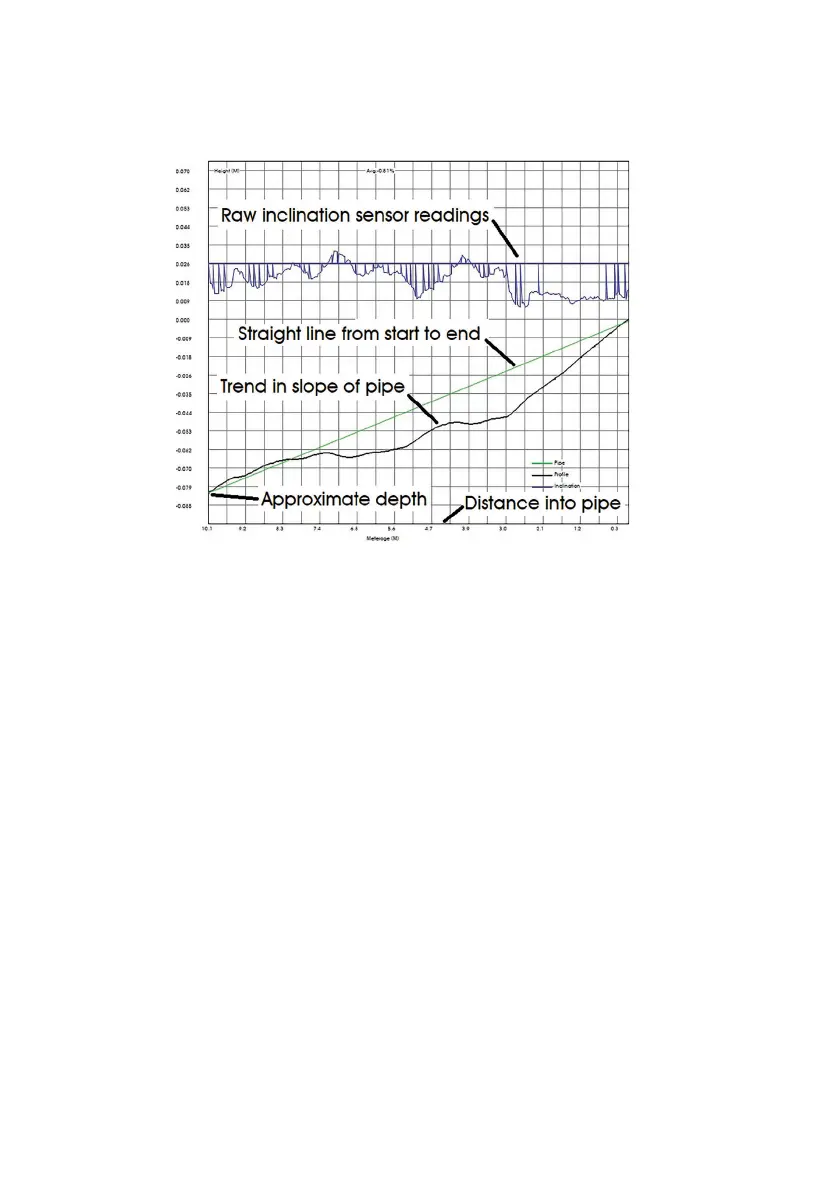
The BLUE line indicates raw sensor readings, normally you can ignore
this line.
The GREEN line indicates an ideal straight line from the start depth to the
end depth. A perfect pipe would be completely straight and at and have
no dips or bumps – in which case the GREEN line would represent the
actual bottom of the perfect pipe.
The BLACK line is the slope of the pipe measured by the inclination.
When the BLACK line goes below the GREEN line, it means the pipe has
a dip in it. When the BLACK line goes above the GREEN line, it means the
pipe has a peak in it.
A perfect pipe that had no dips or peaks would draw a BLACK inclination
line directly over the top of the GREEN ideal straight line.



 To Next Page