Information and Care
Maintenance
Ensure all parts are free from debris and dirt.
Technical Details - TRP01
Product ID: TRP01
Dimensions: 650 x 280 x 160mm (L x W x H)
Weight: 4.3Kg (9.4lb)
Using TRP01
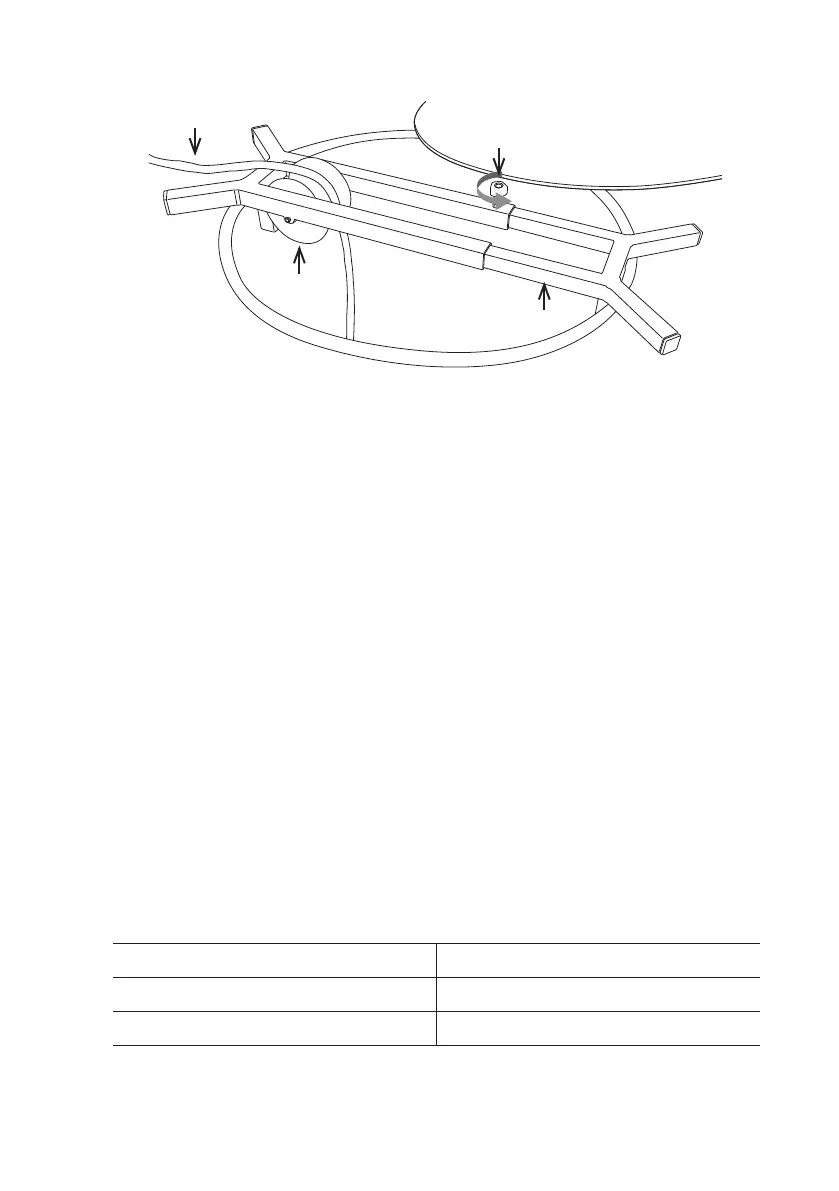
1 Loosen the size adjustment screw (B) suciently to allow the
extension arm (C) to be withdrawn and removed.
2 Guide the cable (D) over the roller (A) and replace the extension arm
(C).
2 Position the Manhole Top Roller over the manhole, extending the
extension arm (C) to t the manhole opening.
3 Tighten the size adjustment screw (B) to secure the extension arm.
A
B
D
C
139
Version L Minicam Proteus



 To Next Page