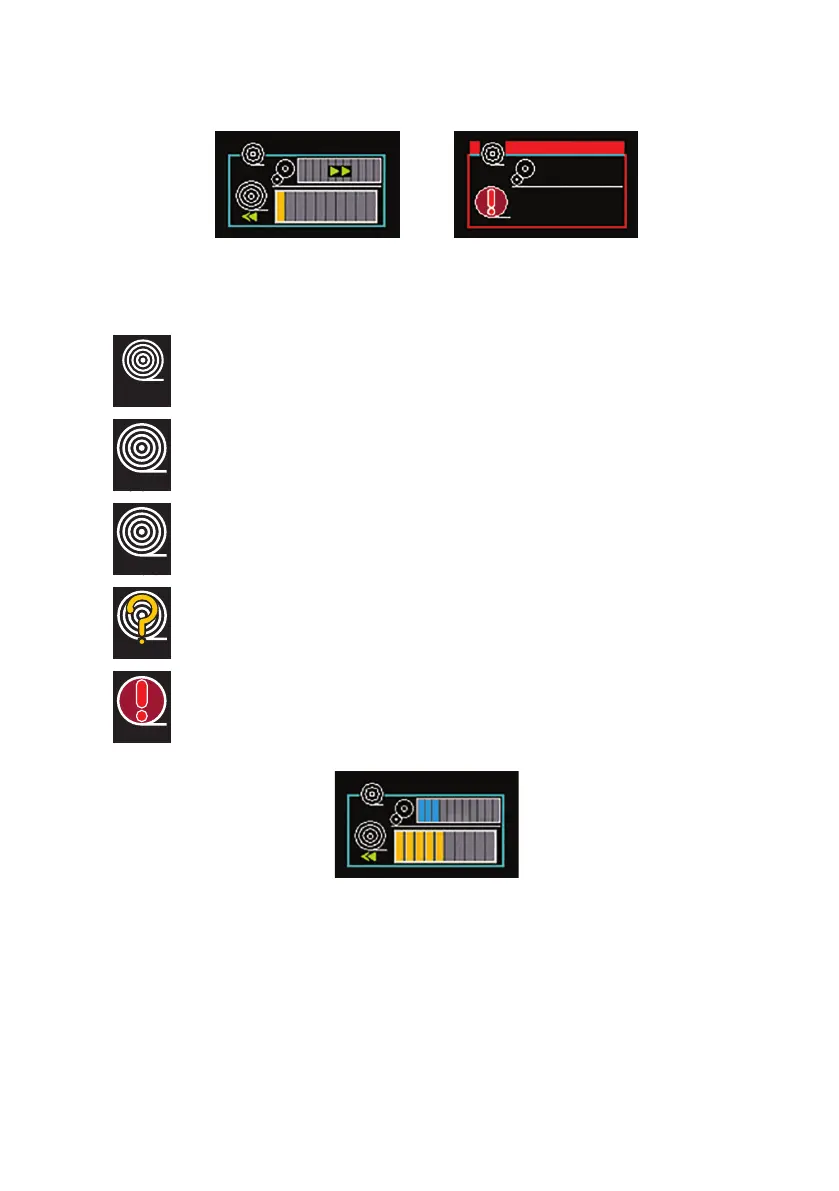
Automatic Paying Out and Rewinding
The MCR is automatically controlling the cable pay out and
rewinding.
Paying Out
The MCR is paying out the cable to the crawler.
Rewinding
The MCR is rewinding the cable back onto the drum.
Lost Communication with CCU
The MCR has lost communications with the CCU.
See Troubleshooting “Troubleshooting” on page 93.
▲
Blockage
The MCR has stopped because of a blockage, or the Stop button
is activated.
The motorised cable reel status box displays the appropriate icon for the
operation being performed:
Status looks like this ...or if there is a
problem looks like
this
The blue coloured bar/s represent torque adjustment. This is only active during
rewind.
The orange coloured bar/s represent how much cable is in the pipe
81
Version L Minicam Proteus



 To Next Page