318
Routers & Kaleido-X
Configuring an External Router
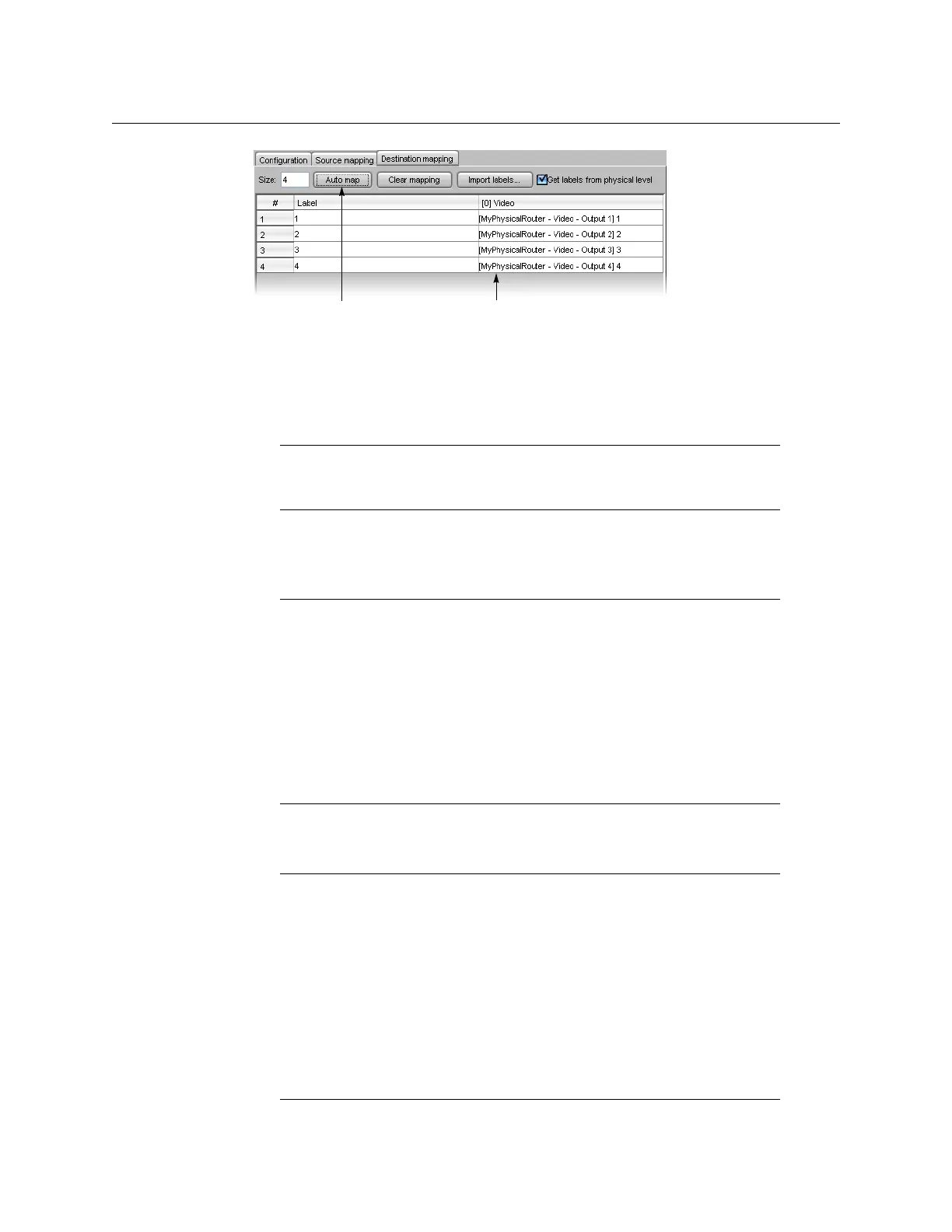
• If you have already specified a physical output, the sequence starts from that one,
then autofills from there.
• If the one you specified is in a row part way down the table, auto-mapping fills in
the rows below, then continues the sequence starting at the top of the table.
This feature is particularly useful when mapping a large number of destinations.
10 To import labels from a CSV file (i.e. a comma-delimited file such as might be exported
from an Excel spreadsheet), click Import labels, navigate to the CSV file that contains
the labels you wish to import, select it, and then click Open.
Alternatively, select the Get labels from physical level check box, to import labels
directly from a router at runtime.
Note: If you make a mistake, click Clear mapping, and then click Ye s in the
confirmation message that appears to delete the entries in the physical
output column of the table. This does not affect the Labels column.
Note: The file must be formatted as three columns with no heading row.
Column 1 should contain numbers from 1 to N (the number of sources),
column 2 should contain the source labels, and column 3 should contain the
destination labels. Columns are delimited by commas, without spaces.
Sample label file:
1,VTR 1,OUT 1
2,VTR 2,OUT 2
3,CAM 1,OUT 3
4,CAM 2,OUT 4
5,SAT 1,PGM
6,SAT 2,PVW
Note: Labels are imported at runtime (i.e. they only appear on the monitor
wall, not in XEdit). This feature applies to the following router protocols only:
•ETL Matrix
•Evertz Quartz Type 1
• HRS-1801
• NVISION Ethernet protocol - Enterprise router
• Snell (Pro-Bel) General Remote Control Protocol (SW-P-08)
• Thomson / Grass Valley GVG 7000 Native Protocol
• Utah Scientific RCP-3 Protocol
The list of supported protocols appears at the bottom of the Source
mapping and Destination mapping tabs.
Auto map button Physical outputs are automatically populated


 To Next Page
 Loading...


