273
Options for Movie Recording and Editing
3
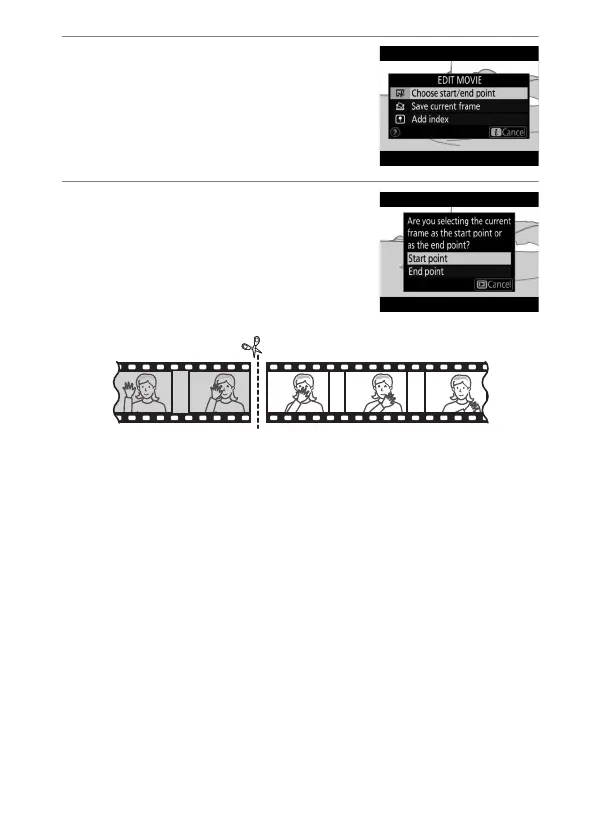
Select [Choose start/end
point].
Press the
i
button, then highlight
[Choose start/end point] and press
2
.
4
Choose the start point.
To create a copy that begins from the
current frame, highlight [Start point]
and press
J
. The frames before the
current frame will be removed when
you save the copy in Step 10.


 To Next Page