291
Other Shooting Options
4
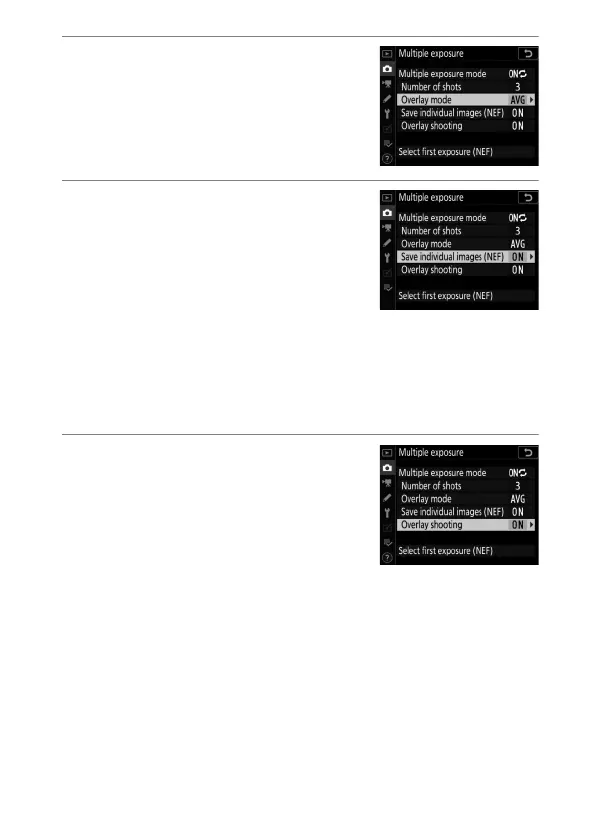
Choose the overlay mode.
Highlight [Overlay mode] and press
2
, then press
1
or
3
to choose the
desired mode and press
J
to select.
5
Choose whether to keep
individual exposures.
•
Highlight [Save individual images
(NEF)] and press
2
.
•
Highlight an option using
1
or
3
and press
J
.
•
To save both the multiple exposure and the shots that
make it up, select [On]; the individual shots are saved in
NEF (RAW) format. To save only the multiple exposure,
select [Off].
6
Choose whether to view
progress in the display.
To choose whether earlier exposures
are superimposed over the view
through the lens as shooting
progresses (live view only), highlight
[Overlay shooting] and press
2
, then press
1
or
3
to
choose the desired option and press
J
to select.



 To Next Page