ACCESS GATEWAY
164 System Administration
Adding a Device Type Profile
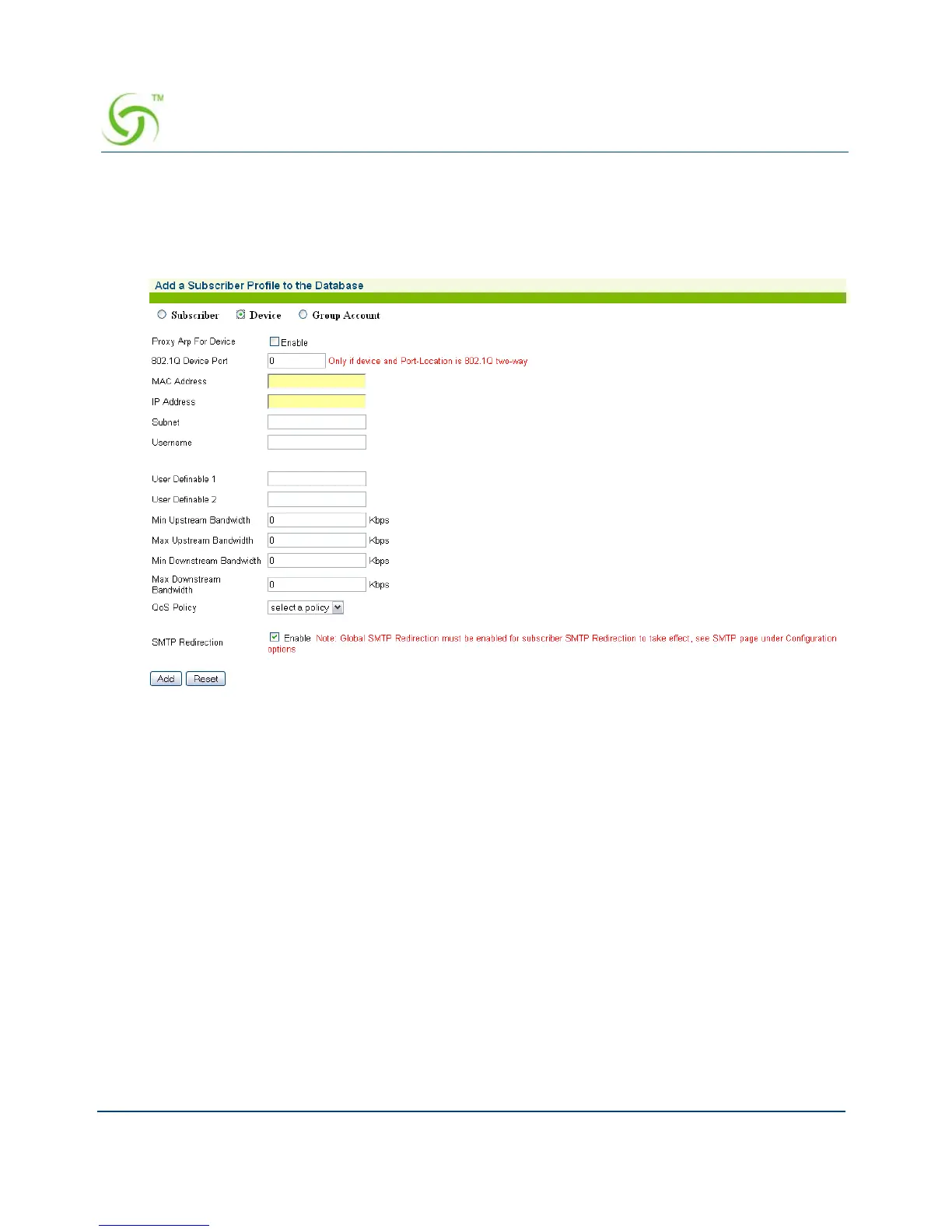
1. From the Web Management Interface, click on Subscriber Administration, then Add.
The Add a Subscriber Profile to the Database screen appears:
2. Choose the Device account type for this profile.
3. If required, enable the Proxy Arp For Device feature.
4. Set the 802.1Q Device Port if the device is connected to a specific VLAN.
5. Enter a valid MAC Address for the device.
6. Enter the IP Address of the device.
7. Enter a valid Subnet address for this device.
8. In the Username field, enter a user name for this device.
9. The next two fields (User Definable 1 and User Definable 2) are optional. Use these
fields for simple notations about the device.
10. Define the Min Upstream Bandwidth and Max Upstream Bandwidth range for this
device (in Kbps).
11. Define the Min Downstream Bandwidth and Max Downstream Bandwidth range for this
device (in Kbps).



 To Next Page