28 Océ 9300 User Manual
2
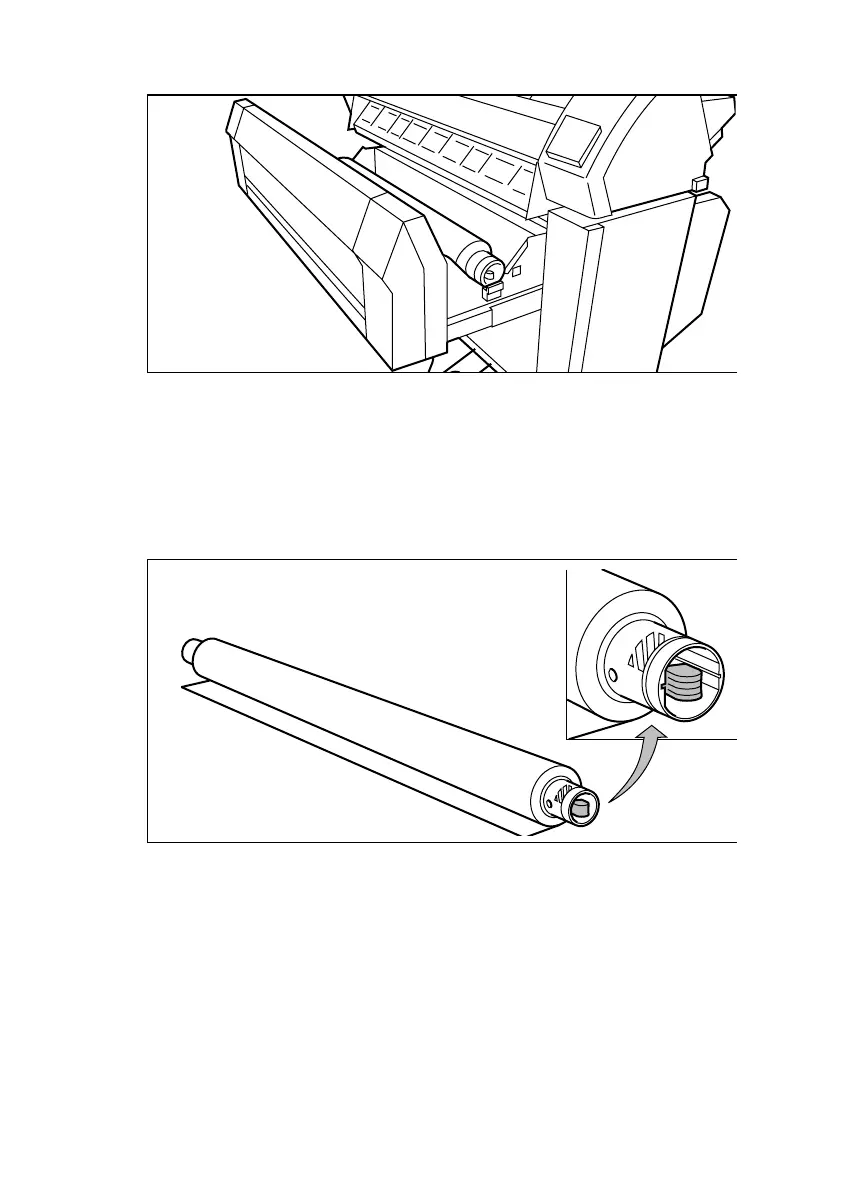
Remove the roll holder from the drawer (see figure 6 on page 28)
[6] Removing the roll holder from the drawer
3
While pressing the knob, remove the empty core from the roll holder (see
figure 7).
4
Slide the roll holder into the new roll of material while pressing the knob (see
figure 7).
Make sure that the knob is to the right, and that paper appears as shown in
figure 7.
[7] Pressing the knob
5
While pressing the knob, align the roll with the appropriate lines on the roll
holder. This line must be completely visible.
34"
A
0
36"



 To Next Page