(Re)load media and toner 29
6
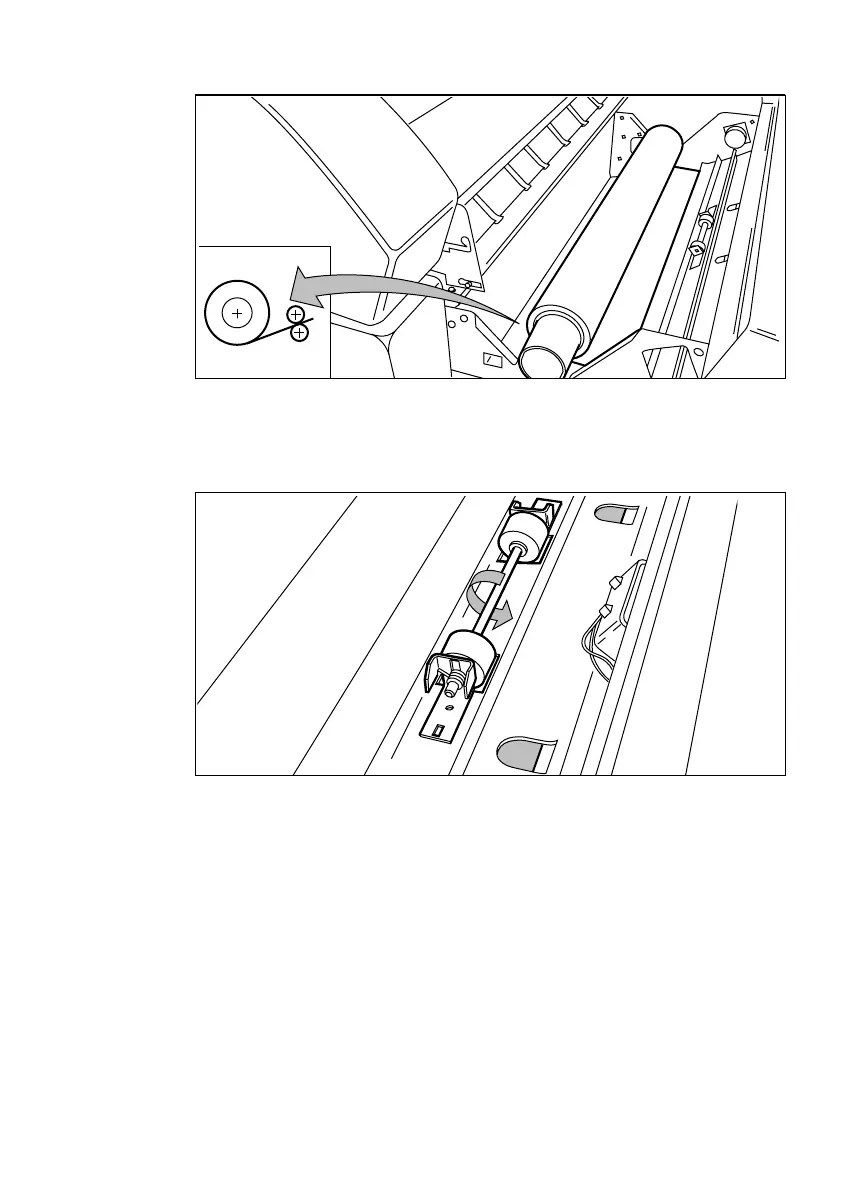
Place the roll holder with the material in the drawer (see figure 8).
[8] Repositioning the roll
7
Feed the material between the input guide plates against the rollers.
8
Turn the rollers until the material is visible (see figure 9). You can also refer to
the sticker inside the drawer.
[9] Feeding print media
9
If you have inserted a roll with another material or with a different width, you
have to program the correct width and material type (refer to ‘Programming
media settings’ on page 34).
If you want to cut the paper to get a straight leading edge, see ‘Cutting print
media to attain a straight leading edge’ on page 30.
Otherwise continue with the next step.
10
Close the drawer.
11
Press the ‘Cancel/Continue’ button.



 To Next Page