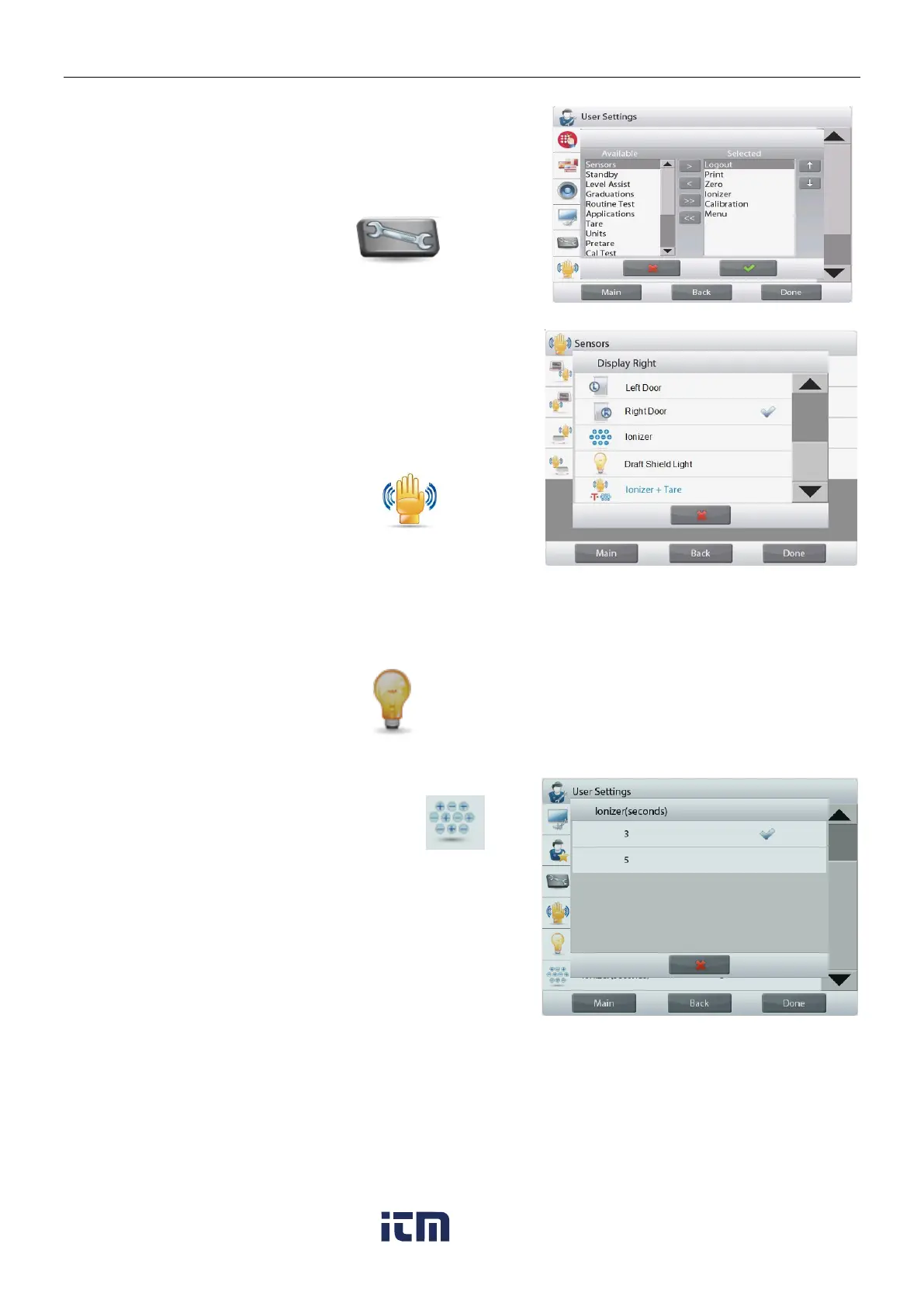
5.5.6 Functions Configuration
Touch Functions Configuration to see a table of Selected and
Available functions. Press > to move a function from Available to
Selected, and press < to move them back.
To move all functions to the right, Press >> and press <<
to move them back.
5.5.7 TouchLess Sensor Setup
If desired, assign Print, Zero, Tare, Calibrate, Automatic
draftshield door or
Draft Shield Light to the Touchless Sensors Terminal Right,
Terminal Left, Base Right, and Base Left.
Default setting for Automatic draftshield door models:
Terminal left: left door
Terminal right: right door
Note: EX12001, EX24001 and EX35001 do not have Base
sensors.
5.5.8 Draft Shield light
Set the status of the lighted Draft Shield feature.
OFF = disabled.
ON = enabled.
Set the working time of the ionizer, 3 or 5 seconds.
Normally, 3 seconds is enough to remove the static electricity from
a sample.
However, if the air is very dry, or if the sample volume is large, a
longer working time might be used: 5 seconds.
Note: In order to get the best effect, it's recommended to position
the samples at the center of the glass shelf.
w ww . . co m
information@itm.com1.800.561.8187













 To Next Page