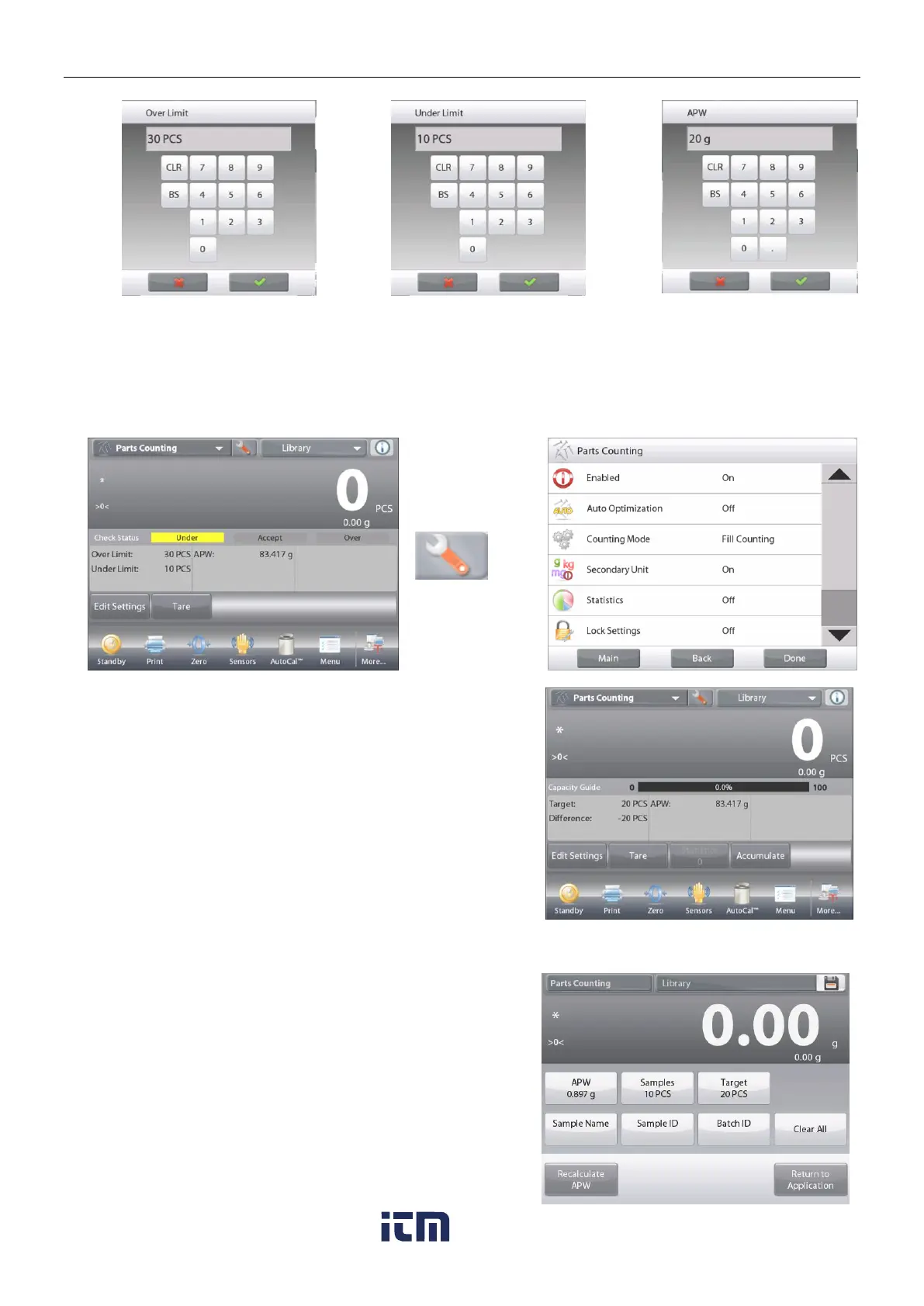
4.2.4 Parts Counting – Fill
This feature permits establishing a set quantity of pieces as a reference, so when pieces are added, their
percentage of the reference amount appears. A Progress bar indicates the percentage.
In the upper left portion of the home screen, select Parts Counting.
(The option will appear if it has been enabled in the Application Modes menu.)
The PARTS COUNTING – Fill Home screen
Main Display Line
Second Display Line
Reference Fields
Application Buttons
Functions
The default (or last) Average Piece Weight (APW) is displayed.
Place objects on the pan to display the Fill Status.
4.2.4.1 Edit Settings: Touch the Edit Settings button.
The Settings screen appears.
The buttons for APW, Samples and Target show
default (or previously set) values.
To change values, touch the button.
A keyboard screen appears.
Key in the new value, and press .
Note:
please refer to section 4.1.1 for details about
setting Sample Name, Sample ID, Batch ID and Clear
All.
To set a new average piece weight,
press Recalculate APW.













 To Next Page