EN-56 EXPLORER BALANCES
4.7 Totalization
Totalization measures the cumulative weight of a sequence of items. Two different Totalization accumulation
modes can be selected: Manual accumulation (requires key press) and Automatic accumulation.
The cumulative total may exceed the capacity of the Balance.
4.7.1 Totalization – Manual (Default)
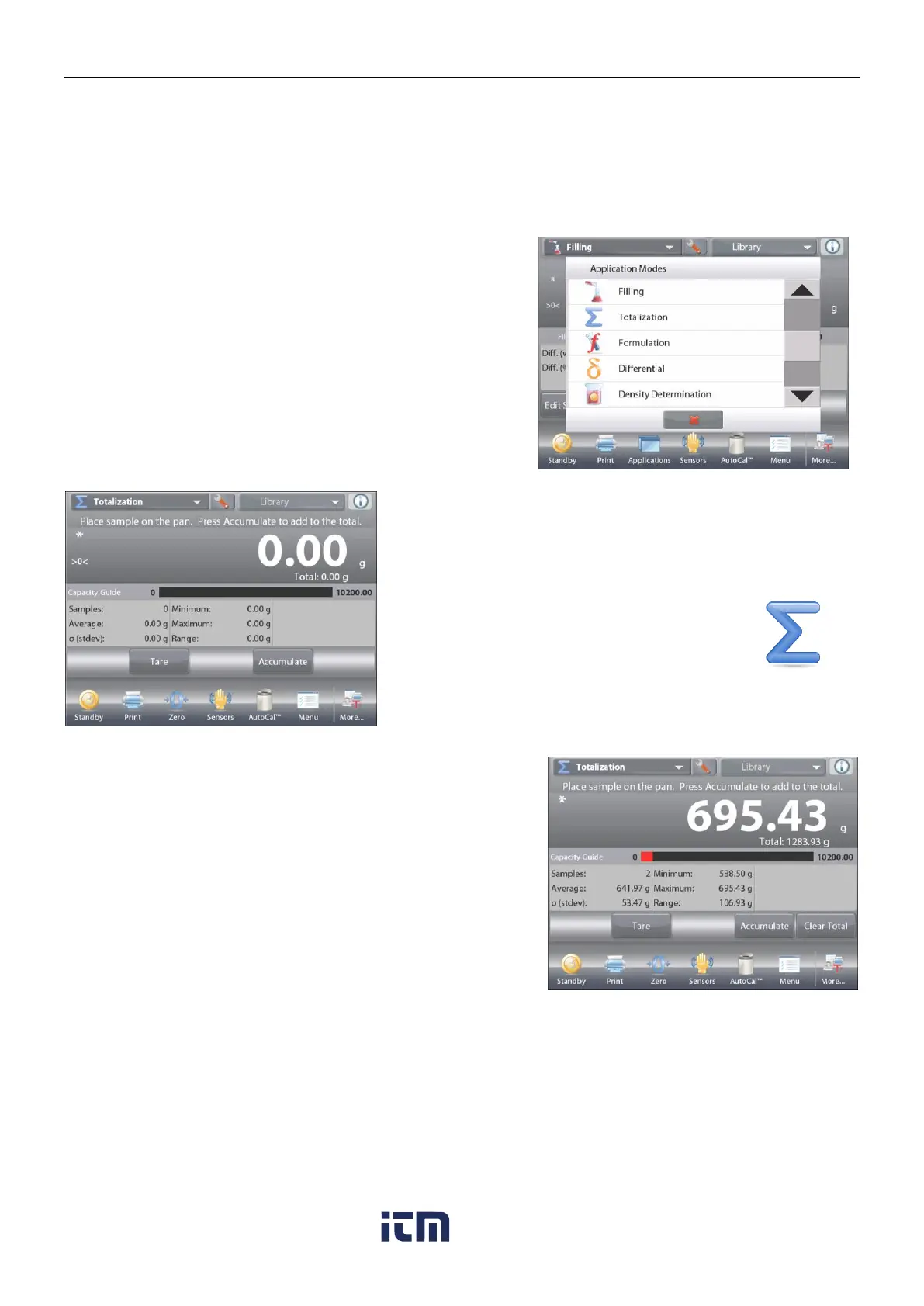
Touch the upper left portion of the home screen.
A drop-down menu appears. Select Totalization if it is present.
(If not, touch the Menu icon in the bottom-left corner, then
choose Application Modes, scroll down to find Totalization,
press it, then press Enabled to turn it On. It will now appear in
the Application Modes menu on the home screen.
Place objects on the pan to begin.
The TOTALIZATION Home screen
Main Display Line
Second Display Line
Reference Fields
Application Buttons
Functions Application Icon
The sample weight is shown on the Main Display Line.
Press Accumulate to add the weight of the item to the total.
When stable, the new total is shown on the secondary Display Line.
Remove the item from the weighing pan, then add the next item
and continue as above.
When finished, press the
Clear Total
button to reset the
Second Display Line to zero
.
w ww . . co m
information@itm.com1.800.561.8187













 To Next Page