EN-54 EXPLORER BALANCES
The Filling Application Setups (defaults in Bold)
To show the Second Display line
Press to lock the current setting(s) so they
cannot be changed.
The Target weight is displayed
Displays the Difference to the Target weight
Displays the Difference to the Target weight
Gross weight is displayed
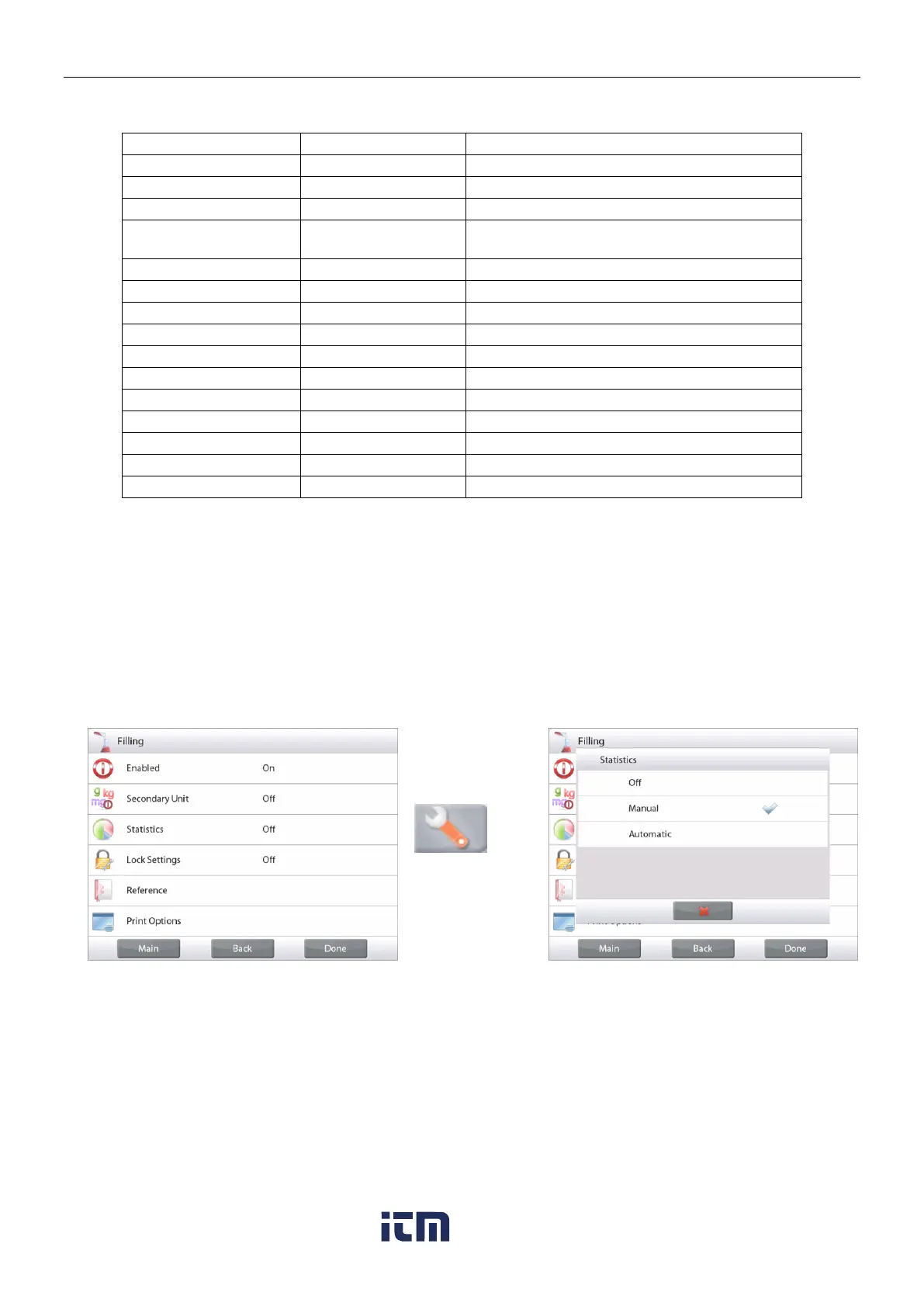
4.6.3 Statistics for Filling
Use the Statistics function to compare a number of samples and examine the relative deviation of the samples
along with other statistical data. A minimum of three samples is required.
Statistics can be determined manually (Manual mode, with key press after each step) or automatically
(Automatic Mode: weights are automatically recorded when stable). To use the statistics function, enable it first
in the Application Setup menu.
Application Setup
First, Enable Statistics
Touch the Setup
Icon wrench (see
below) to enter
Setup menu.
Touch
Statistics
.
Choose either
Manual
or
Automatic
mode, then
press
Done
.
w ww . . co m
information@itm.com1.800.561.8187













 To Next Page