EN-38 EXPLORER BALANCES
4.3 Percent Weighing
Use Percent Weighing to measure the weight of a sample displayed as a percentage of a pre-established
Reference Weight.
The default (or last) Reference Weight is displayed.
Place an object on the pan. The difference between the sample and the Reference Weight is displayed as both a
weight and a percentage.
To Access Percent Weighing:
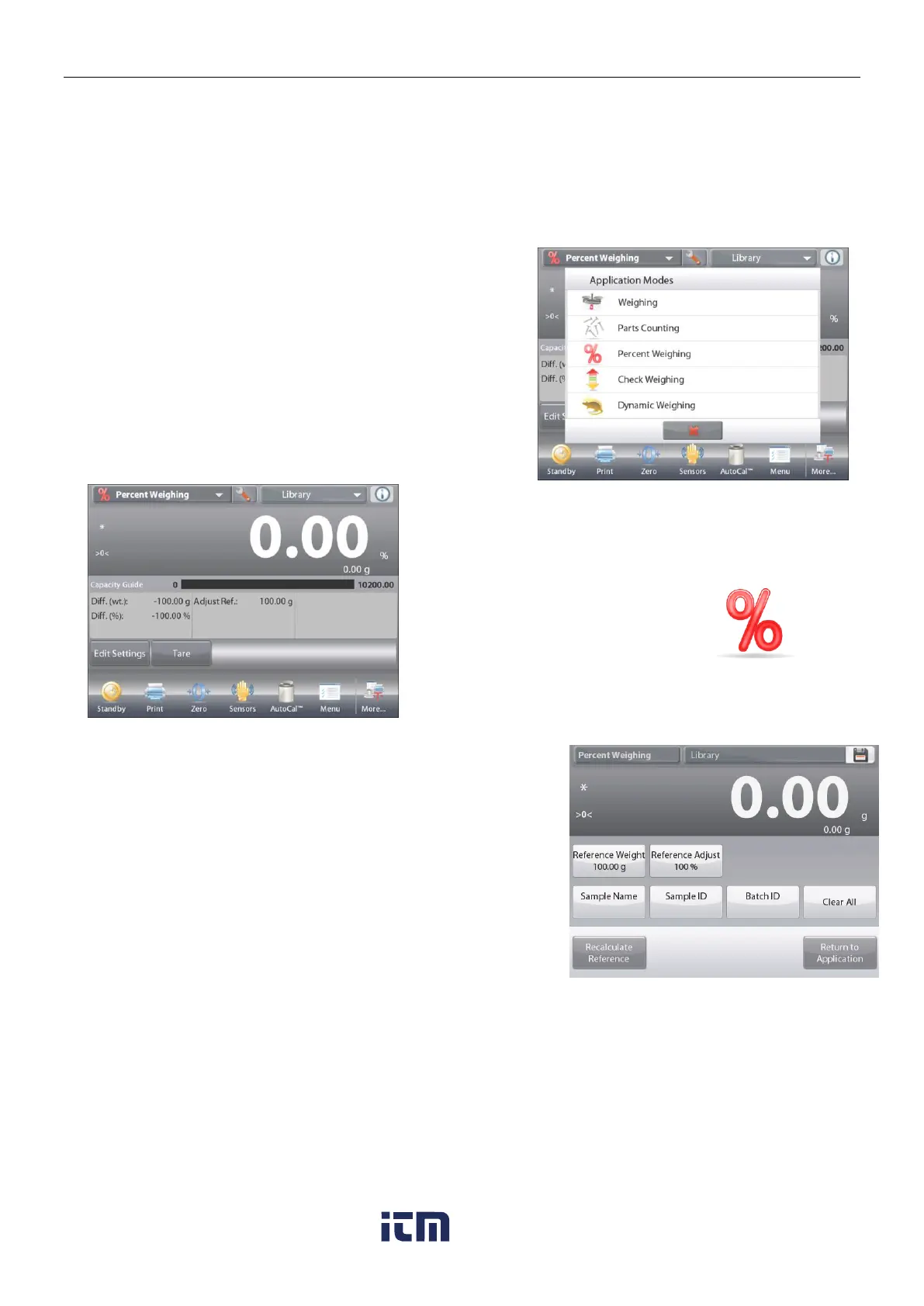
Press the upper left portion of the home screen,
so the available Application Modes are visible.
Select Percent Weighing.
The Percent Weighing Home Screen appears.
The PERCENT WEIGHING Home screen
Main Display Line
Second Display Line
Reference Fields
Application Buttons
Functions Application Icon
4.3.1 Edit Settings
To view or adjust the current settings
To adjust the Application settings, touch the
Edit Settings
button.
(See above.)
The Settings screen is now displayed.
Settings available:
Reference, Reference Adjust, Sample
Name, Sample ID, Batch ID, Clear All.
Note: please refer to section 4.1.1 for details about setting
Sample Name, Sample ID, Batch ID and Clear All.
Functions Available:
Recalculate Reference,
Return to Application
Establishing a Reference Weight
There are two methods to establish the Reference Weight value:
1. Direct: If the actual Reference Weight is known, it can be entered directly;
2. Derived: The sample’s weight can be used to establish the reference weight.
w ww . . co m
information@itm.com1.800.561.8187













 To Next Page