EasyManua.ls Logo

OHAUS Explorer EX423N/E - Explorer Balance Applications; Weighing; Parts Counting; Check Weighing

OHAUS Explorer EX423N/E
164 pages
Print Icon
To Next Page IconTo Next Page
To Previous Page IconTo Previous Page
Loading...
EN-24 EXPLORER BALANCES
4. APPLICATION
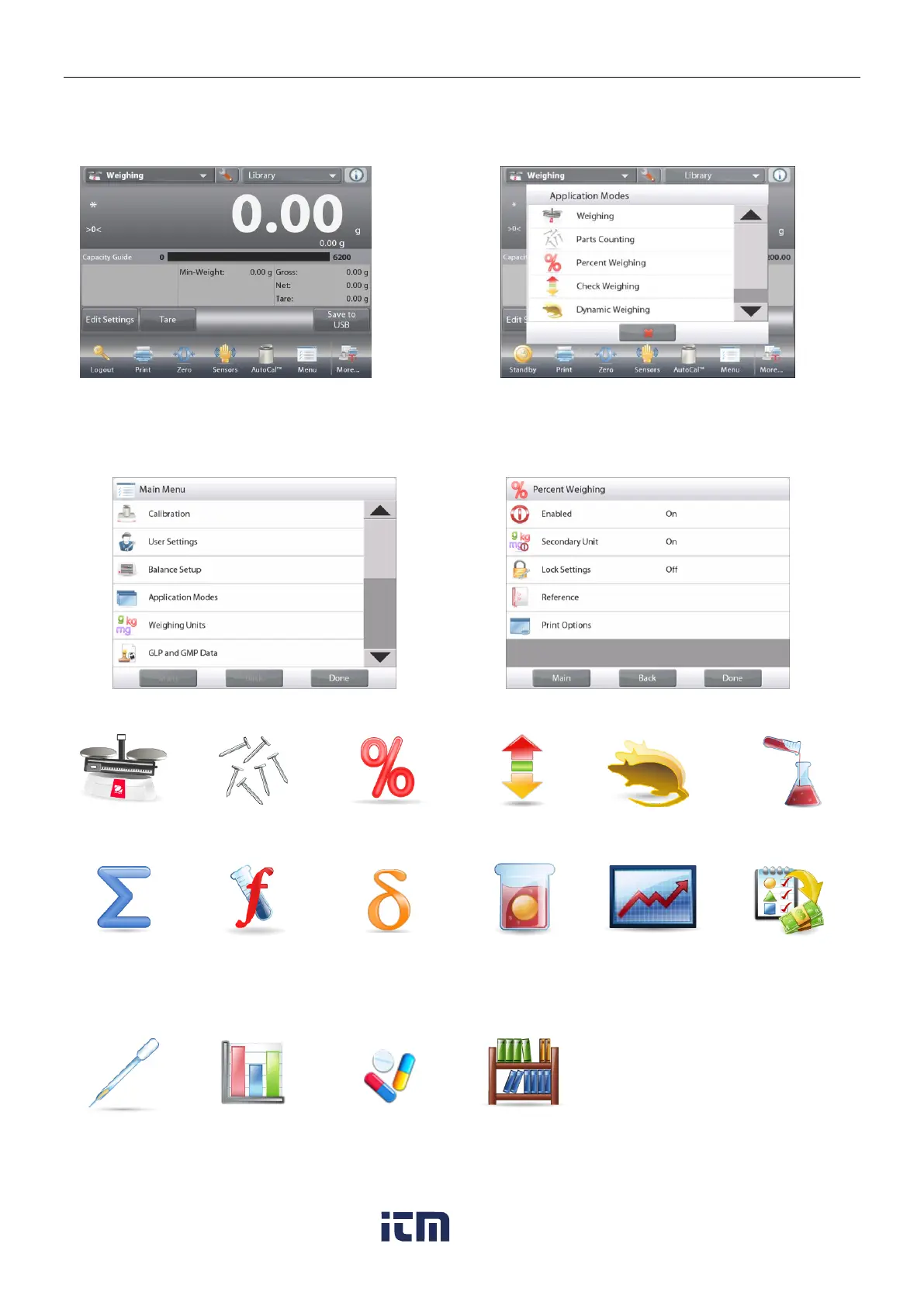
The balance can be configured to operate in various Application modes.
Touch Applications to choose or the top button in the Application area:
Note: If an application mode does not appear in the list of available Applications it must be enabled in the User
Menu: touch Menu, then select Application Modes. The full list of modes appears. Touch the one you want to
enable. Then touch Enabled in the setup menu for that application mode Percent Weighing in the example
below. Each enabled mode appears in the Applications menu.
The Explorer Balance incorporates the following Applications.
Weighing
Parts
Counting
Percent
Weighing
Check
Weighing
Dynamic
(Animal)
Weighing
Filling
Totalization
Formulation
Differential
Weighing
Density
Determination
Peak Hold
(High Point)
Ingredient
Costing
(not available in
(Semi-Micro
models)
Pipette
Adjustment
(not available in
EX12001,
EX24001,
EX35001)
SQC
Fill Weight
Variation
Library
(complements
most
Applications)
w ww . . co m
information@itm.com1.800.561.8187

Table of Contents

Related product manuals