EXPLORER BALANCES EN-11
2.3 Selecting the Location
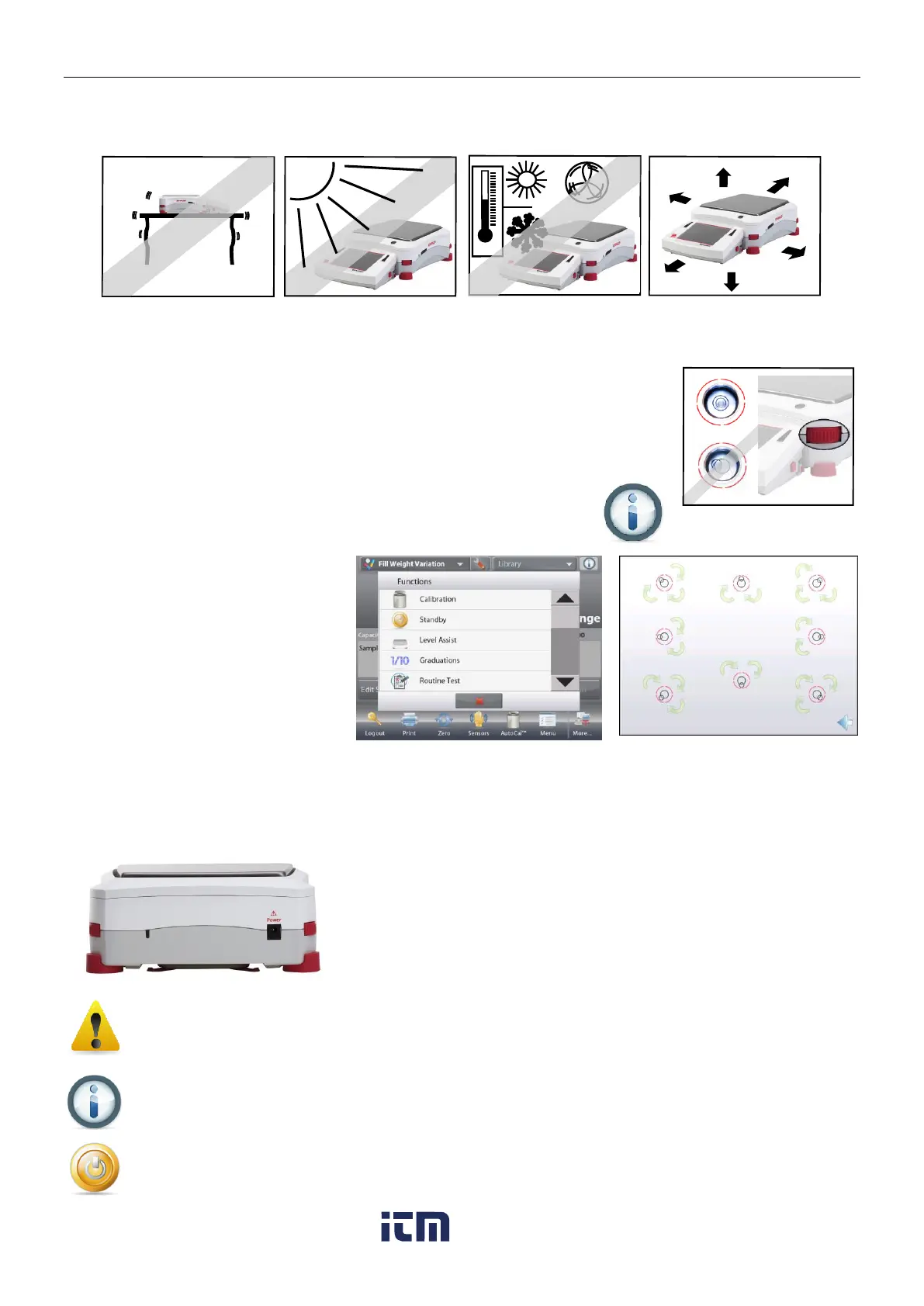
Avoid excessive vibrations, heat sources, air current, or rapid temperature changes. Allow sufficient space.
Note: Interface cables connect to the terminal. The terminal can be detached and mounted on a wall or
positioned on a table separate from the balance.
2.4 Leveling the Equipment
The Explorer has an illuminated level indicator as a reminder that the balance should
be leveled for accurate weighing. There is a level bubble in a small round window on
the front of the Base. To level the balance, adjust the Leveling Thumbwheels at each
corner until the bubble is centered in the circle.
Be sure the equipment is level each time its location is changed.
Note: The feet cannot rotate. The Thumbwheels must be used for leveling.
See the Level Assist screen in the Information Menu.
To see the Level Assist menu, touch
More on the bottom-right corner of the
main screen. Then touch Level Assist.
The Level Assist screen shows which
direction to turn the thumbwheels to
center the level bubble.
2.5 Connecting Power
2.5.1 Models with AC Adapter
For models supplied with an AC adapter, connect the DC output connector to the power receptacle on the rear of
the base. Then connect the AC power cord to a suitable electrical outlet.
Note: EX12001, EX24001 and EX35001 do not have AC Adapter
Caution: For use with CSA certified (or equivalent approved) power source,
which must have a limited current output.
Note: Allow equipment to warm up for 60 minutes for optimal weighing performance.
Standby: When unit is plugged in, it starts in Standby mode. Press the Standby icon to start.
w ww . . co m
information@itm.com1.800.561.8187













 To Next Page