EN-68 EXPLORER BALANCES
4.10 Density Determination
The Explorer can be used to determine an object’s density. Four types of density determination can be made:
1. Solids more dense than water
2. Solids less dense than water
3. Liquid density
4. Porous material (impregnated with oil)
A density determination kit is designed to be used with Ohaus Explorer balances. Illustrations in this procedure
refer to the density kit. However, you may use whatever lab apparatus that suits the requirements for density
measurements. The balance software includes a built-in reference density table for water at temperatures
between 10°C and 30°C. Review this entire section before attempting density measurements.
When making density measurements the material should weigh at least 10 mg on an analytical balance and 100
mg on a precision balance.
Density can be determined manually (with a key press after each step) or automatically (weights are
automatically recorded). Before making density measurements, establish the Application Settings.
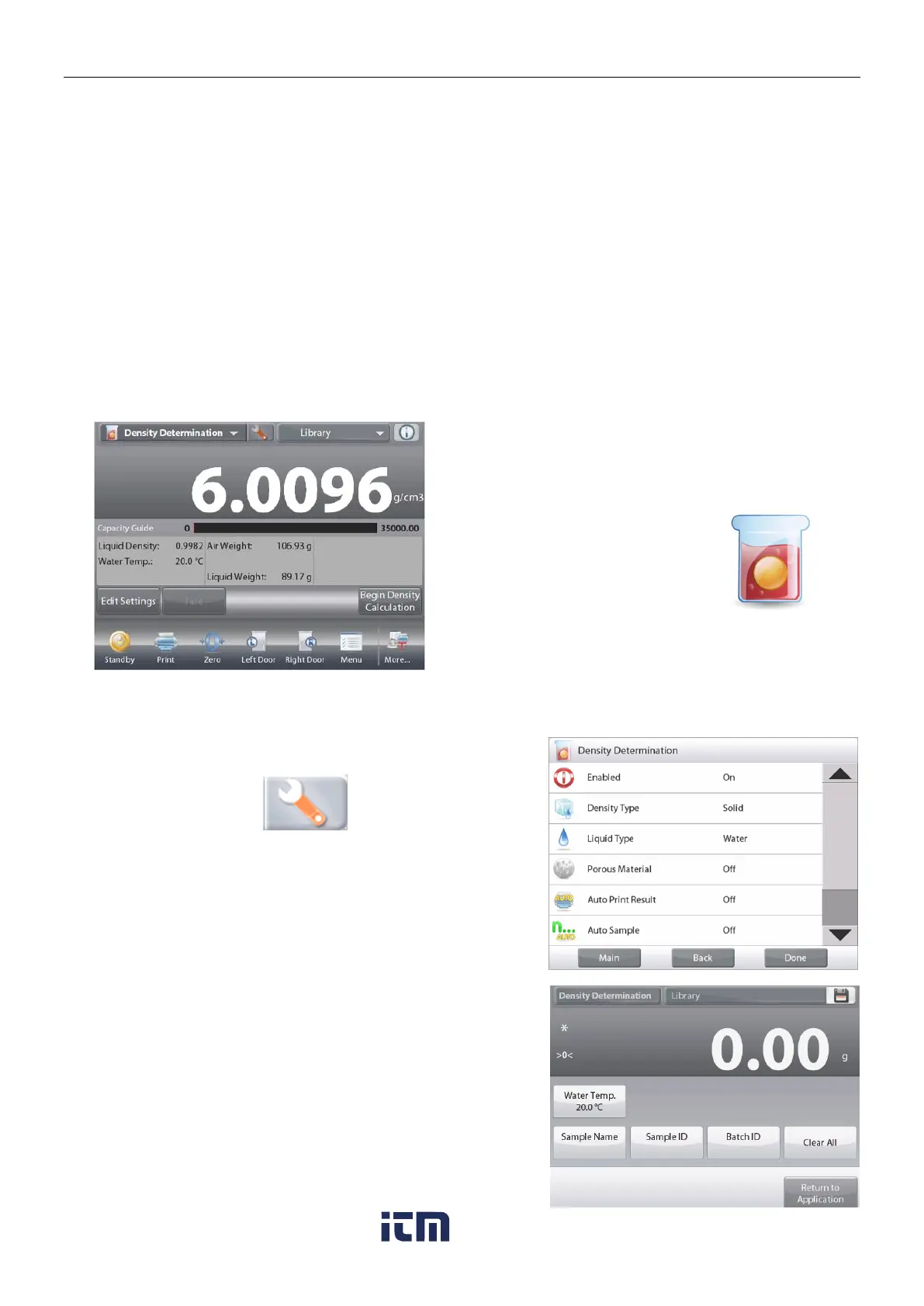
The DENSITY DETERMINATION Home screen
Main Display Line
Second Display Line (not shown)
Reference Fields
Application Buttons
Functions Application Icon
4.10.1 Measuring the Density of a Solid Using Water (default)
Press the Setup button (the wrench) to open the Density
Determination Settings screen.
Confirm the following Setups are selected:
Density Type: Solid
Liquid Type: Water
Porous Material: Off
Press
Done
to return to the Density Determination home screen.
The Edit Settings Screen.
Settings available:
Water Temp, Sample Name, Sample ID,
Batch ID, Clear All.
Note: please refer to section 4.1.1 for details about setting
Sample Name, Sample ID, Batch ID and Clear All.
Functions Available:
Return to Application
To adjust the water temperature value,
touch the Water Temp button.
The balance calculates water density based on the water
temperature value entered (internal lookup table).
w ww . . co m
information@itm.com1.800.561.8187













 To Next Page